Hi @sarah_8671,
Hope you are doing well. Sorry for your experience with Acrobat!
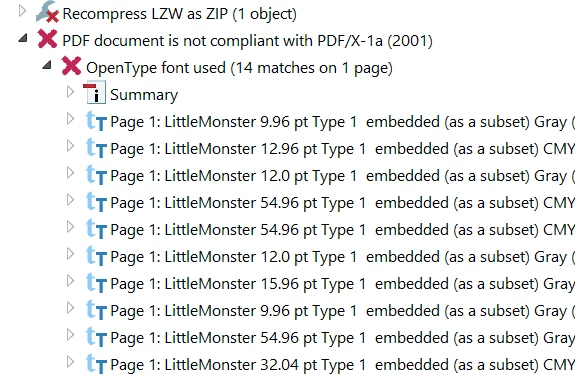
I tried checking the same workflow with a file that uses Type 1 font, but I couldn't see a similar error.
What I suspect here is the embedding of the font.
Would you mind trying out the below steps:
1. Open the file;
2. Go to Menu-> Print-> change the printer to "Adobe PDF;"
3. Click "Properties;"
4. Click Edit to the right of default settings;
5. On the next window, click on Font on the left side;
6. Make sure the option "Embed OpenType Fonts;"
7. Click OK and save the new print settings file.
8. Use the newly saved default settings and save the PDF.
9. Now open the new PDF and check for compliance again.
[screenshot attached for reference]

If this does not help, please share the file with me so I can try to reproduce and get back to you with a solution.
-Souvik



 AdChoices