


Question
Not seeing set default zoom level for bookmarks
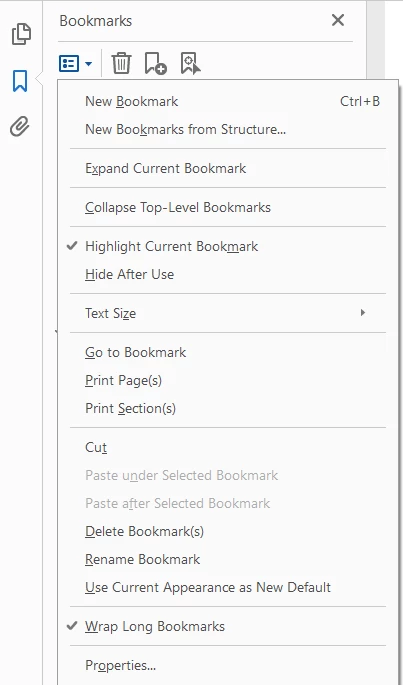
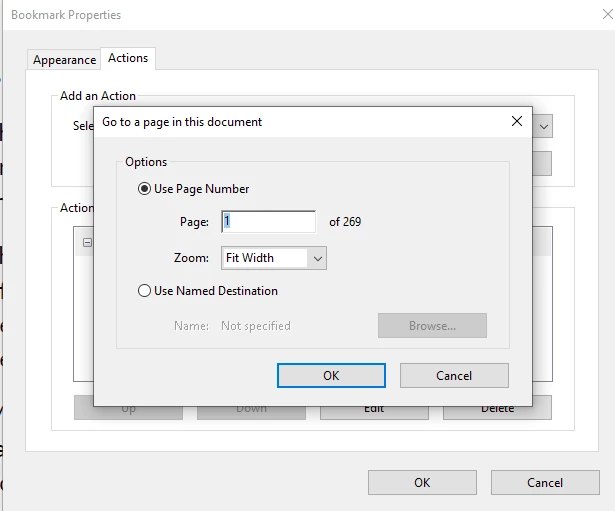
I am trying to fix the zoom levels on the bookmarks that Acrobat is creating when I combine PDFs. I found this post - https://community.adobe.com/t5/acrobat-discussions/set-the-default-zoom-level-for-bookmarks/td-p/11355163, which seems to do exactly what I need. However, I am not seeing either "Set Default Bookmark Zoom Level" in the menu, or the "Keep page number unchanged" option in the dialogue box. My Acrobat says that it is the most up to date version - 20.002.30418. Are these features no longer available?
 AdChoices