March 11, 2022
Question

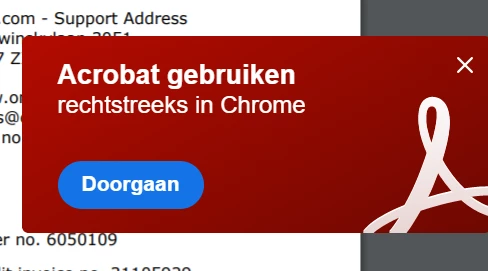
Notice every time I open a PDF in the browser
  • March 11, 2022
  • 1 reply
  • 1316 views


Whenever I open a PDF in my browser, I get this notice. It is in Dutch, but it says "Use Acrobat directly in Chrome". I don't want to use Acrobat directly in chrome. But even if I press the blue button with Continue, nothing happens. When I close it, every time I open another pdf it appears again.


I don't want to stop the Acrobat chrome extension, because it is used for other stuff as well. How to get rid of this?


Windows 10, fully updated Acrobat DC (version 22.0). Chromium browser through Brave. 

Version 1.36.112 Chromium: 99.0.4844.51 (Official build) (64-bits)


This topic has been closed for replies.

1 reply

Amal.
Legend
March 11, 2022

Hi Michiel


Hope you are doing well and sorry for the trouble.


Please go to Edit > Preferences > General > Uncheck 'Show me messages when I launch Adobe Acrobat' > Click OK and reboot the application. and see if that helps.


Regards

Amal

March 14, 2022

Hello Amal,


Sadly opening an other PDF and the message appears again. Any other idea's on how to get it removed?


Michiel

Amal.
Legend
March 14, 2022

Hi there


Please go through the help page https://www.adobe.com/devnet-docs/acrobatetk/tools/PrefRef/Windows/FeatureLockDown.html#HomeScreenandStartup and see if that works.


Regards'

Amal