


Noto Sans Fonts Unavailable for Editing in Adobe Acrobat After Update
Hi everyone
I’m reaching out for help after searching extensively for answers and trying multiple troubleshooting steps.
Our company’s corporate identity relies on the full Noto Sans font family. However, after the latest Adobe Acrobat update, I can only use Noto Sans CJK JP, while all other variations of the font are marked as unavailable for editing. These fonts work perfectly fine in other Adobe programs, so I’m unsure why Acrobat won’t recognize them.
When I check my fonts in Acrobat, I see this:
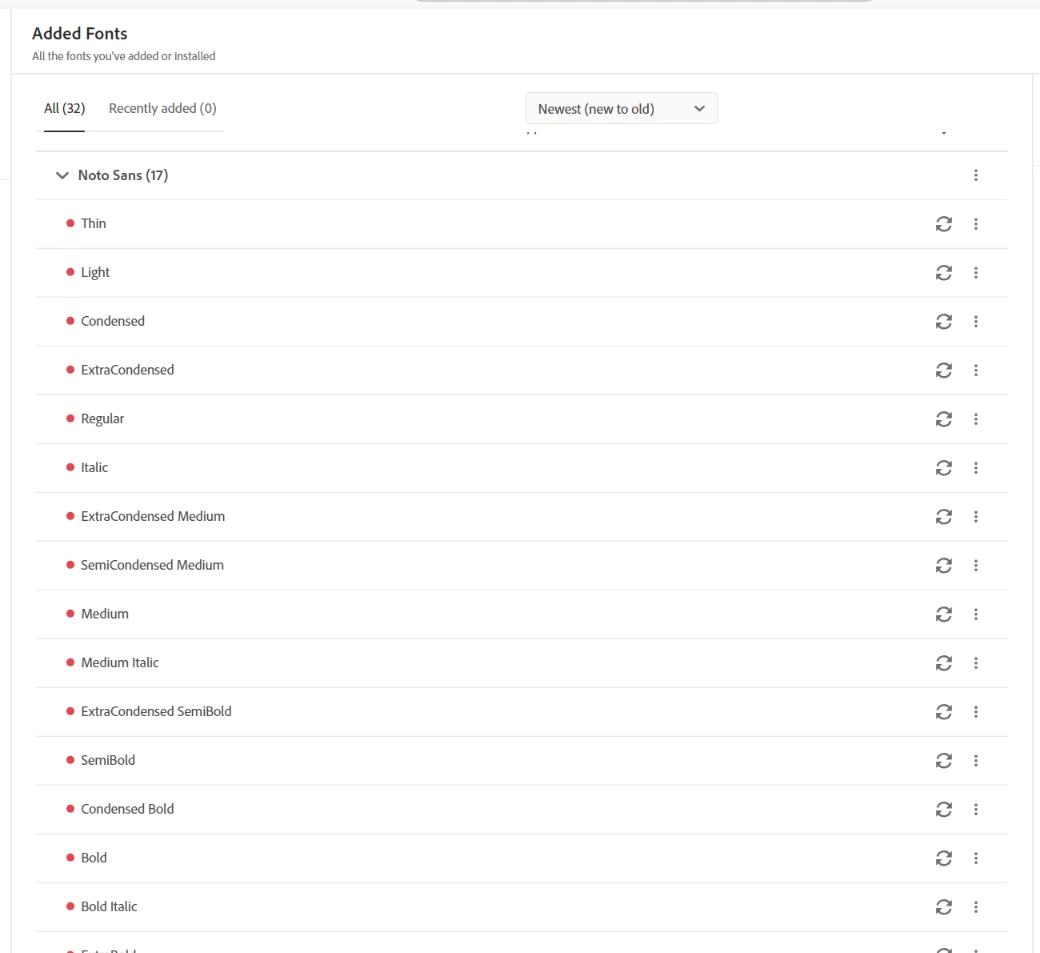
If I try to synchronize the fonts, I get an error, and Acrobat won’t sync them with “In Adobe Apps.”
Does anyone know how to fix this?
We rely heavily on quick editing in PDFs, so this issue is becoming quite frustrating. Any help would be greatly appreciated!
Thanks in advance!
 AdChoices