
Null Alt Text on Links in Files from ID 15
- December 11, 2019
- 1 reply
- 519 views
I've posted this to Indesign Bugs and in the Indesign Community forum but it occurred to me that other PDF remediators need to be aware of this issue.
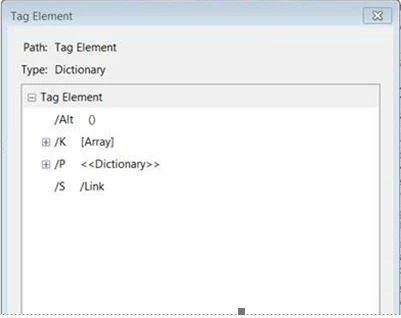
Has anyone else noticed the appearance of null alt text [ /Alt () ] on LINK tags in PDFs exported from Indesign since the November ID upgrade? This seems to be a BUG as far as I can tell. I could find no preference or setting in Indesign to change this other than actually entering alternative text which not everyone chooses to do.
If someone knows of a fix for this in Indesign please let me know and I'll pass it on to our designers!
So as of November 2019, Indesign now offers the ability to add alternative text to links right in Indesign, which is great, but if the field is left empty it sets a null text attribute when exported to Tagged PDF. This is NOT caught by anything but a manual check either by examining the tag or a screen reader check. Acrobat's Accessibility Checker will not flag this and neither will PAC. The Acrobat AC will flag it if you nest another tag with alternative text within the Link -- which is how I caught it before the Jaws check stage. We always do a Jaws read through but I know not everyone does... so you may not realize your links are not reading.
Null alt text is not the same thing as "no alt text." Null alt text in a PDF prevents the contents of a tag from being read by the screen reader. It's used in HTML for decorative images (artifacts) but it is not typically used in PDF. The contents of this tag, whatever they are, will not be read by the screen reader. In this case it's a Link tag.
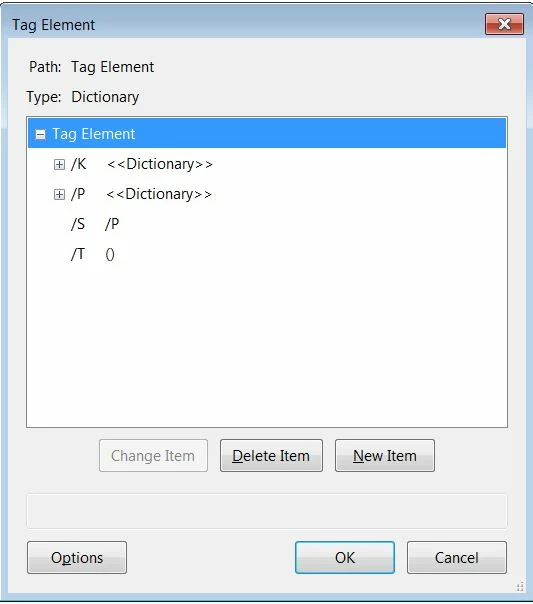
Here is what no alt or actual text would look like on an empty P (paragraph) tag.
 AdChoices