Participant
May 21, 2023
Answered

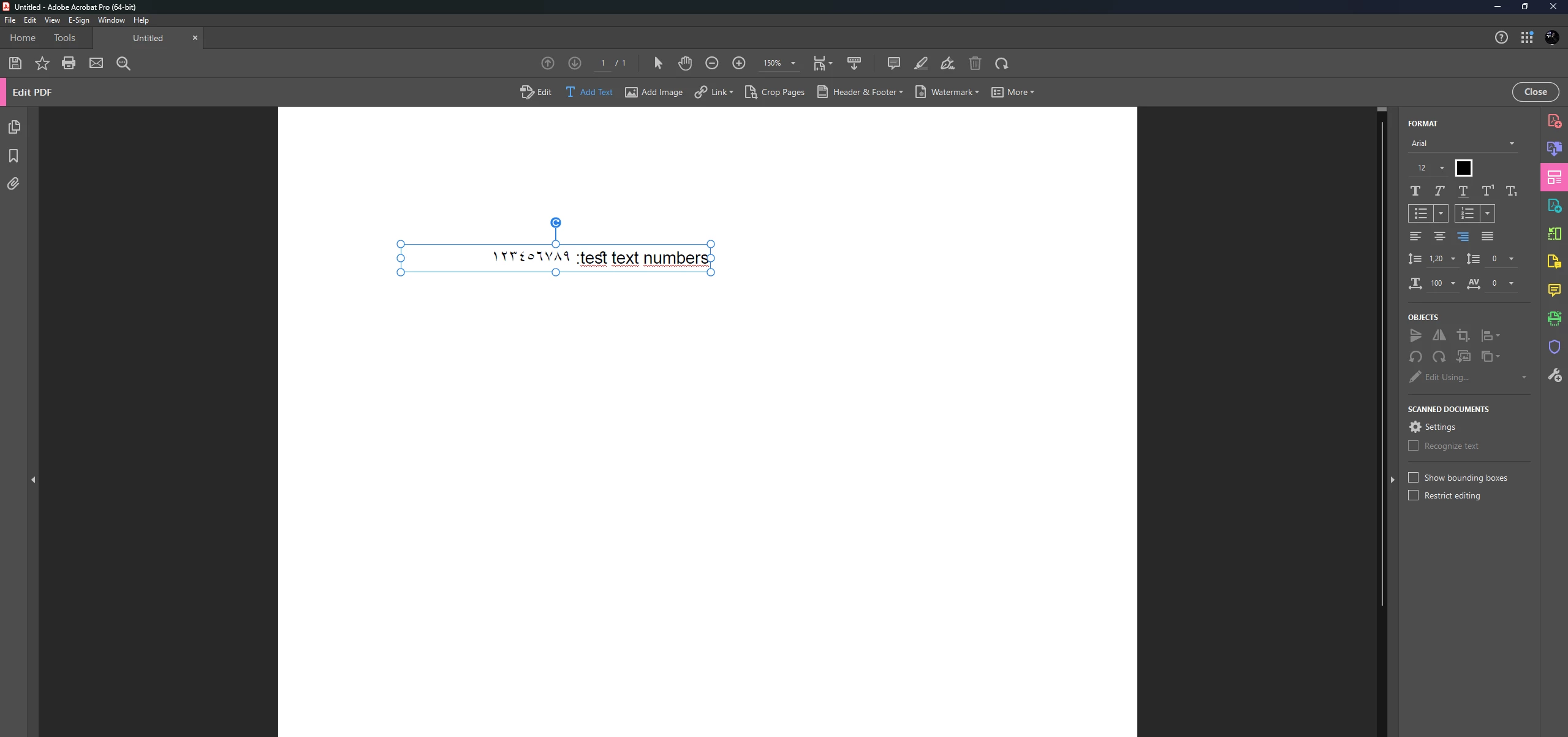
Numbers are added in Arabic in Adobe Acrobat.

  • May 21, 2023
  • 1 reply
  • 1557 views

Even if I change the font, it stays the same and as you can see, it is written from right to left, not from left to right, as in Arabic. The numbers there should actually have been 123456789. How do I fix it?
 

This topic has been closed for replies.
Correct answer Abambo

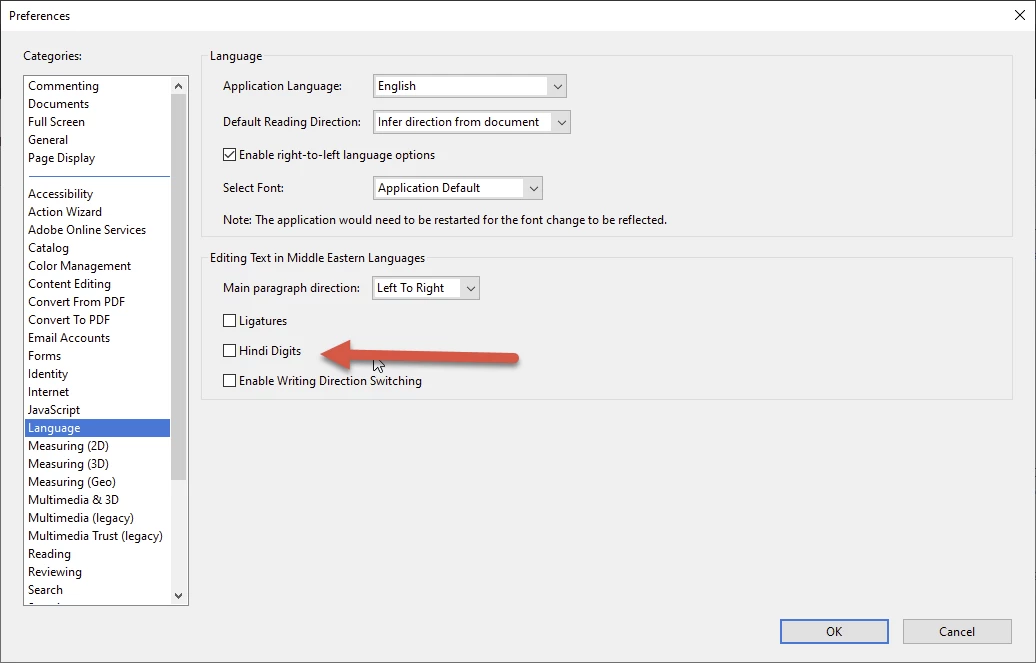
Check if you have unchecked “Hindi Digits” in the language preference.


1 reply

Abambo
Community Expert
AbamboCommunity ExpertCorrect answer
Community Expert
May 22, 2023

Check if you have unchecked “Hindi Digits” in the language preference.


ABAMBO | Hard- and Software Engineer | Photographer
özcanAuthor
Participant
May 22, 2023

This worked. Thank you very much.

Abambo
Community Expert
Community Expert
May 22, 2023

You're welcome.

ABAMBO | Hard- and Software Engineer | Photographer