


aplysx
Participant
July 17, 2025
Answered

Numerical order

  • July 17, 2025
  • 1 reply
  • 169 views

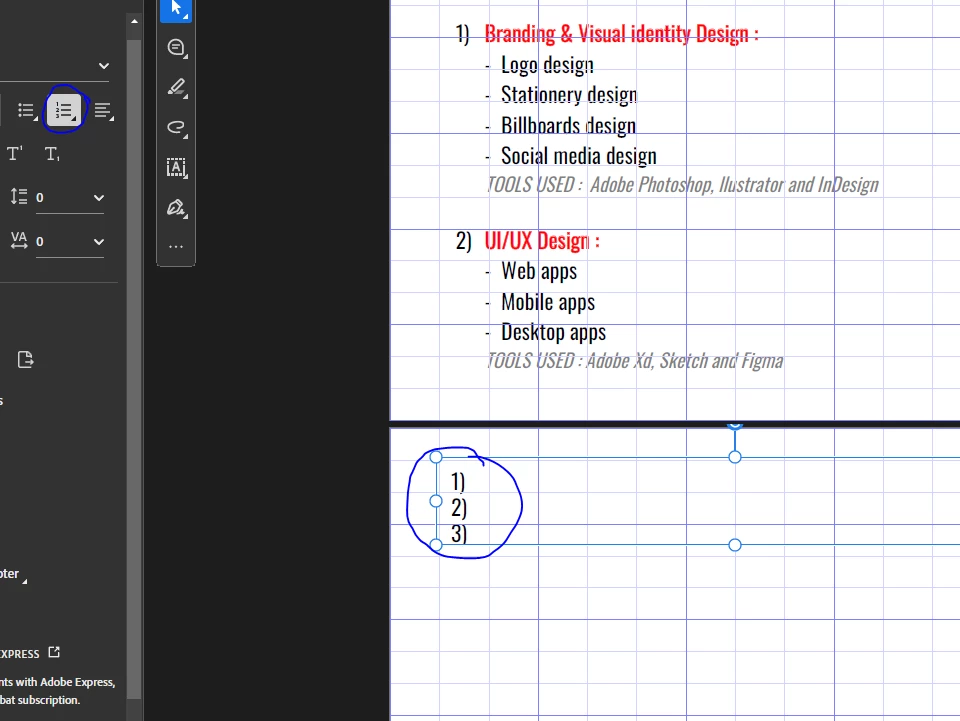
Help! how can i start from a certain number using this tool, like 3 or 4, cuz i already did 1 and 2 in the last page and i wanna finish the rest.

Correct answer Tariq Dar

Hi @aplysx,


Thanks for your question, and great observation.


When you’re creating a numbered list directly in Acrobat using “Edit PDF” > Add Text, the tool treats each text block independently. Acrobat doesn’t have the capability to:

  • Automatically flow text across pages

  • Continue list numbering across separate text blocks


So when the list reaches the end of the page, you’ll need to:

  • Manually create a new text block on the next page

  • Manually continue the numbering from where the last one left off


Unfortunately, Acrobat’s editor doesn’t support “live” multi-page lists like Word or InDesign—it’s meant for small edits or annotations rather than full document layout.


If you’re building a longer document or structured list, the suggestion is to use Word or InDesign for the layout and then export to PDF.


Best regards,
Tariq | Adobe Community Team

1 reply

Tariq DarCorrect answer
Legend
July 17, 2025

Hi @aplysx,


Thanks for your question, and great observation.


When you’re creating a numbered list directly in Acrobat using “Edit PDF” > Add Text, the tool treats each text block independently. Acrobat doesn’t have the capability to:

  • Automatically flow text across pages

  • Continue list numbering across separate text blocks


So when the list reaches the end of the page, you’ll need to:

  • Manually create a new text block on the next page

  • Manually continue the numbering from where the last one left off


Unfortunately, Acrobat’s editor doesn’t support “live” multi-page lists like Word or InDesign—it’s meant for small edits or annotations rather than full document layout.


If you’re building a longer document or structured list, the suggestion is to use Word or InDesign for the layout and then export to PDF.


Best regards,
Tariq | Adobe Community Team