
Known Participant
December 17, 2018
Question

OCR returns messy code

  • December 17, 2018
  • 2 replies
  • 2449 views

Hi, I am using Adobe Acrobat to OCR a pdf file. But after the OCR operation, what returned are just messy codes rather than normal English text.

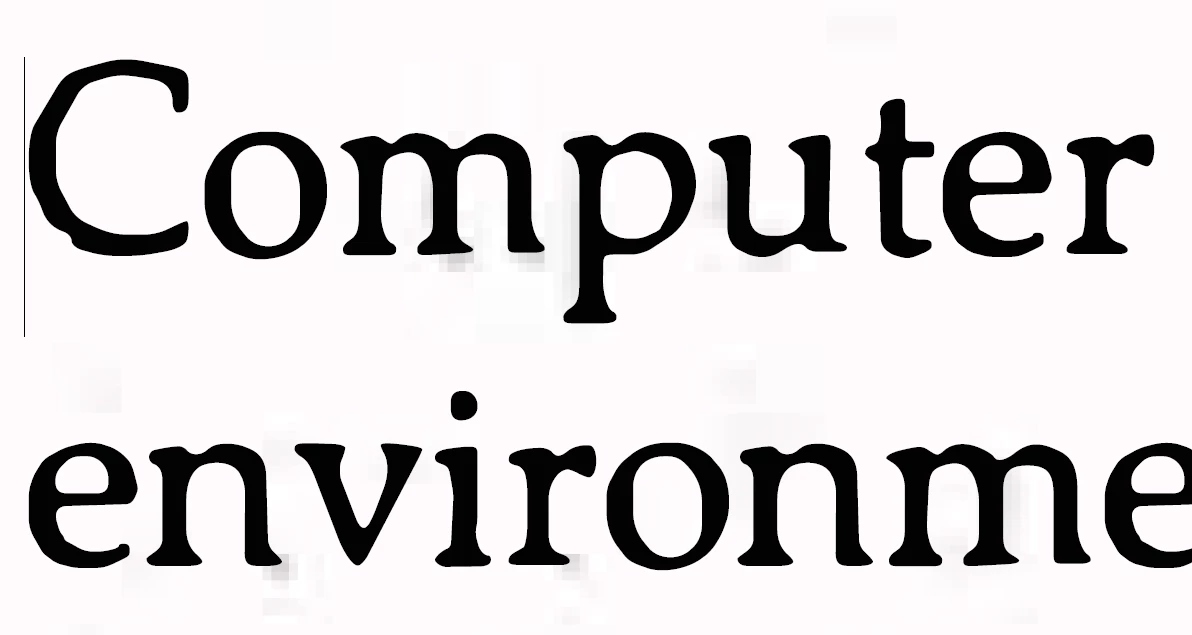
This is a screenshot of the pdf file. From the shadow besides letters I can infer that it is an image (right?).
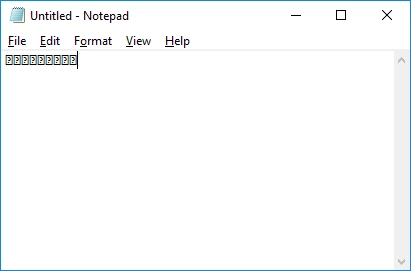
But this is what OCR returns:
This is a page of the pdf I am working on (I don't know how to attach a file with a question, so I have to use DropBox): Dropbox - Pages from Ray Tracing From The Ground Up - Copy.pdf

So how to fix it? Thank you for your help.

Some info:

- Adobe Acrobat Pro DC

- Windows 10 64 bit

This topic has been closed for replies.

2 replies

jane-e
Community Expert
Community Expert
December 17, 2018

Hi

Please give all of your steps with the settings you used. The settings make a difference, as does the quality of the original scan. Screen shots of your settings would be helpful.

~ Jane

Known Participant
December 17, 2018

I did not make any settings.

jane-e
Community Expert
Community Expert
December 17, 2018

hengz80545720  wrote

I did not make any settings.

Then how did you OCR the PDF?

Bernd Alheit
Community Expert
Community Expert
December 17, 2018

When I perform OCR on a image of this page I get this:

Adobe Document Cloud

Known Participant
December 17, 2018

Hi, Bernd Alheit, so OCR works for you. What software did you use?

Bernd Alheit
Community Expert
Community Expert
December 17, 2018

I use Adobe Acrobat DC. Acrobat Reader can't perform OCR.