


Known Participant
February 4, 2023
Question

OLE Automation issue

  • February 4, 2023
  • 2 replies
  • 774 views

We are converting a process in Acrobat Pro 9 to a current Acrobat Pro subscription since the security certificate expired.  The OLE part of what we are doing still works successfully in 9, but there is an issue in the subscription version. I am running this from a language similar to VB.


Everything works until this line of code

jso.saveAs(pdfname)


Previously the file was saved.  Now, the popup below is shown
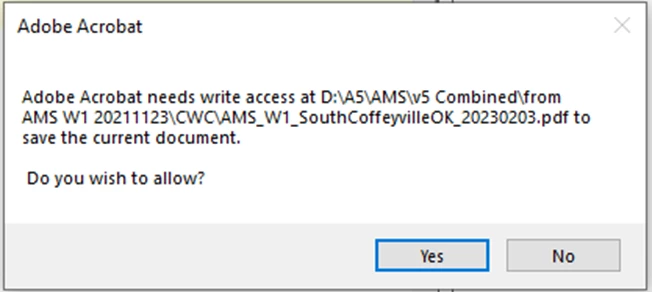
Is there a way to have this automatically allowed so the user is not involved?  This popup displays if the pdfname file exists or not.


These are my settings.
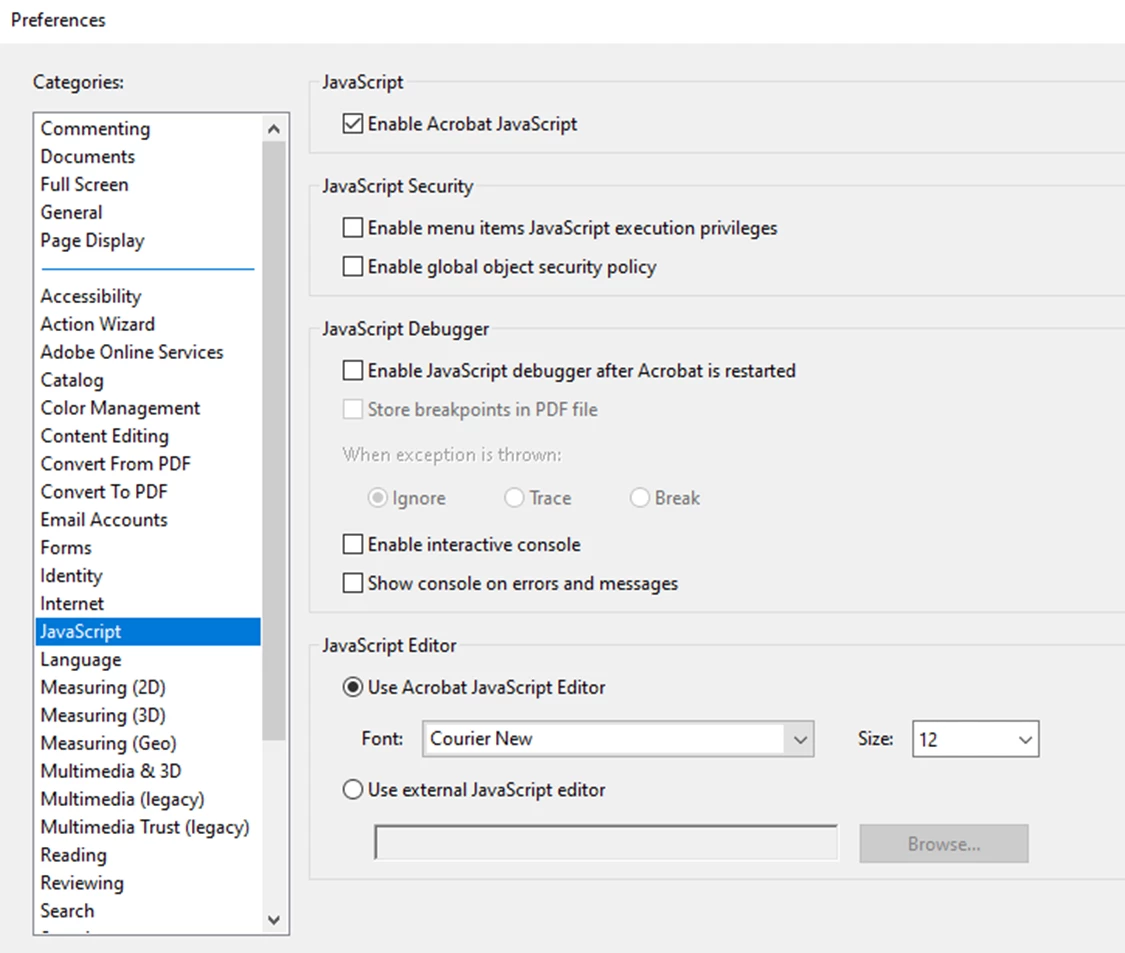
If I click on the popup, the process continues successfully.  I just need to get rid of the UI interaction.


Bill.

This topic has been closed for replies.

2 replies

Thom Parker
Community Expert
Community Expert
February 4, 2023

Or run the SaveAs script from a privileged context. 

https://www.pdfscripting.com/public/How-to-Save-a-PDF-2.cfm


Thom Parker - Software Developer at PDFScriptingUse the Acrobat JavaScript Reference early and often
try67
Community Expert
Community Expert
February 4, 2023

Disable everything that's selected under the "Security (Enhanced)" tab.

Known Participant
February 5, 2023

Bingo!  That worked.  Thanks.  Naturally there is another question.

The OLE portion that defines form fields is now working.  For the next part I open the PDF in the UI and send keystrokes to it to distribute the form.  (Although seeing what Thom does with execMenuItem looks intersting.)  At any rate, I can send keystrokes that gets me to the point below.

But I can't find a hot key to click the Distribute button.  I am going to just save a local copy.


I did the original code 12 years ago and have not had to touch it since, so I have forgotten everything.


Bill.