


Geckoz100
Known Participant
November 25, 2025
Answered

Only one of several required fields stays red (it should not)

  • November 25, 2025
  • 1 reply
  • 205 views

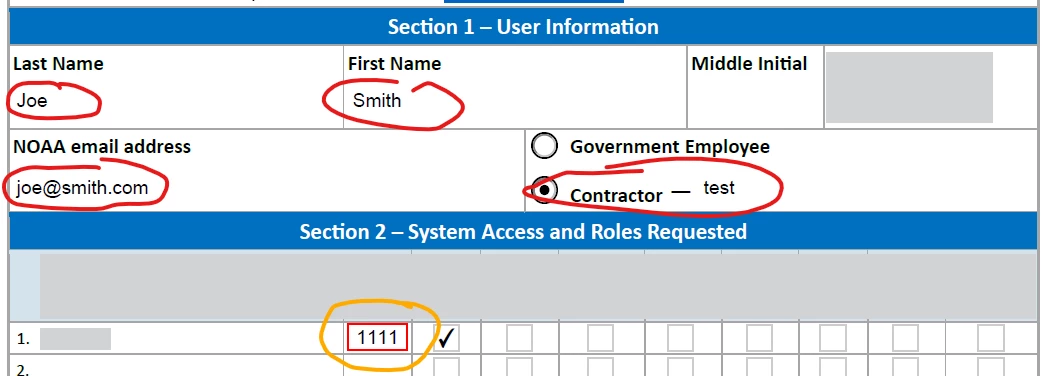
I have a form with several required fields, all circled below.  On all of them, the red border is removed upon signature, except the one circled in orange.  Maybe it has something to do with the fact that it has a script in it.  Thoughts?
 

Correct answer Geckoz100

Can you upload the form?


I can't upload it cause it's a government document, but I'm glad you made me think more about it.  It turns out I had manually set the border on that one field to red in its properties, in addition to setting it as Required, which I didn't remember doing.  So once I removed that, the red border was removed from all required fields once the digital signature was complete.

I appreciate all the responses.

1 reply

PDF Automation Station
Community Expert
Community Expert
November 25, 2025

What is the script?

Geckoz100
Geckoz100Author
Known Participant
November 25, 2025

It toggles read-only on and off for the checkboxes that follow -- if the red box has data, it opens the checkboxes for editing. If it's empty, it sets them to read-only.  Statements like this:


if (event.target.value !== "") {
this.getField("fieldName").readonly = false;
PDF Automation Station
Community Expert
Community Expert
November 26, 2025

Can you upload the form?