
Participating Frequently
February 18, 2019
Question

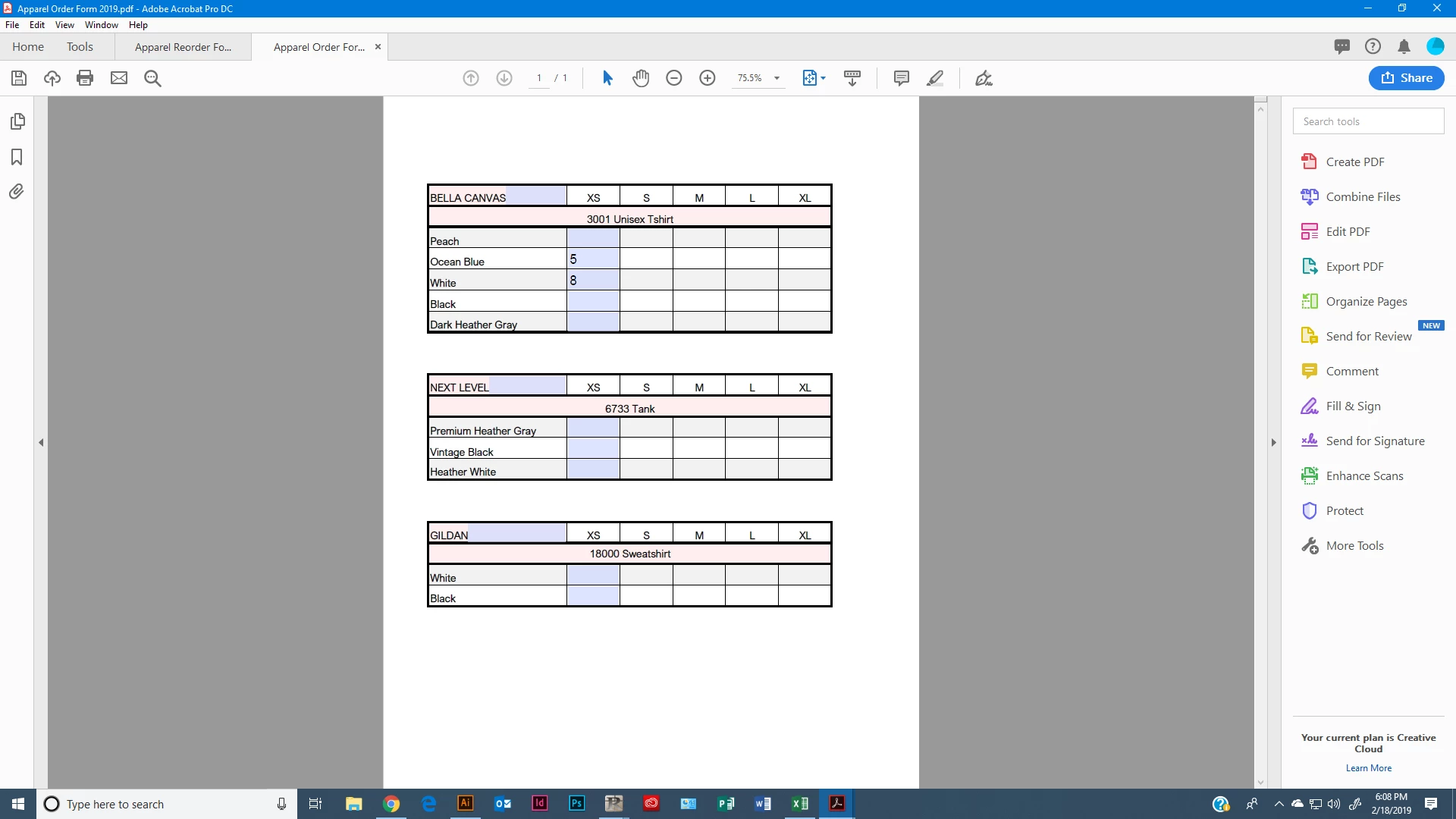
Only the first column in my excel document is editable?

  • February 18, 2019
  • 1 reply
  • 306 views

Sorry for the rookie question, but I am wanting each box to be editable so I can type in a quanity for each size but for some reason only the first column is giving me the option to edit?  Thank you in advance!

view from excel:

View in Acrobat:
This topic has been closed for replies.

1 reply

try67
Community Expert
Community Expert
February 18, 2019

I bet you used the fields detection wizard of Acrobat. While it can pick up some things automatically, it very rarely picks all of them up correctly. You'll need to do the rest manually, I'm afraid.

You could use the Create Multiple Fields command to duplicate the existing fields in fixed intervals for the table cells.

Just right-click one of them in Prepare Form mode and you'll see it.