
Participant
April 22, 2024
Question

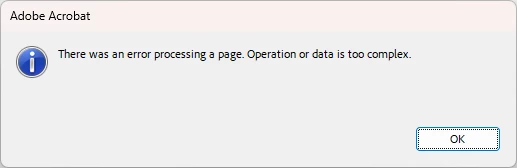
Operation or data is too complex

  • April 22, 2024
  • 4 replies
  • 14031 views

Adobe Acrobat Pro


No error code ?!?! .... how do I fix this ?   

I reboot the machine and it's stable for a while but it crashes with this error  soon after
Is there a log I can view somewhere ?


Thanks in advance

4 replies

Participant
July 5, 2024

what we did was to "Disable New Adobe Acrobat" under File. 


Participant
September 9, 2024

Thank you @Roy31816143sjz3 this solution worked for me.

Participant
January 17, 2025

Hello Andrey,

Would you mind showing me where to find this setting? Thanks!


Participant
May 7, 2024

Once we removed Adobe Accrobat (64) it fixed the issues we were having.

Participant
June 11, 2024

Presumably this means you're no longer using Adobe Acrobat to view PDF files.  Per my reply, above, we need a Microsoft OLE server application to handle PDF files, and I don't think browsers will cut it.  Adobe Acrobat reader has always done this job.  Maybe other readers could step in, but our customer(s) may not be so eager to install or pay for them.  Am I missing something?  Thanks.

Participant
May 7, 2024

Same error here


Amal.
Community Manager
Community Manager
May 7, 2024

Hi there 
 
Hope you are doing well and sorry to hear that
 
Is this an issue with a particular PDF file or with all the PDFs? Please try with a different PDF file and check. If the file is stored on a shared network/drive please download it to your computer locally and then try again.
 
What is the version of the OS and the Acrobat DC you are using? To check the version go to Help > About Acrobat and make sure you have the recent version 24.02.20736 installed. Go to Help > Check for updates and reboot the computer once.
 
Also try to repair the installation from the help menu (Win Only) and see if that works.
 
Please try to reset the Acrobat preferences as described here https://adobe.ly/3JTk2c2


~Amal

Participant
June 11, 2024

One of our customers just started experiencing this problem, and has made a discovery that may help.  First, some background: Our application stores PDF documents in a database, and opens them as activated Microsoft OLE objects.  Thus the documents are not opened by opening a file stored in a specific directory, however perhaps OLE creates a temporary PDF file to open in a temporary directory. 

Our customer learned that this error DOES NOT occur if the Windows user has Local Admin rights.  The error DOES occur if not.  

Does this help?  Any idea where a temporary document may be stored in such a case, and therefore where our customer can assign permissions?

Participant
April 30, 2024

Having the same issue