
Participating Frequently
May 9, 2023
Answered

Page number in print does not display in Adobe's page number box

  • May 9, 2023
  • 2 replies
  • 8433 views

Hello,

I've just had an update of my Adobe Acrobat (in Creative Cloud) to this version

and realized that the page numbers in print do not get to display in the page number display, but it used to in earlier versions, when they are set up properly in Page Labels window, e.g. 

 

Here, 105 is the print page number and 106 is page number in Acobe.

However, in this new version of Adobe Acrobat, it shows only page number in Adobe Actobat 

although the print page number is set up as 73 which displays in the Pages panel, as shown in the below screenshot
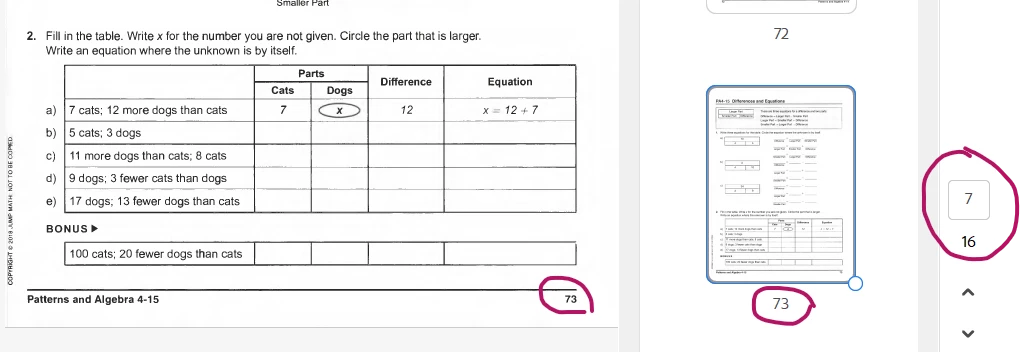
Ideally it should show like 73 (7/16), or 
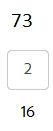
I was wondering if I've missed something? Or was it designed intentionally? Any help is much appreciated.


This topic has been closed for replies.
Correct answer NicDobish

Found the setting! Preferences>Page Disply>Page Content and Information section> Then uncheck the "Use logical page numbers" now when your on page 120 and thats the page you want to print so you type 120 in the page number area to print you get the correct page. or pages

2 replies

Participant
August 25, 2023

I can confirm that the new version is not showing the page labels but phisical page numbers. The old version was showing it when the toolbar was at the top not on the right side as in the latest version. Or this is a bug or there is a setting that we are missing.

NicDobishCorrect answer
Participant
December 6, 2023

Found the setting! Preferences>Page Disply>Page Content and Information section> Then uncheck the "Use logical page numbers" now when your on page 120 and thats the page you want to print so you type 120 in the page number area to print you get the correct page. or pages

Abambo
Community Expert
Community Expert
May 10, 2023

That's the way the PDF file has been created and has nothing to do with Acrobat. Where is that document from?

ABAMBO | Hard- and Software Engineer | Photographer
FnancyAuthor
Participating Frequently
May 10, 2023

Hi Abambo,

Thanks so much for you quick response! The file has been created from the hard copy at our agency, and it displays differently in the two versions of Acrobat, before and after the update. Below are two screenshots of the same page in the same file:

Before


After

Wondering whether I've missed something in the settings or somewhere that may have the numberings show the same in the new Acrobat?

Meenakshi0101
Adobe Employee
Adobe Employee
May 10, 2023

Hi Fnancy,


Thank you for reaching out.


We see the difference you mentioned in the screenshot. However, we will require a sample PDF to replicate this.

Would you mind sharing the PDF or a sample file with similar page number issues with us? Share the OS version as well. 


Thanks,

Meenakshi