

Participant
April 2, 2025
Answered

Page Size Window

  • April 2, 2025
  • 1 reply
  • 465 views

Hello,

I am looking to show the window in the image below. I have circled the window that im looking to display.  The window shows how many pages and the page size. This really helps me do my job, thanks.
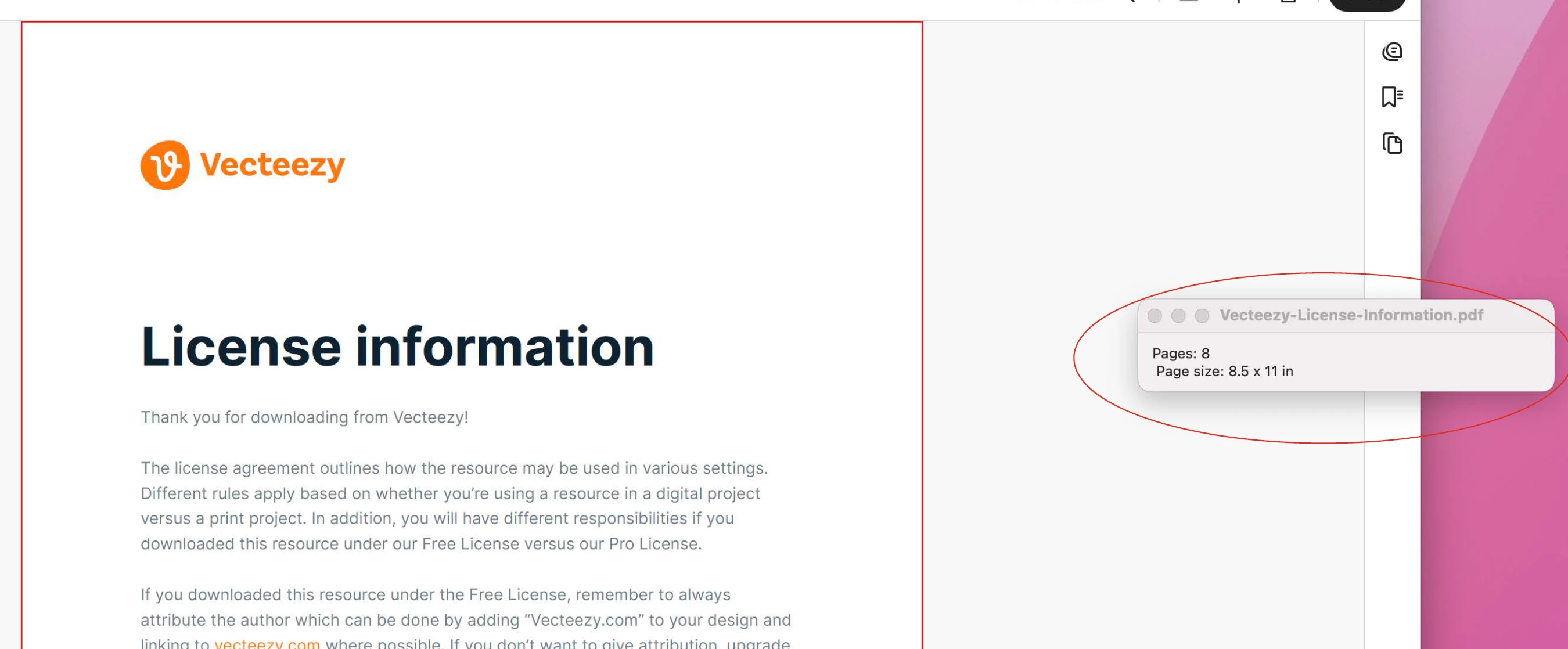
 

Correct answer mchavez17

Hi there,

Thanks for sharing your observation. Please give us some time to get this checked. We will be sharing the update soon.

Thanks for your understanding.


I was able to find it. In case anyone else is wondering too. This is a quite imposing feature. Go to plugins>then quite imposing plus 5>Page Monitor>Show Monitor. Thank you.

1 reply

Amal.
Legend
April 2, 2025

Hi there


Hope you are doing well and thanks for reaching out.


To enable the display of the PDF document's page size, go to Preferences (Ctrl,Cmd+K) > Page Display > Under page content and information, select 'Always show document page size' > click OK and check if that works for you.


mchavez17Author
Participant
April 2, 2025

Hello, thanks for the fast response. Thats not bad, however it doesnt go into the thousanths columns, we have envelopes that go into the thousanths unfortunately. Its also rounding up which isnt good. Its also a very tiny font. I would love to get that window back, thanks.

Amal.
Legend
April 2, 2025

Hi there,

Thanks for sharing your observation. Please give us some time to get this checked. We will be sharing the update soon.

Thanks for your understanding.
