jarikunnel
Participating Frequently
June 17, 2026
Question

Paper size

  • June 17, 2026
  • 2 replies
  • 3 views

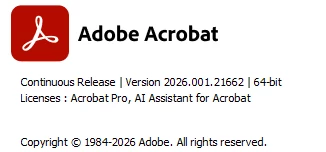
How to change 8.5”x11” page to 11”X17”. Use pictures. I have this version of Adobe 


    2 replies

    jarikunnel
    Participating Frequently
    June 19, 2026

    When I select Page Setup to change the page size, no pop up screen appears as you expect. Instead, the program crashes. Additionally, do I need to go to the print settings to change the paper size of a new blank document?


    Meenakshi0101
    Community Manager
    Community Manager
    June 17, 2026

     Hi jarikunnel,


    Thank you for reaching out.


    If you have your printer driver set to 11”X17”, please try the following steps:


    1. Open the PDF in Acrobat.

    2. Click on the Print icon.

    3. Under the Page Sizing & Handling, click on the Size tab and mark the radio button for Fit.


    The PDF will be expanded to fit the printer's defined print area of a page.


    You may also try setting the page setup in the print window. In the Print window, click on the Page setup box provided at the bottom left corner. In the Page setup window, select the 11X17 from the drop down for the option Size.


    Then try printing the PDF.


    Let us know how it goes.


    Thanks,

    Meenakshi