Participant
October 31, 2019
Question

PDF becomes pixelated and buggy when clicked

  • October 31, 2019
  • 1 reply
  • 1109 views

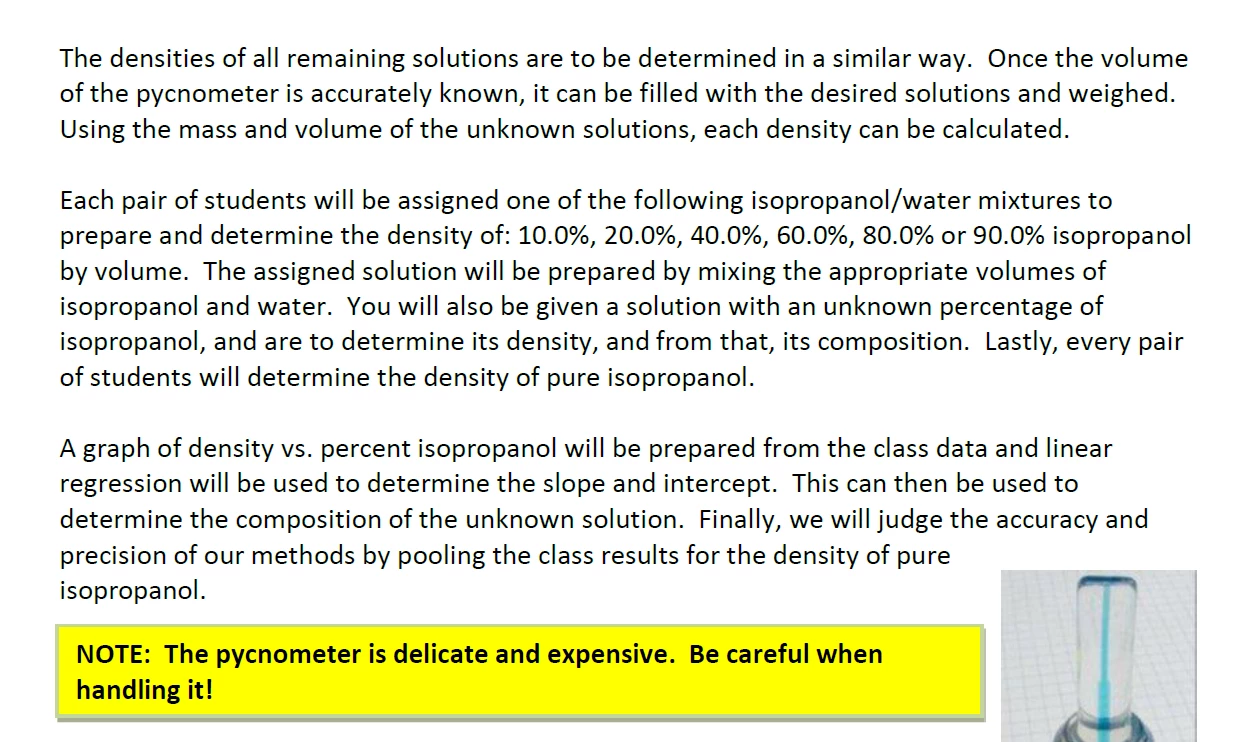
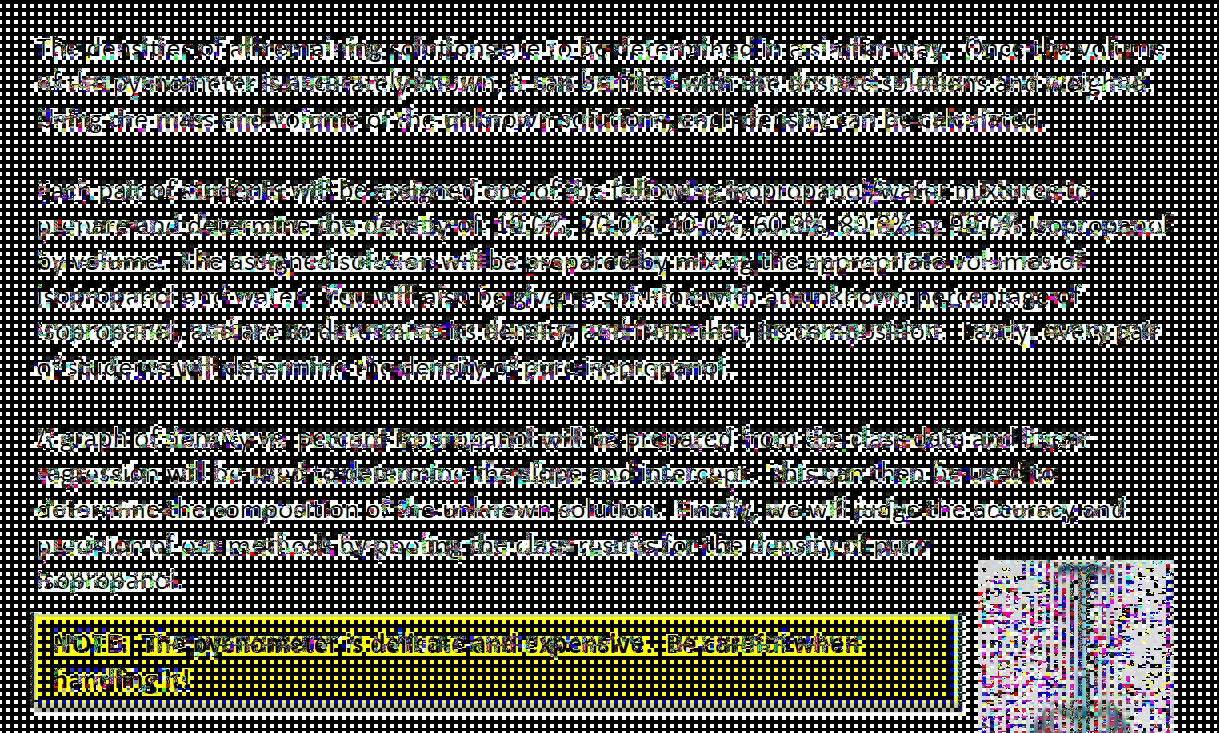
Hey. Whenever I open any type of PDF file in Acrobat, and when I click anywhere on it, it becomes pixelated, shown in the picture below. I've tried reinstalling Acrobat and taking it to my IT center, but to no avail. Please help me. Thanks in advance.
 

This topic has been closed for replies.

1 reply

ls_rbls
Community Expert
Community Expert
November 1, 2019

Please provide more info on when did this starting happening. Was it after an upgrade? An update?

Which operating system and Adobe Acrobat version are you using?


Would it be reasonable to download and install the latest GPU graphics driver from the device manufacturer website, not from a windows update.


Thank you.

Participant
November 15, 2019

It started as soon as I downloaded Adobe Acrobat DC on my laptop. I use Windows 10 on a Lenovo IdeaPad Flex. My Adobe version is 19.021.20049.

ls_rbls
Community Expert
Community Expert
November 15, 2019

Hi,


Did you applied the latest update .20056?


It was published om 13th November.


Also, if you have the Adobe Creative Cloud Desktop app, can you disable it or uninstall it completely and see how the program behaves without the CC app running in the background