
Participant
April 16, 2024
Question

PDF Editing issue

  • April 16, 2024
  • 1 reply
  • 445 views

Hi all,


I'm encountering an issue when trying to edit a PDF document in Acrobat that I've never experienced before. When I click "Edit," instead of the file offering me the option to edit the text as before, it instead creates a series of lines/grid across the page, and I'm unable to edit any text. I've attached a screenshot for reference.
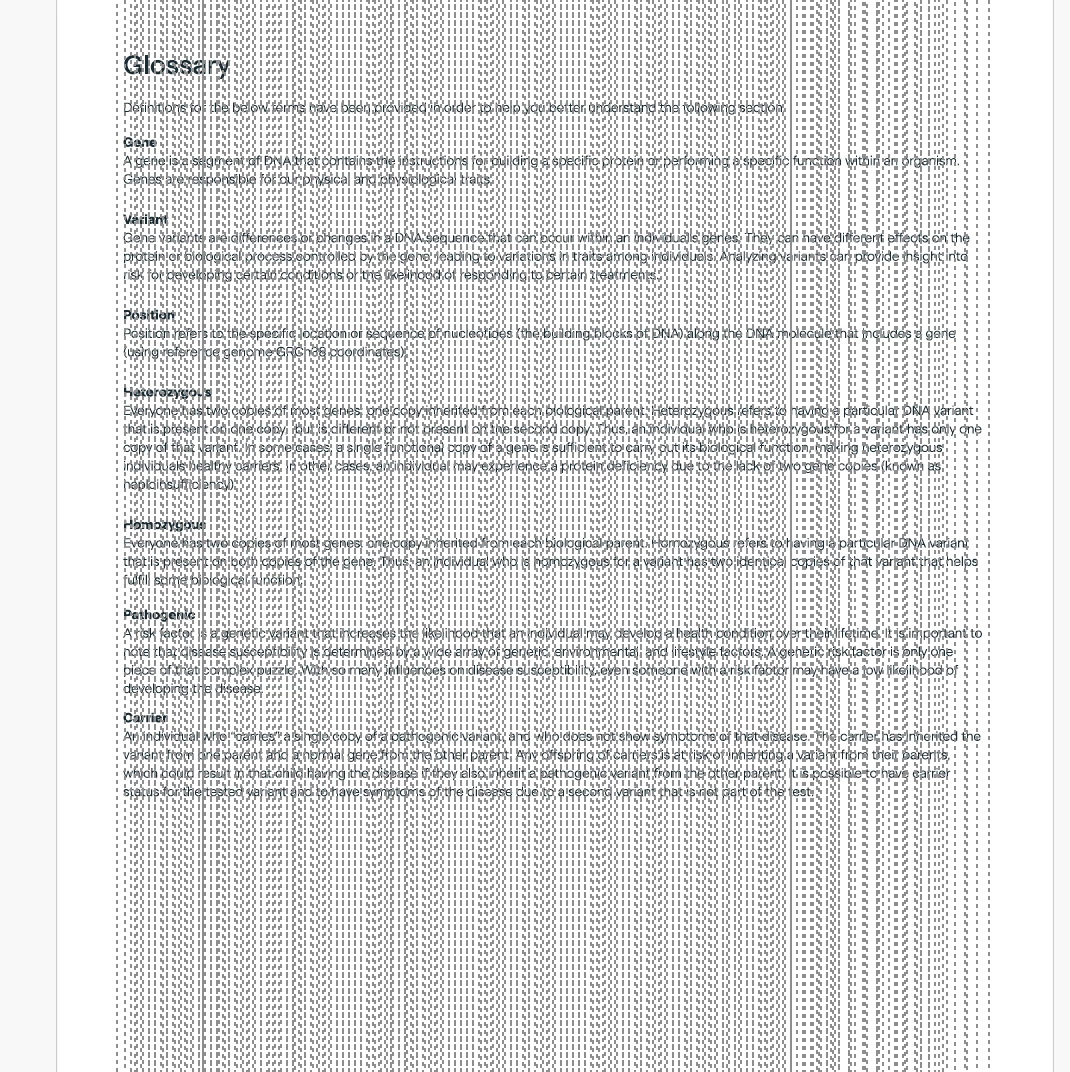


I would appreciate your help in understanding why this is happening and if there's something I can do to fix it.


Thanks,

Mercedes

This topic has been closed for replies.

1 reply

Amal.
Legend
April 25, 2024

Hi there 
 
Hope you are doing well and sorry to hear that


Have you started experiencing this issue recently?
 
Is this an issue with a particular PDF file or with all the PDFs? Please try with a different PDF file and check. If the file is stored on a shared network/drive please download it to your computer locally and then try again.
 
What is the version of the OS and the Acrobat DC you are using? To check the version go to Help > About Acrobat and make sure you have the recent version 24.02.20687 installed. Go to Help > Check for updates and reboot the computer once.
 
Also try to repair the installation from the help menu (Win Only) and see if that works.
 
Please try to reset the Acrobat preferences as described here https://adobe.ly/49Skpht and see if that works.


~Amal