Participant
May 5, 2023
Question

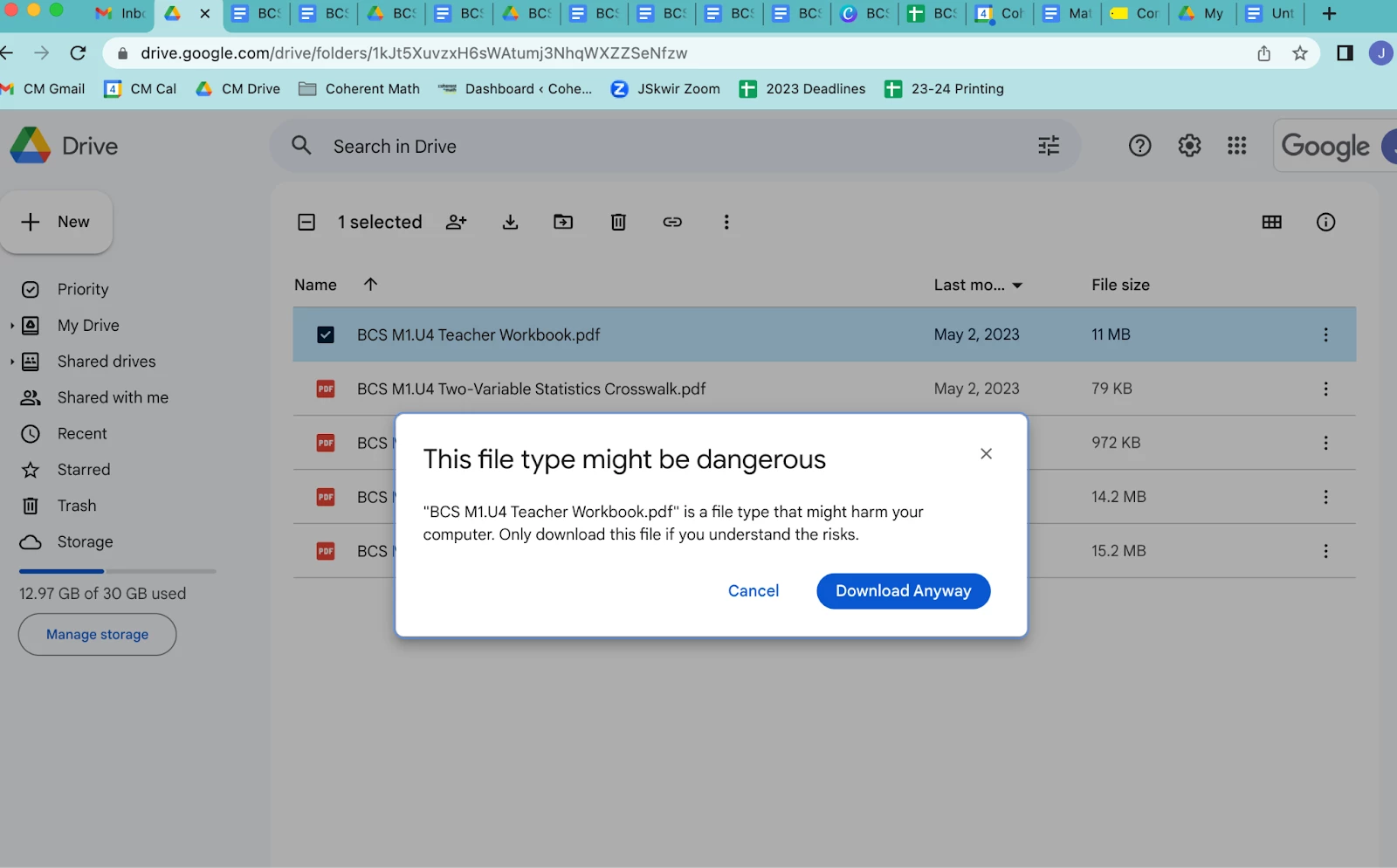
PDF getting "this file might harm your computer" message when downloaded

  • May 5, 2023
  • 2 replies
  • 8587 views

I am in curriculum publishing. We work in Google Docs to create lessons. After lessons are completed, I downloaded the Google Doc as a PDF and combine all individual PDFs into a book in Acrobat. I save this PDF to my computer and upload it to a Google Drive. Educators and printers then access this PDF-- as of this week, when anyone (including me) attempts to download the book PDF, I am getting this message: "[file name] is a file type that might harm your computer." I have never received this message in 3 years of downloading and uploading books to the Google Drive, and started receiving this message for current and past books earlier this week. 


I went to Apple and wiped my Macbook Air on Wednesday and downloaded Acrobat from my subscription again Wednesday night. I am still having this issue. Please help! These PDFs need to be clean and accessible (again) to educators across the county ASAP. 


This topic has been closed for replies.

2 replies

Legend
May 10, 2023

I think this is a message from your web browser (Chrome?) You can check whether you get this for PDF files from other sources.

Participant
May 10, 2023

Thanks for the reply. This also occurs in Safari (I use a Mac). 

Participant
February 20, 2024

I am getting the same message. If you or I find a solution, let' share it. 

Abambo
Community Expert
Community Expert
May 10, 2023

Does it happen only with assembled files, or with all PDF files that you transfer to Google Drive?


A test that I would do: taking a file from Google DOC as a PDF file. Storing that local on your computer and copying that file back to your Google Drive. Check if the problem is then also occurring.

ABAMBO | Hard- and Software Engineer | Photographer
Participant
May 10, 2023

If I download a Google Doc as a PDF to my computer, and then upload it into the Google Drive, it does not happen. This is only happening with assembled PDFs in Acrobat (using the "combine" and "edit" functions in Pro).