Kim Dongryeong
Participant
June 15, 2023
Question

PDF pixel view (like Photoshop) vs soften view (like image viewers)
  • June 15, 2023
  • 3 replies
  • 572 views


I have two PDF files. 

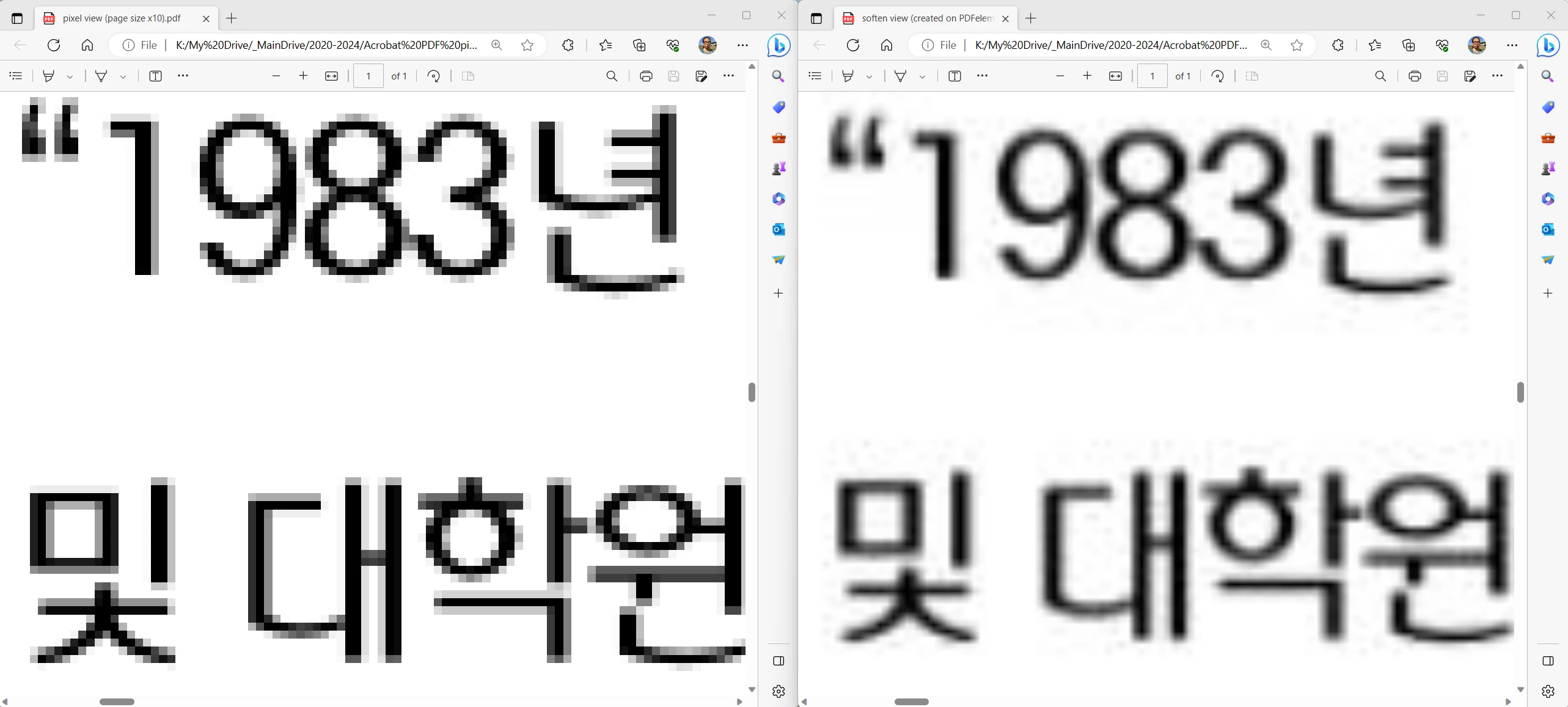
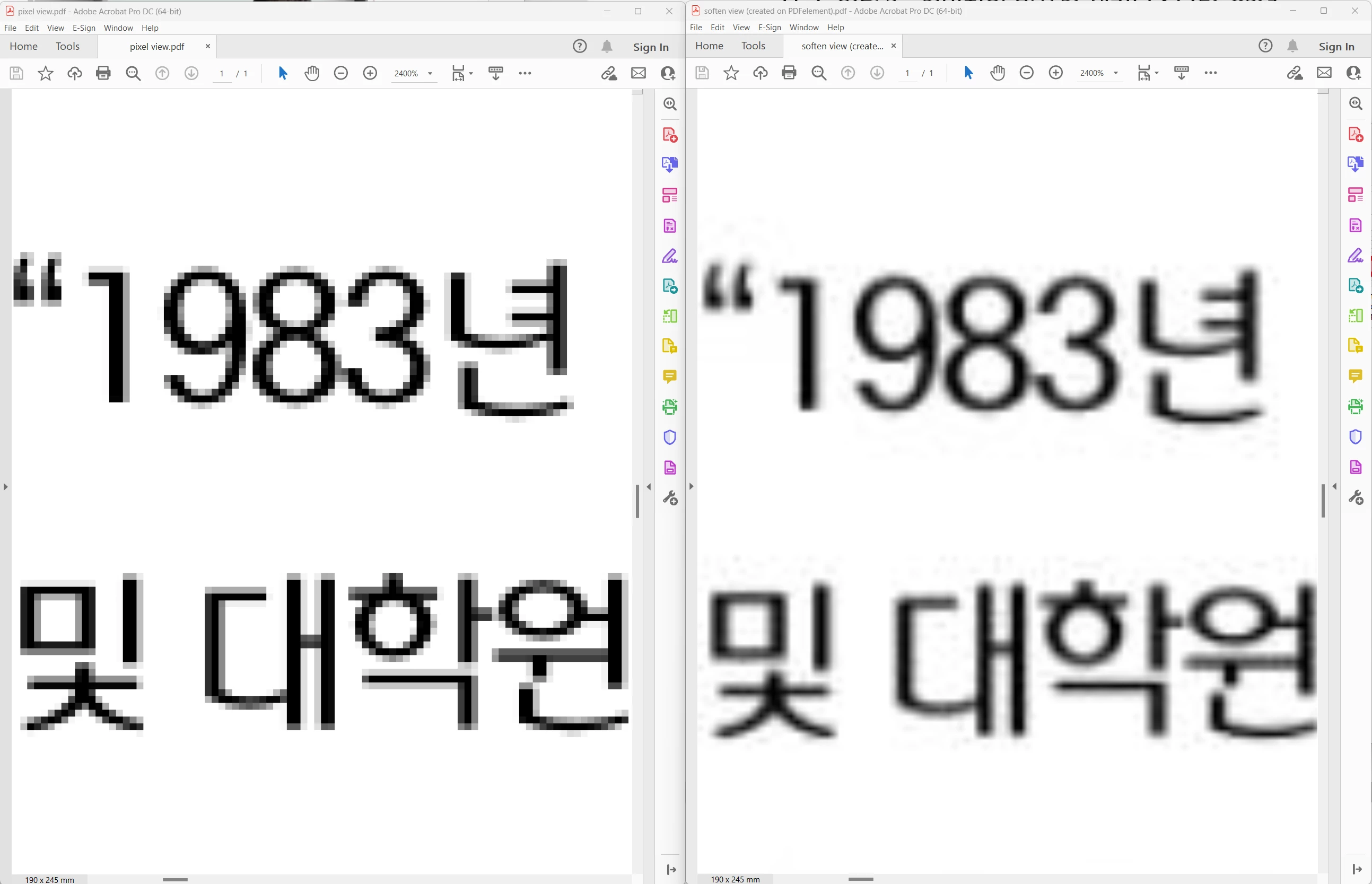
pixel view.pdf was created from a PNG file by Acrobat Pro.

soften view (created on PDFelement) was created by PDFelement after applying OCR on pixel view.pdf.

Here the files.


The first file shows images' pixels like Photoshop, but the second file shows the soften view. It's the same on Acrobat, Edge and Chrome. So I guess there is an info value in a PDF file and the viewers like Acrobat, Edge or Chrome decide how to show. 


How can we control this? Can one control this masually when one creates a PDF file on Acrobat or PDFelement?


Thanks


This topic has been closed for replies.

3 replies

Legend
June 15, 2023

I can't see what has been done with the softer file, the image in it is still pixellated if it is extracted. 

I can't recommend working with the softer file: I get font errors, and I also find Acrobat (both the current version and version 10, very old) often hang, especially if trying to use Edit.

Kim Dongryeong
Participant
June 20, 2023

Thanks for reviewing them. It's very strange. 

Legend
June 15, 2023

Sorry, I see you already shared the files. I will examine them.

Legend
June 15, 2023

It looks as if the "soften view" file has been upsampled and softened - creating a different softer image. This is not an embedded preference setting. If you can share the two files we can take a look.