
PDF Portfolio: "New" Acrobat Killed Preview Ability --- How to Fix?
Hi,
In the "new" acrobat, I can create a PDF portfolio. When it's done, it shows me a list of the files in the portfolio --- but no preview of the individual files. In the "old" version, you could single-click through each file and see a preview of what it was. How do I get the preview pane / window back? All I see is this worthless list of documents:
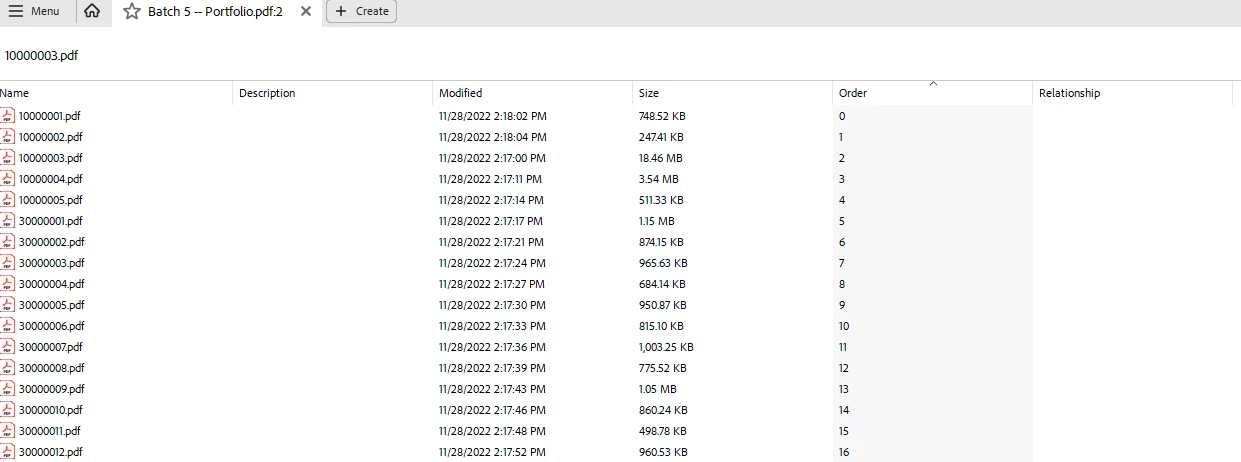
If I disable "new" acrobat, I get the preview pane again. And without that preview, a PDF Portfolio is hardly more useful than just a folder full of PDF files.
I cannot for the life of me imagine what Adobe was thinking when hiding this function (assuming they didn't delete it entirely, which would be downright bizarre).
Any help resotring the preview pane in "new" acrobat would be appreciated.
Colin


 AdChoices