
Participant
September 24, 2025
Answered

pdf to jpg

  • September 24, 2025
  • 1 reply
  • 259 views

Hi, trying to convert pdf files to jpeg/jpg. The original pdf is, say, 11Mb but the jpg file will only be 50kb what is useless to me. Is there a way to get better resolution? The library where I scanned the photos can only scan in pdf format, otherwise I would have done it in jpg to start with. thanks.
Correct answer try67

JPG is a lossy format. If you want high-quality images use something like PNG.

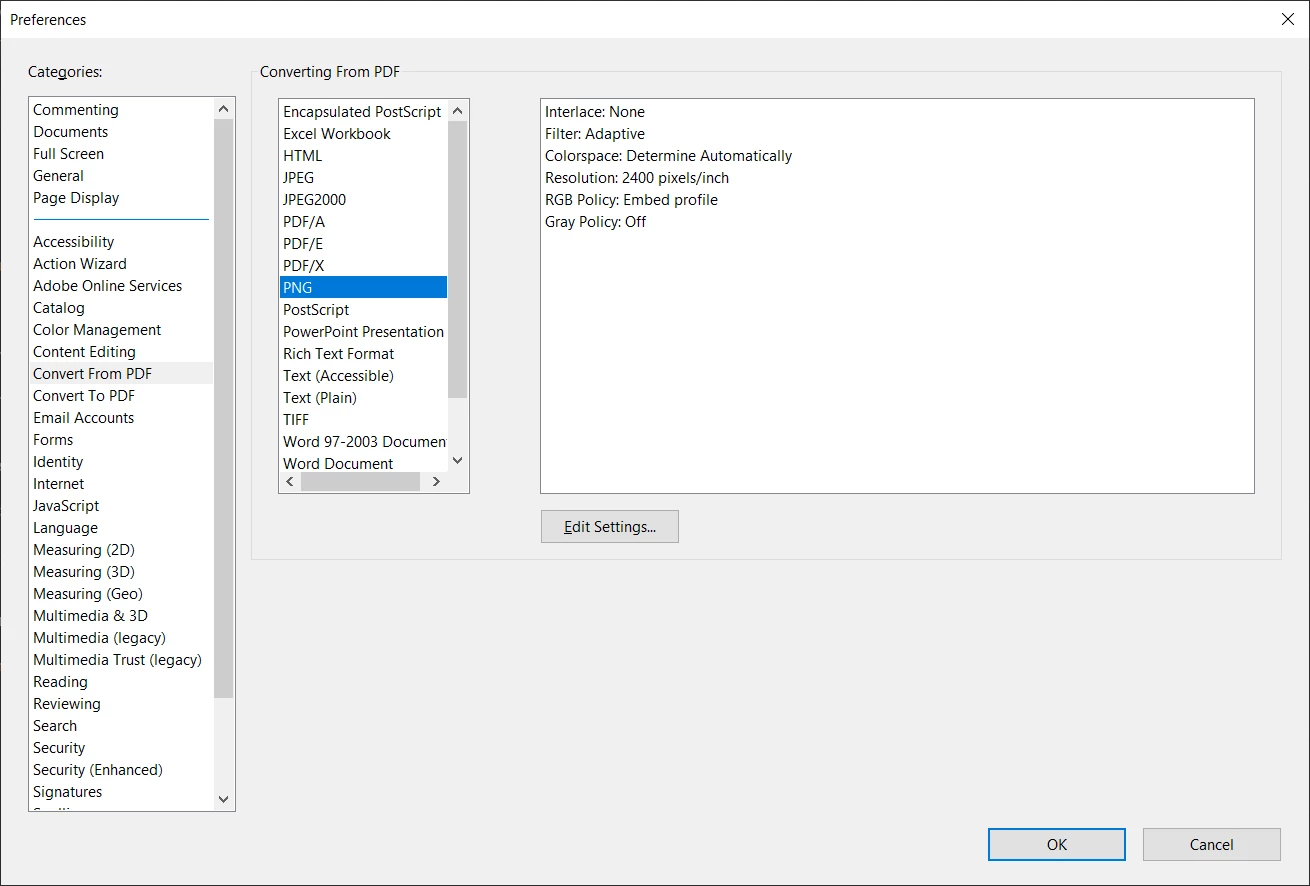
In addition, you can change the export settings via Menu - Preferences - Convert from PDF, then select the format you want to export to and click on Edit Settings.


For example:


1 reply

try67
Community Expert
try67Community ExpertCorrect answer
Community Expert
September 24, 2025

JPG is a lossy format. If you want high-quality images use something like PNG.

In addition, you can change the export settings via Menu - Preferences - Convert from PDF, then select the format you want to export to and click on Edit Settings.


For example:


Luke Jennings3
Community Expert
Community Expert
September 25, 2025

In addition to the good information above, under the export settings, you won't see any improvement in the image quality if you choose an export resolution higher than the original scan*, so use the "Determine Automatically" setting at the bottom of the settings window. Also, another option is to open the pdf in Photoshop and save as a jpeg, the advantage is you have better control over color, brightness, and other image enhancements, including sharpening.

*You can use the Output Preview tool, under Print Production, to get more information about the scanned image (Preview: Object inspector).