Known Participant
May 4, 2021
Question

PDF to PowerPoint issues

  • May 4, 2021
  • 1 reply
  • 936 views

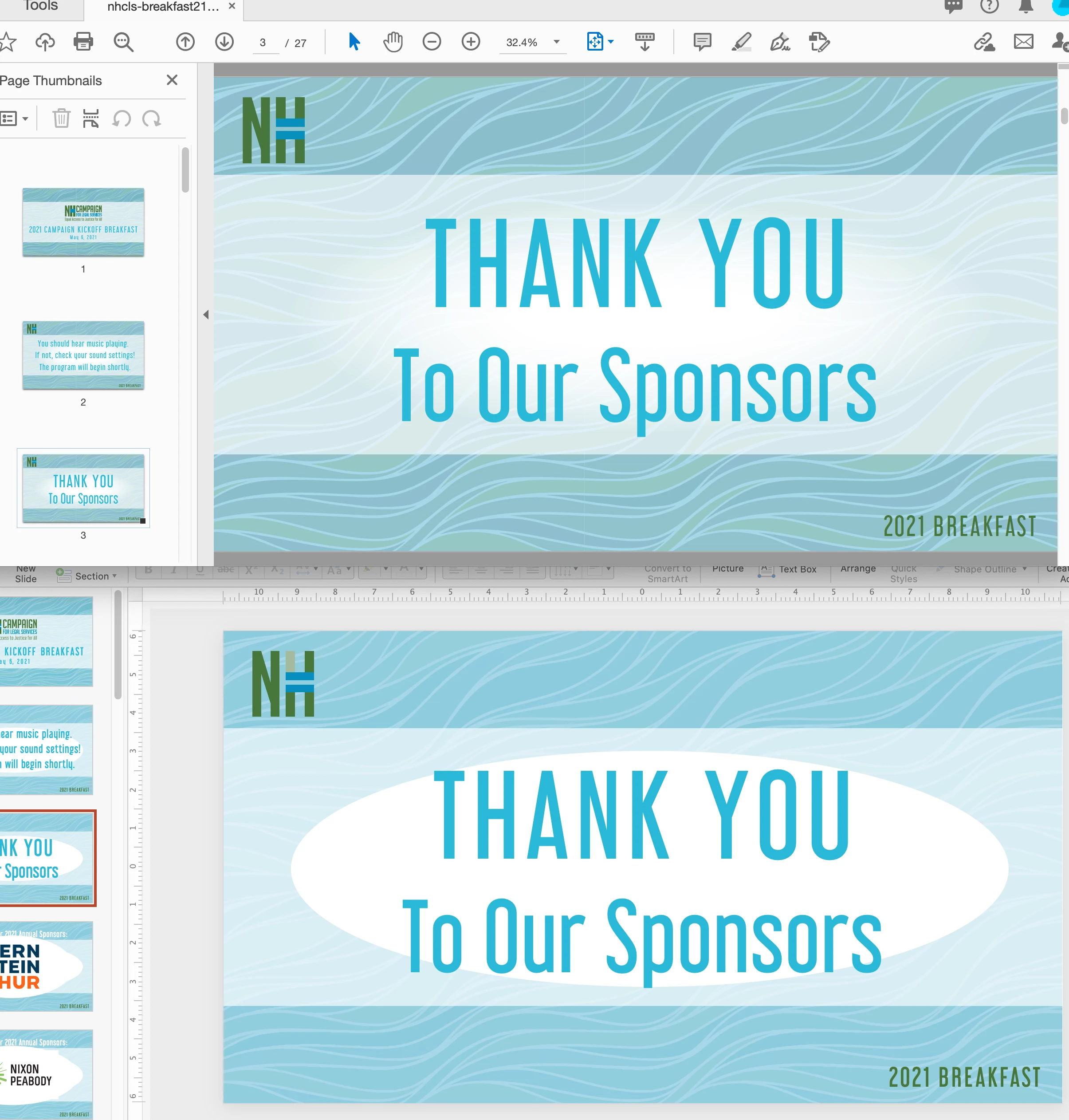
Converting from PDF to PPT changes the colors and removes feathering.

It even messed up the color on the logo somehow.

Quite unsatisfactory.  

Are there settings somewhere?  It seems that this should be a seamless export.

Attached file: top image is pdf, bottom is ppt.
This topic has been closed for replies.

1 reply

Amal.
Legend
May 5, 2021

Hi Rosenh


Hop you are doing well and sorry for the trouble. As described, Converting from PDF to PPT changes the colors and removes feathering


- Would you mind sharing the worksflow/steps you are doing to export the PDF to PPT?

- What is the version of the Adobe Acrobat DC you are using? To check the version go to Help > About Acrobat and make sure you have the latest version installed. Go to Help > Check for updates and reboot the computer once.


Also, please try to export the PDF online at Document Cloud https://documentcloud.adobe.com/link/home/ and see if that works for you.


Regards

Amal


rosenhAuthor
Known Participant
May 5, 2021

I did a simple "Export to PPT" from Acrobat Pro DC (latest version.). There don't appear to be any settings for this action.


I ended up converting the PDF to images -- making sure the JPEG settings were at "maximum", for better quality.


Then I imported the JPEGs into an empty PPT, one page at a time.


VERY dissappointed the Acrobat does such a terrible job of PPT export.