
Participant
June 26, 2023
Answered

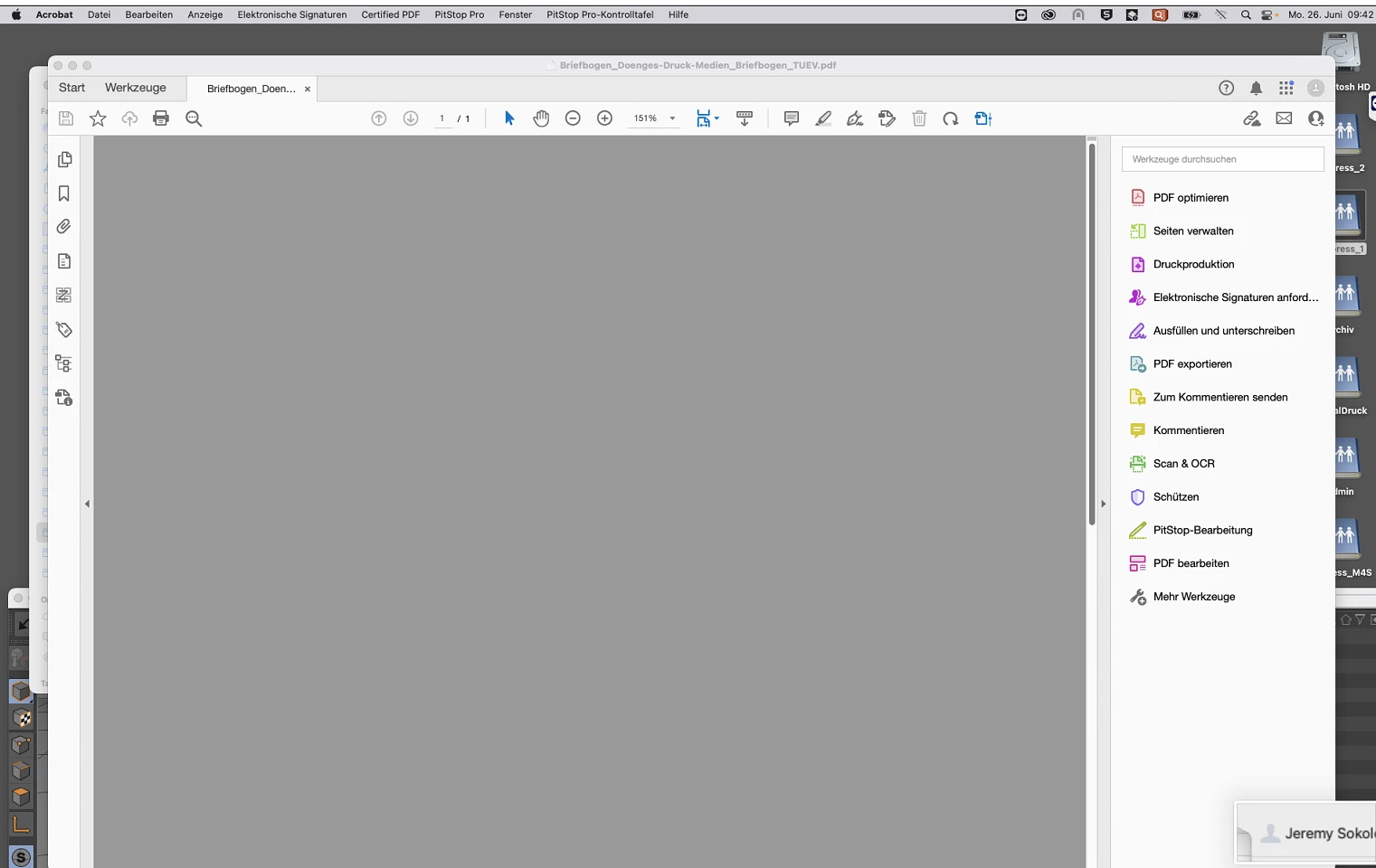
PDF turns grey when opening the output preview

  • June 26, 2023
  • 1 reply
  • 1593 views

Hello Adobe Community,


when opening the "output preview", the previewed PDF turns gray, a screenshot is attached. 
What we tried:

- Multiple PDF Files (All the same issue)

- Disabling Hardware Acceleration

- Enabling preview of large images

- Updating Acrobat

- Reinstalling Acrobat


Kind Regards,

RFS MediaGroup | IT Department


This topic has been closed for replies.
Correct answer Brycesteiner

The first thing i would try is resetting preferences:

https://community.adobe.com/t5/acrobat-discussions/how-to-reset-acrobat-preference-settings-to-default/td-p/4792082/redirect_from_archived_page/true

If that doesn't work then Uninstall and reinstall.

If that doesn't work I would try creating another user on the Mac and see what it does to the file.

1 reply

Inspiring
June 26, 2023

Where is the output preview window to see the settings?

Do the same PDF's that don't work on this computer work on another with Acrobat?

Have you tried what Photoshop or Affinity will do with viewing the seperations?


Participant
June 28, 2023

Hello,

1. Output-Preview-Settings: 

2. Yes they do, the problem only exists on one Mac.

3. Yes that works also.

BrycesteinerCorrect answer
Inspiring
June 28, 2023

The first thing i would try is resetting preferences:

https://community.adobe.com/t5/acrobat-discussions/how-to-reset-acrobat-preference-settings-to-default/td-p/4792082/redirect_from_archived_page/true

If that doesn't work then Uninstall and reinstall.

If that doesn't work I would try creating another user on the Mac and see what it does to the file.