I wish that were true. Try the script out in Acrobat and you'll see it does what I need. And note:
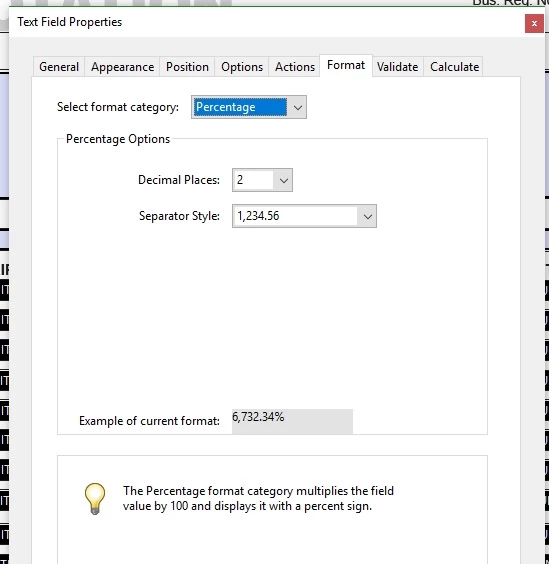
See the text next to the bulb. That's what happens, which I don't want in my form. Thanks again.
A picture of just the Format tab for a field does not provide a full picture.
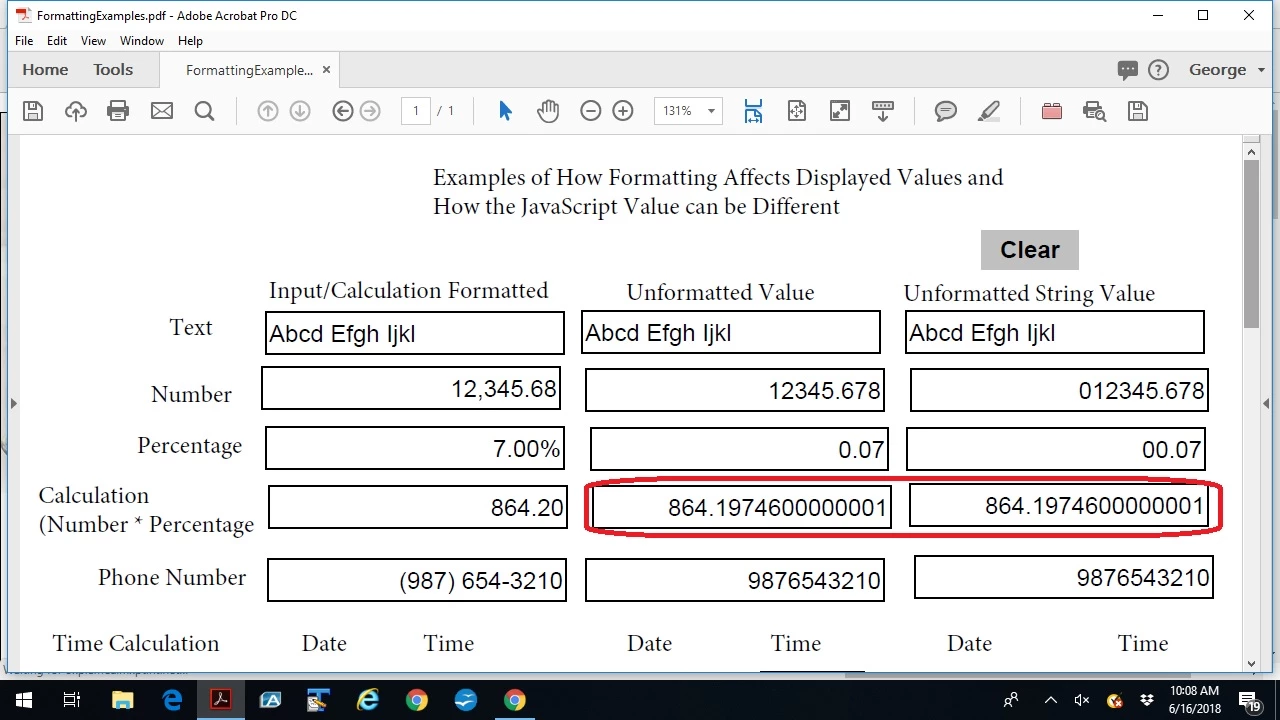
Here is an image of some fields showing the formatted value, the actual value of the field, and the string value of the field. You will note that the calculate actual value of the field is different from the formatted value of the field. The formatted value rounds the result of the calculation. Also you should note the far decimal value would not be expected for calculation. This is a result of how a computer calculates using binary values and the affect of the conversion from decimal values to binary values to perform the calculation. So if one is performing financial calculations, including tax calculations, one should round the actual value of the field or the small values in the raw calculation will accumulate which can result in a wrong answer.
Sample Formatting Effects is a link to the above file for your inspection.
Edit to add:
The left column is the input column, the middle column is the value of the input field used by JavaScript, and the final column is the actual user inputted value.
As one can see the displayed value for an inputted number the display includes the thousands separator and decimal place along with suppressing and leading zeros the user may have inputted. When JavaScript accesses the value the leading zeros are dropped as well as the thousands separator(s). And if one used the "valueAsStirng" property, JavaScript will return the leading zeros. When one looks at the "Percentage" the value is displayed with the "%" symbol and has shifted the decimal point of the inputted value to the right 2 decimal places. This approach for the "Percentage" format allows the use of the value for the computation using a percentage to be used without any modification of the inputted or computed value.
When one looks at the calculated row the computed value in the middle column shows the computation is carried out to more decimal places than is displayed and the displayed value is rounded. If one were to use this value in another calculation, the unrounded value would be used. This may or may not be an acceptable solution to the final calculated result on the form. For statistical reporting this may be the best solution, but for financial calculations it can introduce an error in the final result because of the additional fractional cents being included in the summation. Also note that there is an addition very small value tacked on the end of the value. This is caused by the fact that computers perform calculation using binary values and the conversion from a human readable decimal value to a binary value does not always result in a rational binary value. As a result of all of this, form developers must consider these issues when creating calculation scripts.
When one looks at the phone number one will see the phone number was entered into the form without any separators but the displayed value includes the standard North American separators for the Area Code and Exchange values.
The date and time calculation is an example of how the formatted result in hours and minutes is not the same as the calculated value in minutes only.
Also one should be aware that for numbers that may include leading zeros like U.S. Postal Zip Codes and the U.S. Social Security number the inputted leading zeros are accessible to JavaScript by using the "valueAsString" property.

 AdChoices