
Participant
April 25, 2025
Question

Perfis de comprovação não aparecem no menu de produção de impressão > comprovação

  • April 25, 2025
  • 1 reply
  • 355 views

Olá pessoal, boa tarde


Eu estou com um problema ao utilizar o menu de comprovação. Eu preciso dele para poder converter meus PDFs para X1a, mas na primeira vez em que cliquei, apareceu que estava instalando a ferramenta. Depois de instalar e reiniciar o software, me deparei com essa tela:
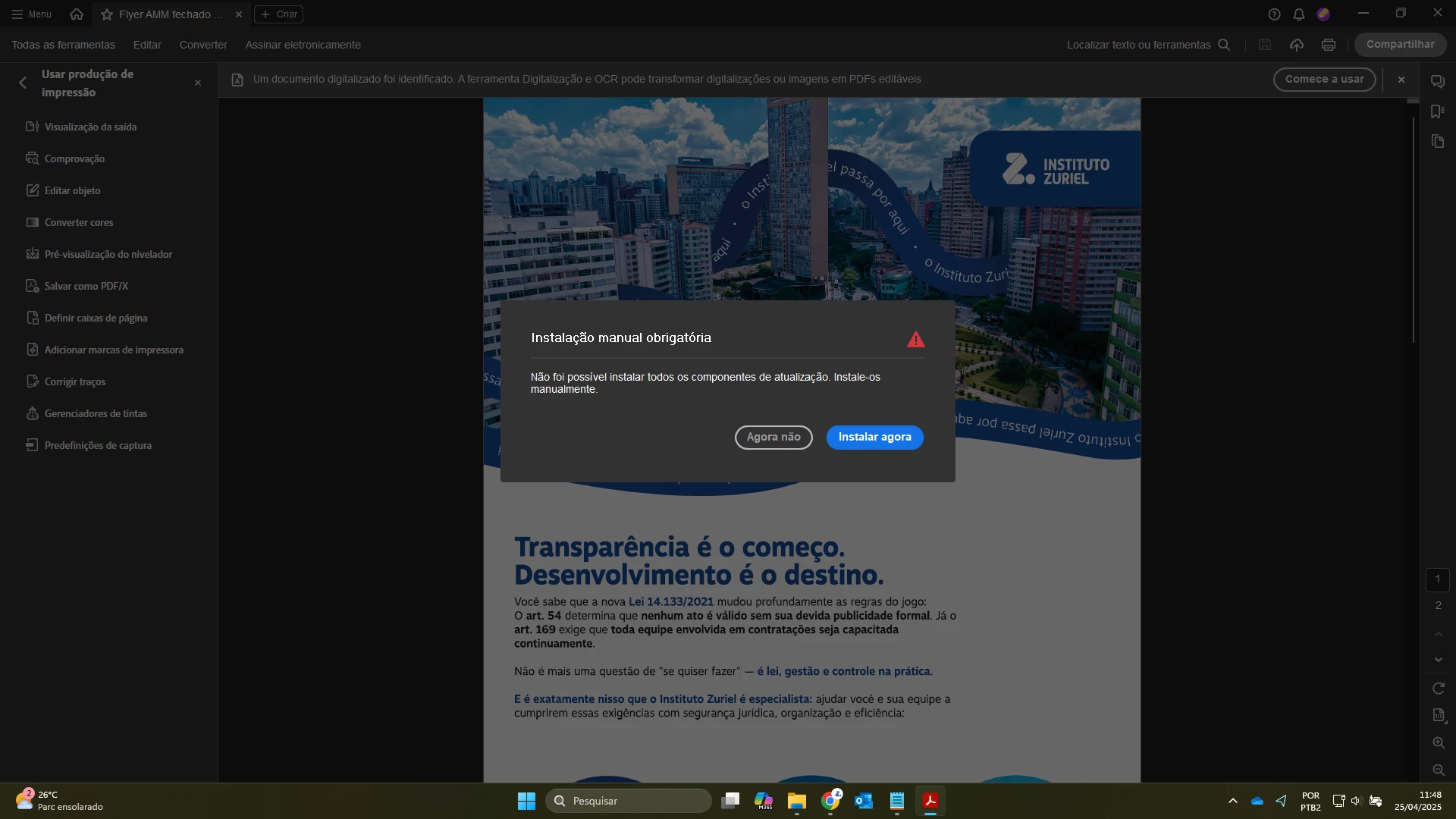
Ao clicar em Instalar agora eu fui redirecionado para uma tela 404 da Adobe, então não tive alternativa a não ser tentar novamente, e deu tudo certo aparentemente. Mas ao iniciar a tela de comprovação, ela deu erro ao carregar as predefinições de usuário, e não aparece nada, fica tudo em branco, como indica o print:
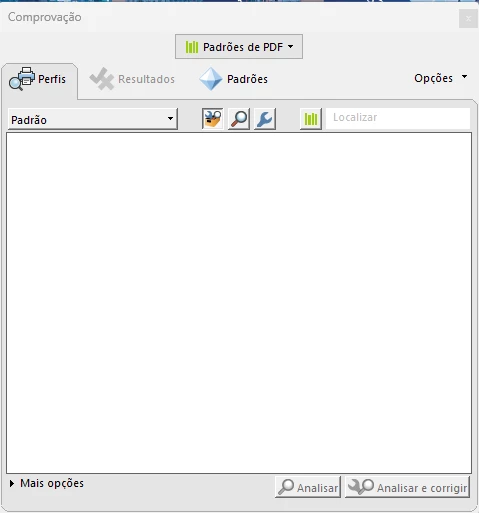
Eu não sei como resolver isso, já desistalei, reinstalei, desinstalei e limpei com o limpador do Acrobat, deletei as preferências nas pastas e no registro manualmente, e nada funcionou. Estou sem opções, preciso de ajuda 🥺

1 reply

Community Manager
April 25, 2025

Hi @Inst_Zuriel, 


Sorry for the troubled experience, and thank you for reaching out. 

Please try the following and let us know if that helps at your end. Launch Acrobat.

1. Check for Updates: To check for any pending updates, launch Acrobat > Help > Check For Updates.

2. Launch Acrobat > All Tools > Print Product > Preflight, if the issue reproducible. Try closing Acrobat and try repairing > Launch Acrobat > Help > Repair Acrobat installation. 


Let us know how it works at your end.


~Tariq

Participant
April 28, 2025

Olá @Tariq Ahmad , tudo bem?


Ao procurar atualizações, o sistema me informou estar com o software atualizado, conforme abaixo:

Em seguida verifiquei o Preflight (que na minha versão está em Todas as Ferramentas > Usar Produção de Impressão > Comprovação), e continua igual.

Ao usar a opção de corrigir a instalação, o sistema reparou a instalação, mas não tive nenhum retorno positivo sobre meu problema, a janela de comprovação permanece em branco 😞

Community Manager
April 29, 2025

Hi 


Thanks for the update, i understand. 
I have reported this issue as a bug to the engineering. While they triage this issue internally, could you try resetting preference as mentioned here: https://adobe.ly/3ELcwAW;


Also, let us know if this machine is your personal or work machine(IT-managed).


Could you please let us know how this works?

If we need to conduct a meeting to test this behavior or diagnose this issue on your machine, would it be possible to schedule a Microsoft Teams meeting?


~Tariq