

pick a date calendar
Hi
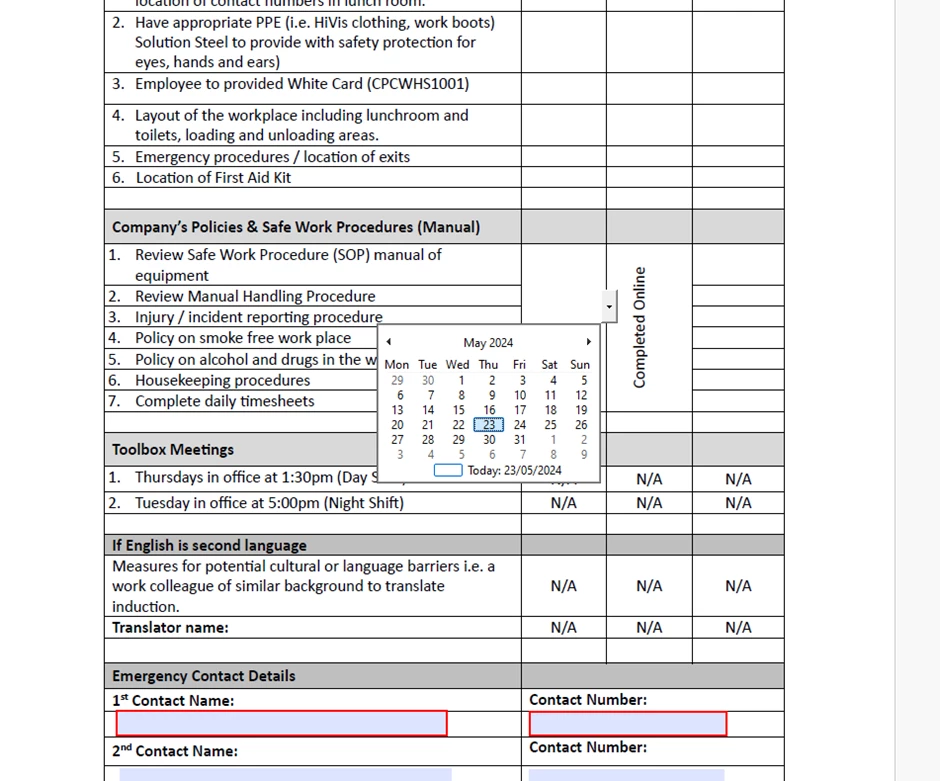
In preview form mode I can see the drop down box for the calendar, however, when I send it for signature it's not there. I've searched extensively online and tried various options but nothing work.

Hi
In preview form mode I can see the drop down box for the calendar, however, when I send it for signature it's not there. I've searched extensively online and tried various options but nothing work.

When you send a form for signatures you are sending it to an Adobe server. The server converts the PDF to a special internal format, which is what the user sees, not the original PDF. This is why there are only a few field types that can be used on a sign form and why the field properties for a sign form are so very different from regular form field properties. So, the date field only works if it is a date field in the Adobe Sign setup. Although it doesn't popup a calendar, it just fills in the date.
Now, to setup the form so that if fills in a date, convert your form to an Adobe Sign form. It's the top option on the "More..." menu when Acrobat is in "Prepare Form" mode.
Already have an account? Login
No account yet? Create an account
Enter your E-mail address. We'll send you an e-mail with instructions to reset your password.
