


world_creator
Participant
December 10, 2015
Answered

Placing videos into PDF using web URL instead of local file?

  • December 10, 2015
  • 1 reply
  • 29385 views

I have used Adobe Chat Support twice but no one knew the answer or how to do this. It is getting pretty frustrating.

I have the latest Adobe Acrobat Pro DC and I want to place videos into my PDF document. Local video files work fine, but I need to insert a lot of videos, meaning the PDF file size will get pretty large, and I don't want that. Instead, I want to be able to use a web URL to reference the video and have that video appear in my document.

I have checked out these resources:

Acrobat Help | Add audio, video, and interactive objects to PDFs

Acrobat Help | Adding multimedia to PDFs

... along with a lot of forums and web, but no working answers have been found.

What I want:

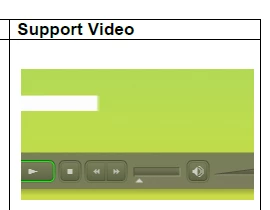
Video playing inside the document, referenced from a web URL, looking like below:
I tried:

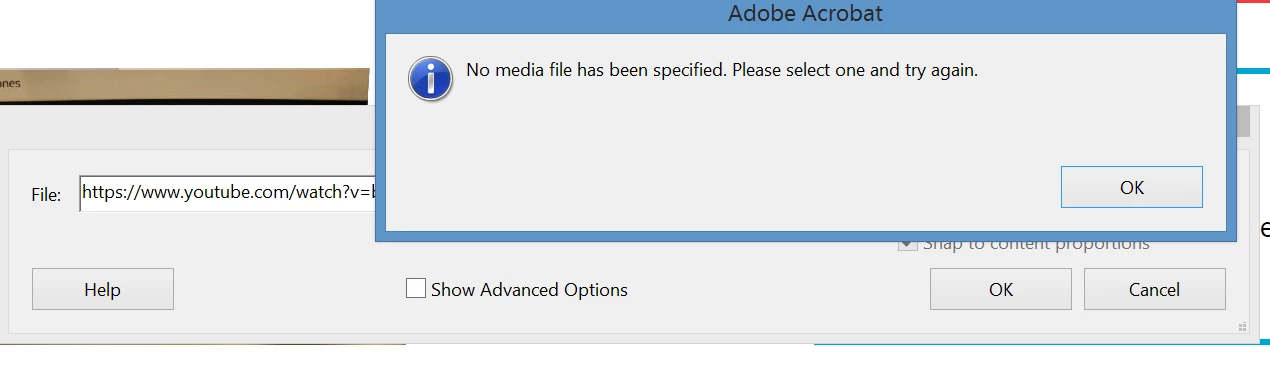
Rich Media > Add Video, but this error appears

I tried youtube, vimeo, dropbox .mp4 links but nothing works.

I tried embed codes from youtube but Acrobat says it doesn't recognize <iframe> code.
On the Adobe website I posted, this is what Adobe said:

"Adding video, sound, and interactive content transforms PDFs into multidimensional communication tools that increase interest and engagement in your documents."

"Another way to add multimedia is by entering a URL that refers to a video file or streaming media. Three types of URLs can be used: RTMP, HTTP, and HTTPS. On HTTP and HTTPS servers, H.264-compliant MOV and MP4 files are supported."

My question:

Can what I want be done? And HOW?

This topic has been closed for replies.
Correct answer JoelGeraci_Datalogics

You need to link directly to the video file with a fully qualified URl. You can't use services like YouTube or Vimeo which obfuscate the URL to the actual video.

Try the URL below.

https://archive.org/download/CEP318/CEP318_512kb.mp4

1 reply

JoelGeraci_Datalogics
JoelGeraci_DatalogicsCorrect answer
Participating Frequently
December 11, 2015

You need to link directly to the video file with a fully qualified URl. You can't use services like YouTube or Vimeo which obfuscate the URL to the actual video.

Try the URL below.

https://archive.org/download/CEP318/CEP318_512kb.mp4

world_creator
Participant
December 11, 2015

Wow. You are awesome. I am able to incorporate the video now. So glad to finally get a conclusive answer to so many hours of searching.

For the next step, do you know some good sites to upload videos so that it directly points to the video (with a .mp4 ending)? I've tried the standard google drive, Sharepoint, and dropbox. For some of those, even though I was able to get an .mp4 link, the video just keeps loading and doesn't play in the PDF.

JoelGeraci_Datalogics
Participating Frequently
December 11, 2015

You're not going to be able to use those services because you need to add parameters at the end of the URLs to disable their built in viewers and get to the raw file. Acrobat doesn't like these parameters. You'll need to find a place to host the file where you can link directly to it.

You might try WordPress or something like that.

J-