



PLEASE Adobe give us the tools to fix PDF's for accessibility!!!!
Acrobat version- 2025.001.20630
Mac, running Sequoia 15.4
My list of issues-
File created by InDesign:
Tagged Content - Failed
Element 1 - Sometimes Acrobat will highlight the Element, most times it will not.
Right click on the Element 1- the options are Skip Rule, Explain, Show in Content Panel, Check Again, Show Report, Options
Selecting Show in Content Panel - Error message "The selection was not found in the Content Panel"
To have Acrobat show the Element 1 on screen, I have to click some other Element and click back on Element 1 to re-highlight.
There is no way to fix that tagged content.
If I go to Tags, this is what I see:
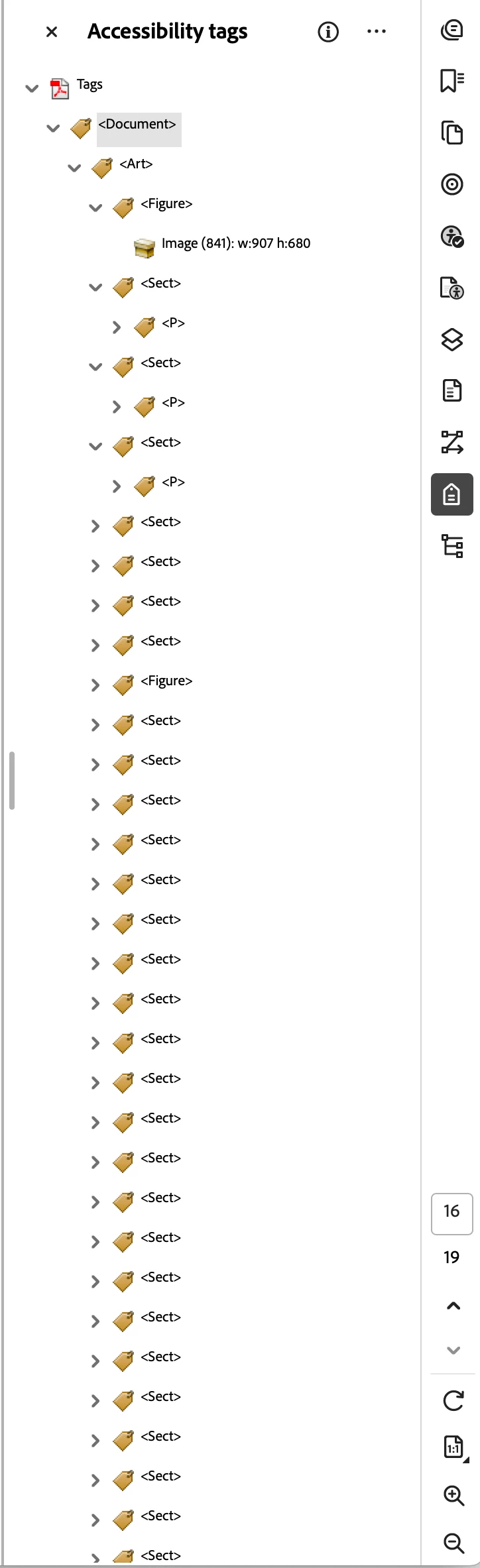
There is no way to find that particular Tag.
If I go to Tagged Annotations and click an Element, it highlights ONCE. After that I have to go to a different page, click there, and then GO BACK to the original page to get an element to highlight.
In Tagged Annotations there is no way to fix a Link, it just shows a Link with no options.
I need Adobe to quit pushing AI as an image generator and start using AI to help with Accessibility and real world uses...
PLEASE HELP!
 AdChoices