Participating Frequently
July 6, 2022
Answered

Please help me with conditional logic - it is breaking my brain

  • July 6, 2022
  • 2 replies
  • 2042 views

Hi there sorry for my ignorance I am very new at this


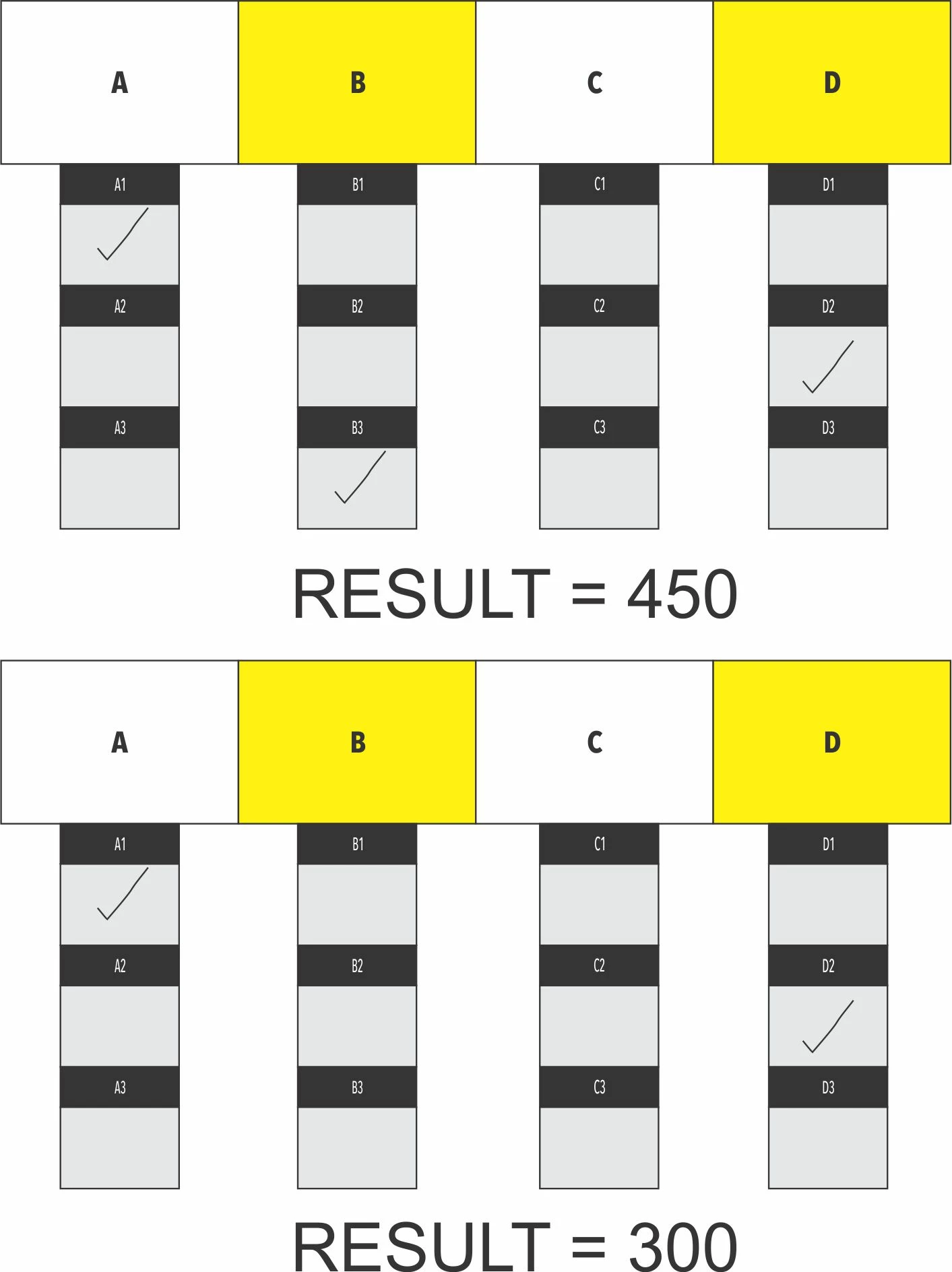
In the attached picture there are 4 columns

Each column has 3 tickboxes


Now I need to teel Acrobat that if any tick is made in Column A it has to add 150 to a field - so if you tick all there in Column A it must still remain 150


The same applies to Column B,C and D


In the end it has to be A+B+C+D= the max value it can be is 150+150+150+150=600


I hope someone can help


Thanks in advance
This topic has been closed for replies.
Correct answer Nesa Nurani

If your checkboxes are named "A1","A2","A3", same for B,C and D, use this as custom calculation script ot text field where you want to show result:

var t1=0,t2=0,t3=0,t4=0;
for(var i=1; i<=3; i++){
if(this.getField("A"+i).valueAsString != "Off")t1 = 150;
if(this.getField("B"+i).valueAsString != "Off")t2 = 150;
if(this.getField("C"+i).valueAsString != "Off")t3 = 150;
if(this.getField("D"+i).valueAsString != "Off")t4 = 150;}
event.value = t1+t2+t3+t4;

2 replies

Nesa Nurani
Community Expert
Nesa NuraniCommunity ExpertCorrect answer
Community Expert
July 6, 2022

If your checkboxes are named "A1","A2","A3", same for B,C and D, use this as custom calculation script ot text field where you want to show result:

var t1=0,t2=0,t3=0,t4=0;
for(var i=1; i<=3; i++){
if(this.getField("A"+i).valueAsString != "Off")t1 = 150;
if(this.getField("B"+i).valueAsString != "Off")t2 = 150;
if(this.getField("C"+i).valueAsString != "Off")t3 = 150;
if(this.getField("D"+i).valueAsString != "Off")t4 = 150;}
event.value = t1+t2+t3+t4;
Participating Frequently
July 7, 2022

Thank you all for the help


This worked perfectly

JR Boulay
Community Expert
Community Expert
July 6, 2022

Setting a number (150) as export value in checkboxes makes calculations easier.

To be exclusive, checkboxes must have exactly the same name and a different export value.

Fortunately it is possible to use the same number written in 4 different ways as an export value so that the checkboxes remain exclusive, for example :
150
150.0
150.00
150.000


The result (text) field just has to calculate the sum of the checkboxes.


Acrobate du PDF, InDesigner et Photoshopographe
Participating Frequently
July 6, 2022

Thank you for your response


I did like you said but it tticks the boxes with the same name


Am I doing something wrong?