Known Participant
May 17, 2024
Question

Poor Print Quality Is it a Hardware or Software Issue?

  • May 17, 2024
  • 1 reply
  • 410 views

Hello

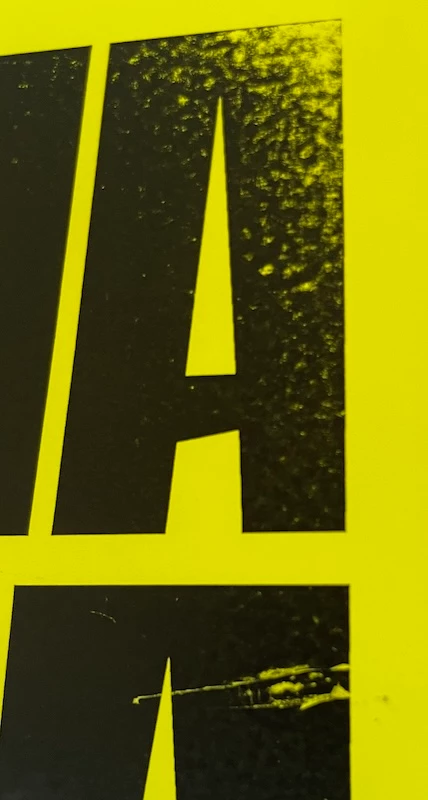
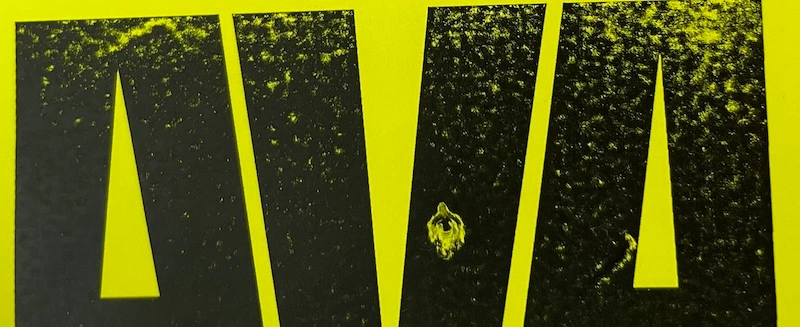
I am trying to print vector converted lettering on matte yellow fluorescent adhesive paper using a laser printer, but the output is of poor quality. The file was saved via Illustrator at 300 dpi, in PDF with Acrobat 7 (PDF 1.6) compatibility. There was no resampling or compression, and no compression of text and line drawings.

In your opinion is this a problem with the PDF file or the Ricoh MPC3003 laser printer?

Thank you
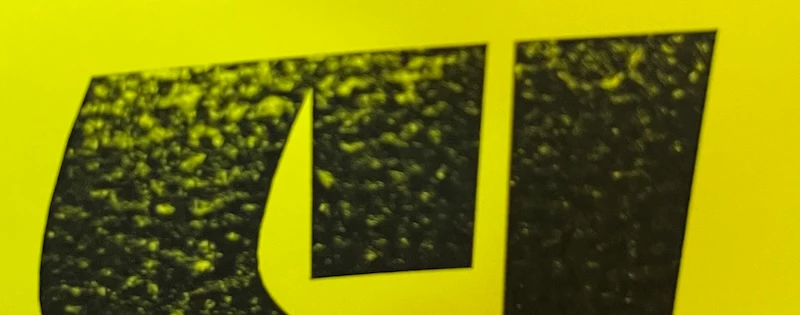
 

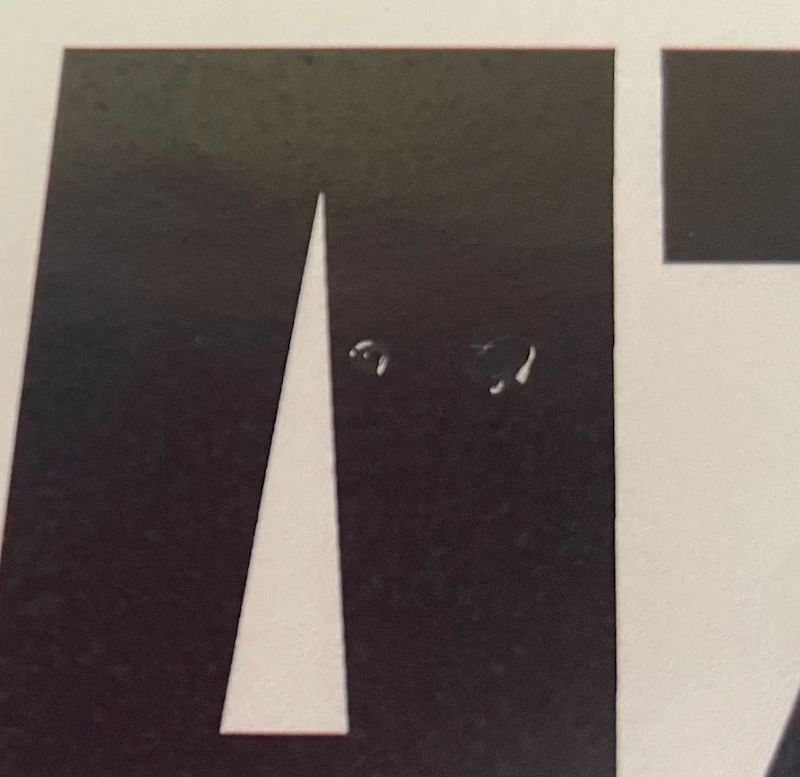
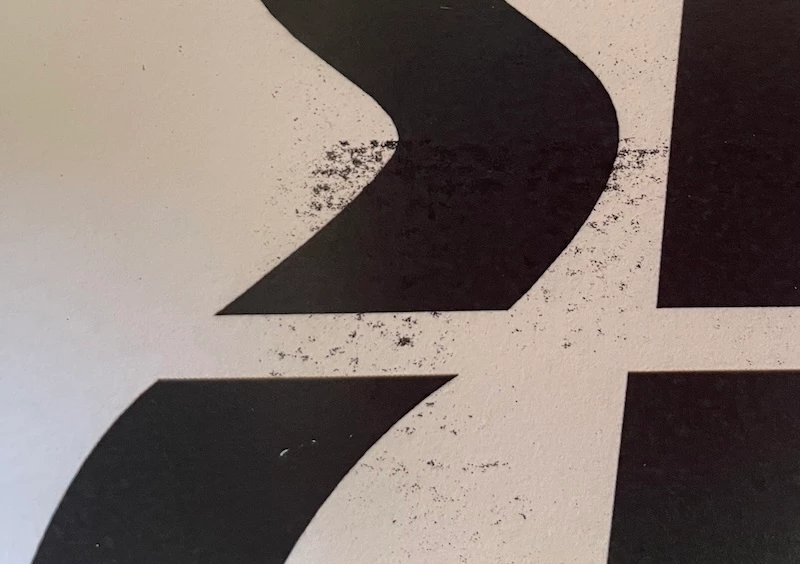
edit :  I also tried with basic paper and I have the same problem but less pronounced.
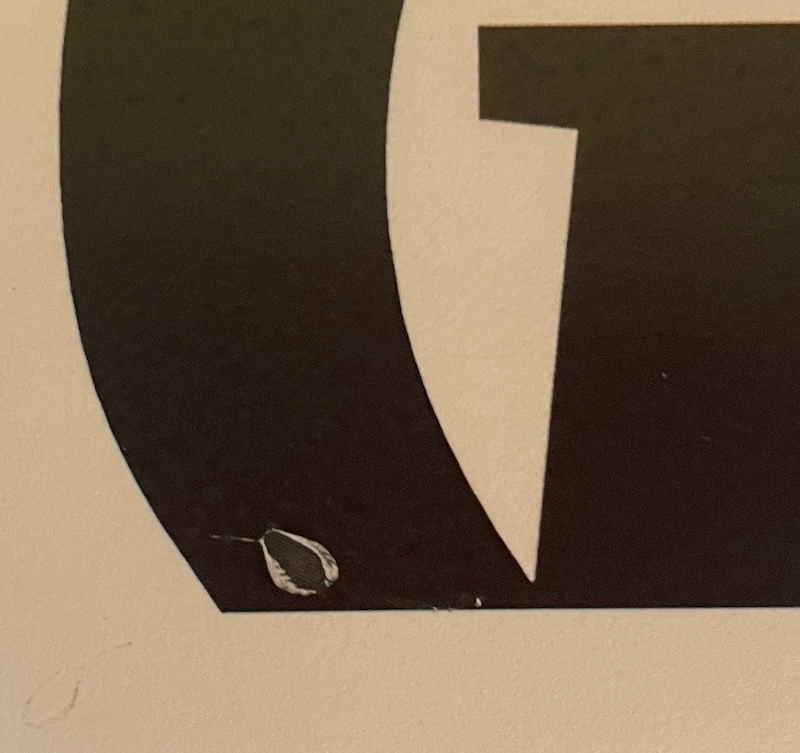
I also forgot to mention that I print in black and white, but the printer handles color.

This topic has been closed for replies.

1 reply

Amal.
Legend
May 17, 2024

Hi @Solitaire Solidaire 


Hope you are doing well and sorry to hear that

Is this an issue with a particular PDF file or with all the PDFs? Please try with a different PDF file and check. If the file is stored on a shared network/drive please download it to your computer locally and then try again.

What is the version of the OS and the Acrobat DC you are using? To check the version go to Help > About Acrobat and make sure you have the recent version 24.02.20759 installed. Go to Help > Check for updates and reboot the computer once.


Please check for any pending/missing updates for the printer driver/firmware and try updating it. You may also try to remove the printer driver , reboot the computer, and reinstall it from the printer manufacturer's website and see if that helps.


Additionally, go through the help page https://helpx.adobe.com/acrobat/kb/troubleshoot-pdf-printing-acrobat-reader.html


Also try to repair the installation from the help menu (Win Only) and see if that works.


Let us know how it goes.


~Amal

Known Participant
May 20, 2024

With all the PDFs that contain vector shapes in flat black (here are bold fonts converted to vector format)


I just tried with a canon laser printer in a Taxiphone and I have the same problem. I think the shapes are too big and the black is too black maybe if I reduce the shapes and the black is less deep it could work? 

I don’t have Acrobat, I save the AI file as a PDF and print it in a Taxiphone.