


Participant
October 2, 2021
Answered

Pop Up Screen on opening a document

  • October 2, 2021
  • 1 reply
  • 317 views

Hi,

I am using Adobe Acrobat Pro DC (32 bit) on my windows. I have 2 issues  -


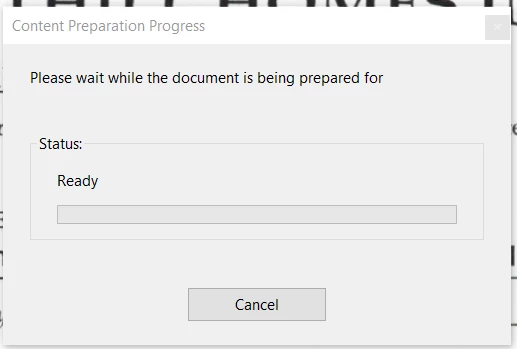
Everytime I open any pdf, it shows a pop up. (see below):


When I use a digital pen, instead of marking u on a pdf document, it is selecting content on the page. It is not letting me write on the screen.

This topic has been closed for replies.
Correct answer Harsh Vardhan Pareek

Hi @Nick Bhalla


Hope you are doing well.

As per the first issue described here is a help document to hide the message Content Preparation Progress when opening a PDF file: https://helpx.adobe.com/acrobat/kb/message-content-preparation-progress-opening.html

And for the second issue make sure you are using the drawing tool highlighted in the screenshot and not the highlight tool:

help document for comment tool: https://helpx.adobe.com/acrobat/using/commenting-pdfs.html


If you still facing issues, kindly share some screenshots to understand the issue better.


Let us know if that helps.


Thanks,

Harsh

1 reply

Harsh Vardhan Pareek
Community Manager
Harsh Vardhan PareekCommunity ManagerCorrect answer
Community Manager
October 8, 2021

Hi @Nick Bhalla


Hope you are doing well.

As per the first issue described here is a help document to hide the message Content Preparation Progress when opening a PDF file: https://helpx.adobe.com/acrobat/kb/message-content-preparation-progress-opening.html

And for the second issue make sure you are using the drawing tool highlighted in the screenshot and not the highlight tool:

help document for comment tool: https://helpx.adobe.com/acrobat/using/commenting-pdfs.html


If you still facing issues, kindly share some screenshots to understand the issue better.


Let us know if that helps.


Thanks,

Harsh