


Inspiring
March 4, 2026
Question

POP UP STOPS EMAIL SEND FROM ACROBAT

  • March 4, 2026
  • 2 replies
  • 73 views

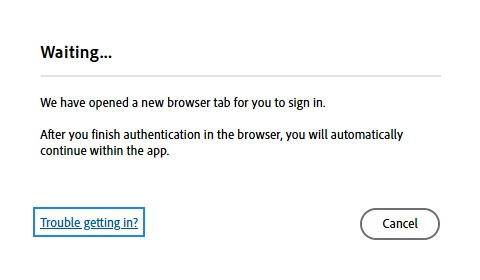
What in the %$#@! does this popup mean? I can find no tab anywhere to sign in. The browser is chrome and I am signed in to it and am signed in to Acrobat. Since Acrobat is how 100% of my print projects output to Adobe PDF, being able to share by email directly from Acrobat is a big time saver. In this version, after setting Gmail as my default, the mail from Acrobat does not work like it did in the previous and provides a dumb, wait, very dumb, popup that stops the send.

Forgive my rage, but it's almost like Adobe has people that look for procedures that work well, then say, "Hey, this is working well, let's see if we can **** it up."

Thanks in advance for looking at my problem,
Joe
 

    2 replies

    Kehinda370625941xhe
    Participant
    March 10, 2026

    Having the same issue at my University for our endusers.  In Adobe Acrobat when click share, and sending as attachment to gmail account, you give adobe permissions to open and send mail and  access to contacts, it just lags at that screen.  I’m gonna put in a support ticket cause it is a issue. 


    Dave Creamer of IDEAS
    Community Expert
    Community Expert
    March 5, 2026

    When you are sending an email through a browser-based email system, such as Gmail, Acrobat wants you to confirm its access in Chrome with your Google/Gmail account.

    However, there seems to be a glitch in the latest version of Acrobat and Chrome. After I approve access, the info never gets back to Acrobat. I’ve only been able to get it work by using a desktop email program that is logged into my Gmail account. 

    I’m not sure if it is some new issue with Acrobat or a new security issue with Chrome...

    David Creamer: Community Expert (ACI and ACE 1995-2023)