
Participant
October 26, 2023
Question

PowerPoint to pdf funktioniert nicht

  • October 26, 2023
  • 1 reply
  • 1379 views

Hallo,


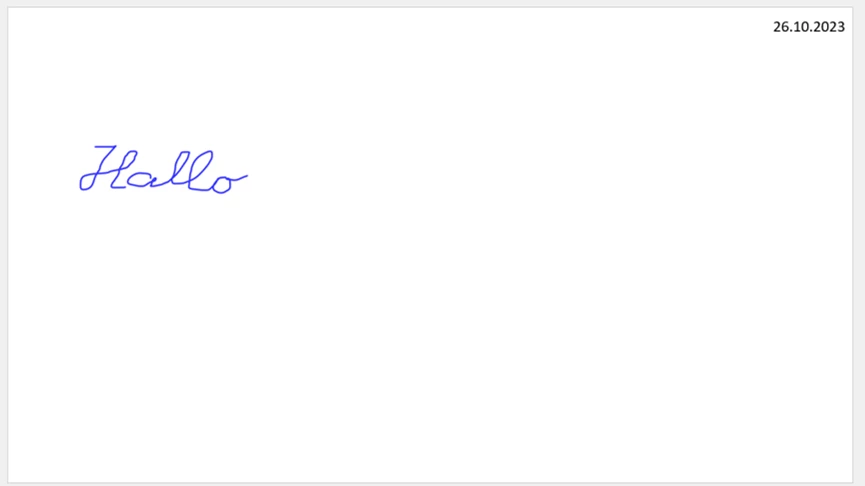
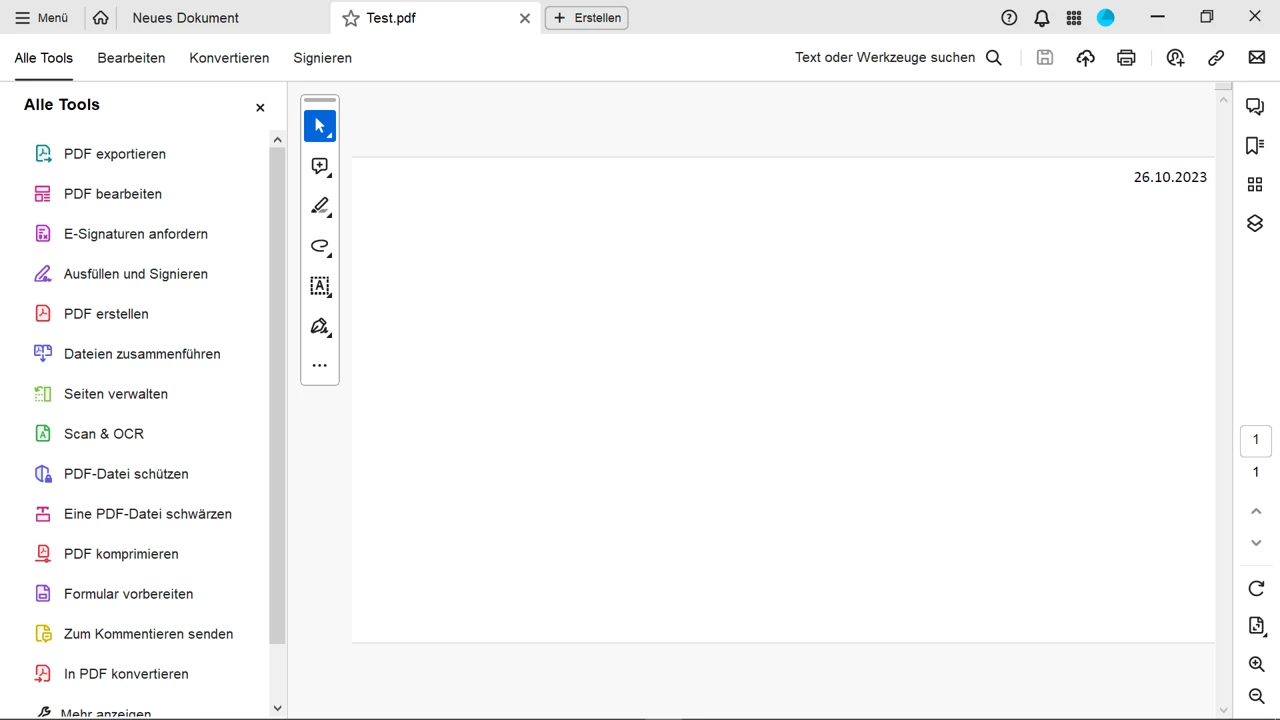
Acrobat hat bestimmte Änderungen gemacht und seitdem funktioniert die Konvertierung von PowerPoint-Dateien zu pdfs nicht mehr. Der Inhalt meiner pptx-Dateien besteht aus handschriftlichen Notizen. Adobe tut so als wenn es konvertieren würde, aber die pdf-Seiten sind leer. Nur bei den Seiten, auf die ich etwas mit der Tastatur geschrieben habe, zeigt sich was.


ppxt-Beispiel:


Das erstellte pdf ist:


Wie gesagt, es hat lange gut funktioniert. Was kann ich nun tun, damit die Konvertierung funktioniert? Ich brauche das dingernd für meine Arbeit.


Vielen Dank für die Hilfe!!

This topic has been closed for replies.

1 reply

Amal.
Community Manager
Community Manager
October 27, 2023

Hi @Tyno32714696s3ny 


Hope you are doing well and thanks for reaching out.


Would you mind sharing the workflow/steps you are doing to create the PDF form PPTX. A small video recording of the same would be very helpful for more clarity.


Please try to create the PDF from the Acrobat ribbon present in the PowerPoint Toolbar at the top and see if that works.


Also check if the issue is with this file only or with other pptx files as well, if its a file specific issue please share the sample file with us for checking at our end. Make sure you have the Acrobat Pro updated to the recent version 23.06.20360 . Go to Help > Check for updates and reboot the computer once.


Let us know how it goes.


Regards

Amal

Participant
November 17, 2023

Hello,

thank you very much for your response.

The point is - as you see from the example given above - that Adobe converts correctly the text field "26.10.2023" but does not convert the hand written part "Hallo". Adobe used to convert the hand written parts in the past.

This problem appears if I try to create the PDF from the Acrobat ribbon present in the PowerPoint Toolbar at the top as well as if I do it by right clicking on the file from Explorer and creating a pdf from there.

This problem appears in all such files with handwritten parts.

Unfortunately I don't know how to record a video from what I am doing. I suppose I follow standard steps - which used to work in the past as I already said.


Many thank for you help.


Amal.
Community Manager
Community Manager
November 21, 2023

Hi there


Would you mind sharing the sample PPT file with hand written text so we can check it at our end. Also, make sure you have the application updated to the recent version 23.06.20380. Go to Help > Check for updates and reboot the computer once.


~Amal