


Participant
Oct 16, 2022 7:53 PM UTC
Question

Prevent Redaction from Reducing File Size

Hi,


I want to redact and maintain full quality, how do I do this?

I need to perform some OCR after redaction, when the file shrinks the OCR doesn't do so well.

I tried unchecking "Save as optimize for Fast Web View"  No luck there.  File still gets shrunk automatically.  See screenshot below.


Whenever I redact the data, and hit Apply, the file size is automatically reduced.  I just want the data being redacted to be removed, but I want the quality to be the same.
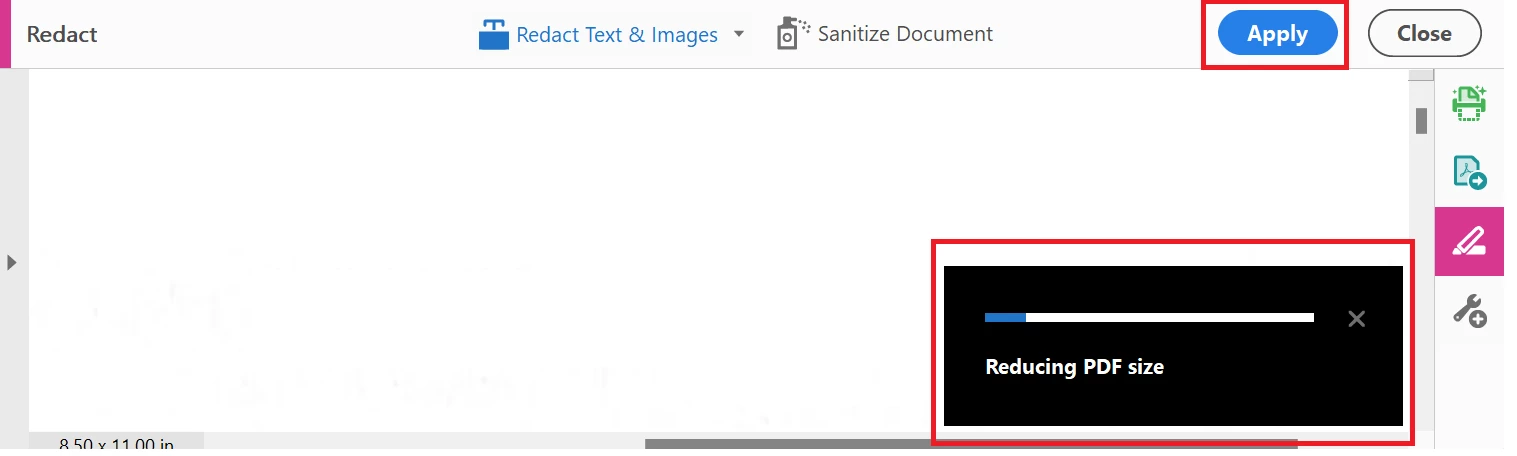


Thank you! 🙂

7 replies

Participant
Sep 4, 2023 12:11 PM UTC

If you "Apply redactions", turn-off "Sanitize and remove hidden information". This should prevent "Reducing PDF size". If you want to remove hidden information, do that manually later.

Translate
JR Boulay
Community Expert
Community Expert
Oct 17, 2022 12:18 PM UTC

I am starting from a scanned PDF, btw.

This is what causes recompression and/or downsampling since these are images and there is nothing vector.

As Eric said, you should run the OCR before, using the "Editable text and Images" setting. You can also choose the sub-sampling threshold.


Translate
Acrobate du PDF, InDesigner et Photoshopographe
Eric Dumas
Community Expert
Community Expert
Oct 17, 2022 8:56 AM UTC

Did you try to run the OCR first?

The 'Optimise for fast web view' seems to be a way to save a preview so the file saved in a way that the first page will open faster then start opening the next page, then the next... instead of waiting for the whole file to load and open all the pages at once. I never saw a major impact on the quality

Translate
Participant
Oct 17, 2022 12:09 PM UTC

That's interesting.  So, OCR the Doc first, then redact, then apply redactions.  I will give it a try.


Thank you

Translate
JR Boulay
Community Expert
Community Expert
Oct 17, 2022 7:46 AM UTC

You cannot remove objects from a document without reducing its size!

Translate
Acrobate du PDF, InDesigner et Photoshopographe
Participant
Oct 17, 2022 12:08 PM UTC

Reducing size because there is less stuff makes sense, but try eliminating something tiny from a large doc and you will see what I mean.  The pdf is reduced in size and the quality of the unredacted items goes down.


I am starting from a scanned PDF, btw.  


Thank you

Translate