
Preview Application is Messing with Editable PDF created in Acrobat DC
Hello all,
I recently created a document in Adobe Acrobat that has editable text fields. A screen shot of my Options properties is below. 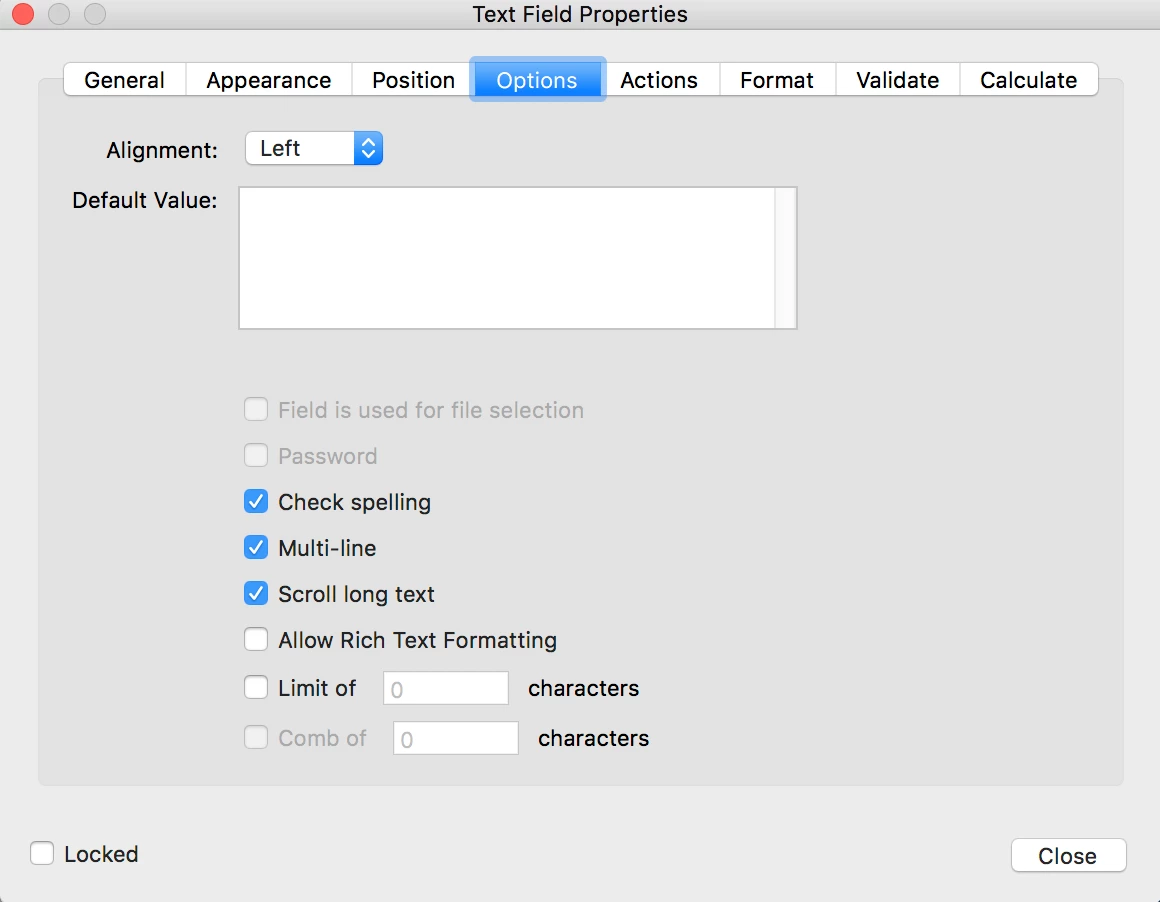
The PDF has about 150 of these fields, all with these options ticked. When I save the document and reopen the document in Acrobat, all of these fields work as they should. I can enter text and it fits neatly into each of these text fields.
My problem is that when I try to open the document through the Preview application on my Mac (as most people who get this document will do by default), when I input text into the text fields, the text wraps down to the next line but it does so in the middle of words. It does not take the whole word down to the next line. A screenshot for that can be seen here:
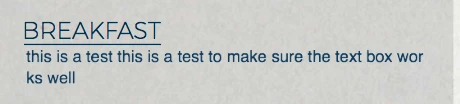
Furthermore, still in Preview, when I edit some of the fields and then save the PDF in Preview, the text shrinks from the size it should be (12pt or 14pt type) down really small to like 4 or 6pt type.
Again, the document is working swimmingly in Acrobat but these two errors are happening in the Preview application on my Mac.
Is there a solution for this? Chatting with Adobe Support gave no help. All of my Googling and reading gave me no help as well. The best answer I could find is that "One program is made by Adobe, one program is made by Apple. They interact with the PDF differently and it can't be fixed. Tell everyone to open the PDF in Acrobat and not Preview." Surely this can't be the solution?
Any help would be greatly appreciated.
Thanks!
 AdChoices