
Print from Windows Explorer right-click menu
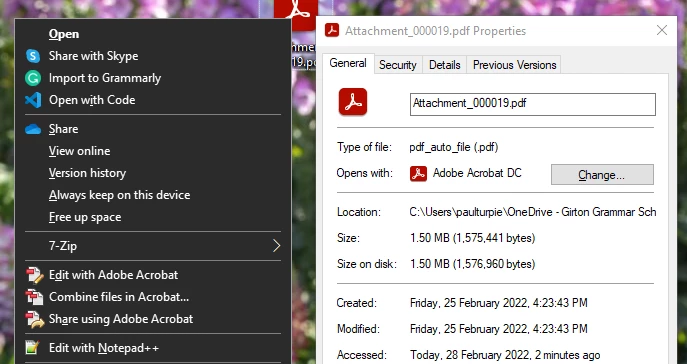
Our installation of Acrobat DC doesn't have an option in the Windows Explorer right-click menu to Print the document.
When Acrobat DC is the default application for opening PDFs, if I right-click on a PDF document there is only an option to Open the file.
However, if Acrobat Reader is the default for opening PDFs, then there is an option to Print in the right-click context menu.
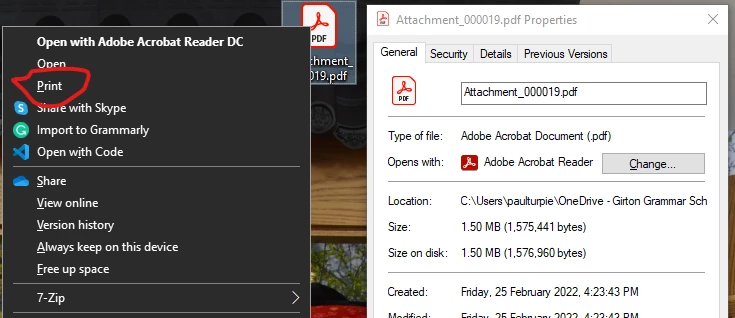
Oddly, the print option actually opens in Acrobat DC instead of Reader to do the printing.
How can we get Acrobat DC to have a Print option in the Explorer right-click context menu, without also installing Reader?
(For context: Our school management system relies on the Print option in Explorer to allows us to print documents stored in it's database. We could print other Office documents and Jpegs, but not PDFs)
 AdChoices