
Print to PDF is deleting files and not saving page orientations
I often combine pdfs that are different orientations and page sizes into one file by opening one pdf and using the "Organize Pages" to insert the other files. Typically instead of a regular save, I use the print to pdf option in Adobe Pro and choose either portrait or land scape and fit so that when I save, the pages are all the same size and orientation, making the file easier to read in the future.
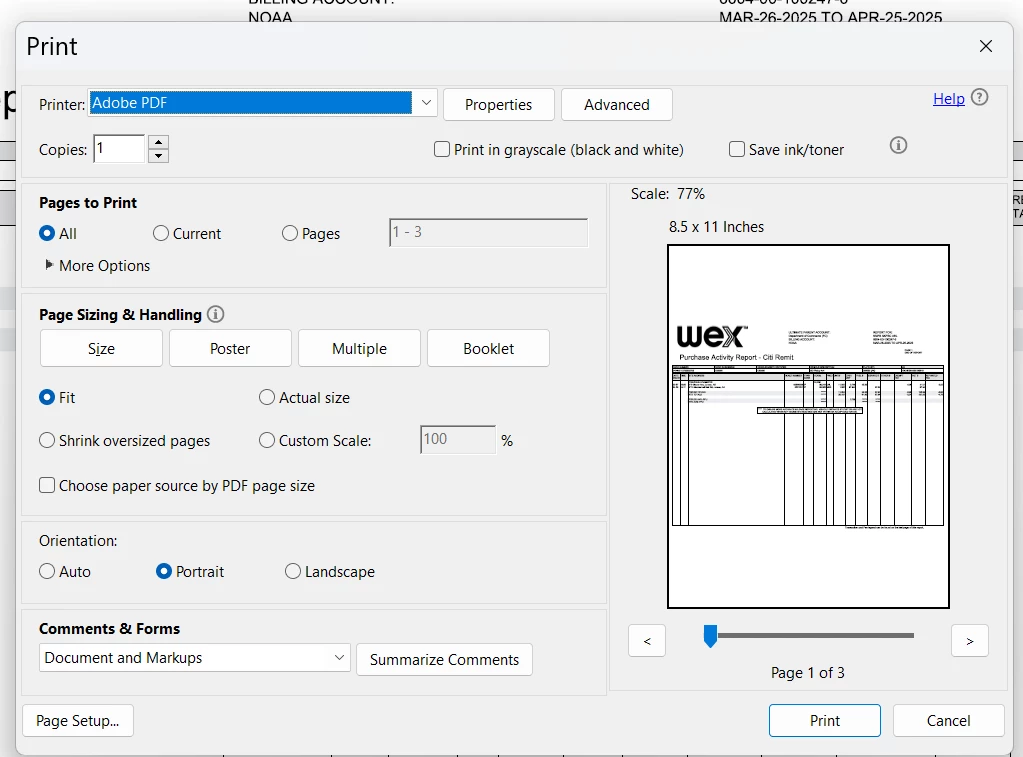
However, lately that feature has not been working. Sometimes it simply saves the combined files in their original sizes and orientations. Or more troubling, lets say I have file A open and add file B, then try to print to pdf using file B's name - in that case instead of saving, file B disappears from the folder. How weird is that? It goes thru the whole process as tho it is saving, but instead, the result is that the file deletes the file.
Why is this happening and how do I regain the previous results?
I am using "Acrobat Pro Continuous Release | Version 2025.001.20474 | 64-bit" with Windows 11.


 AdChoices