
Answered
printer settings
Since updating my adobe DC I can only print 2 sided pages. I cannot find a setting to change to 1 sided. My MS Office prints 1 sided just fine and offers the option for 2 sided. HELP??

Since updating my adobe DC I can only print 2 sided pages. I cannot find a setting to change to 1 sided. My MS Office prints 1 sided just fine and offers the option for 2 sided. HELP??
Hello Susans,
We apologize for the inconvenience caused, as per the description above, after the update of Acrobat DC, you are not able to print 1 sided, Is that correct?
Please check for any pending updates of Acrobat from help>check for updates, restart the machine after installing the updates and see the printer settings to turn off the double-side printing.
The Double-sided printing is a printer feature, see the screenshot, you have to turn it off from the printer setting. You can refer to the following KB article to turn off the double-sided printing Print double-sided | Adobe Acrobat, Reader DC
If you are using a Mac operating system, you can check the printer settings and can refer to the screenshot to turn it off:
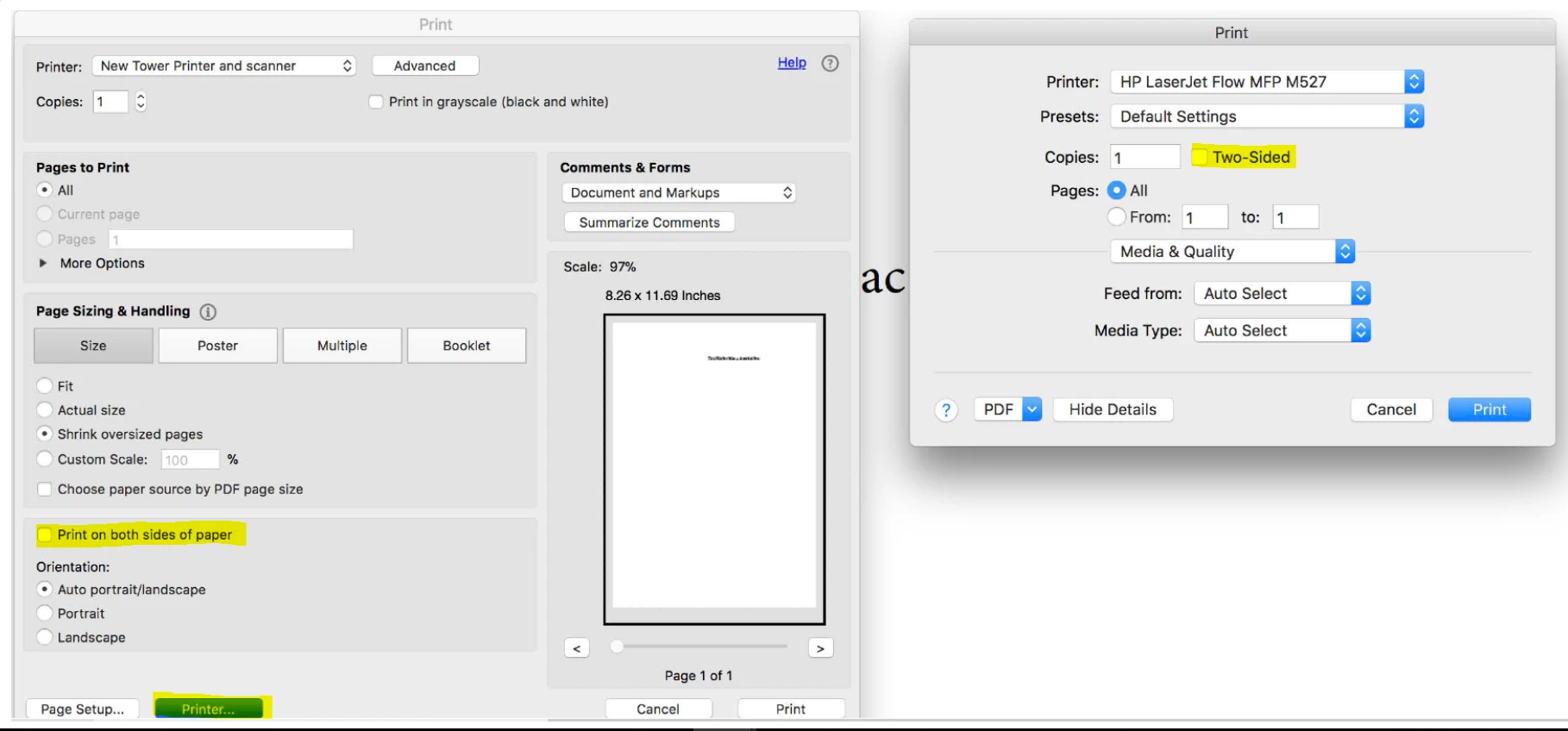
If the issue still persists, please share the following details:
Let us know how it goes and share your findings.
Regards,
Anand Sri.
Already have an account? Login
No account yet? Create an account
Enter your E-mail address. We'll send you an e-mail with instructions to reset your password.


 AdChoices