Participant
May 28, 2020
Question

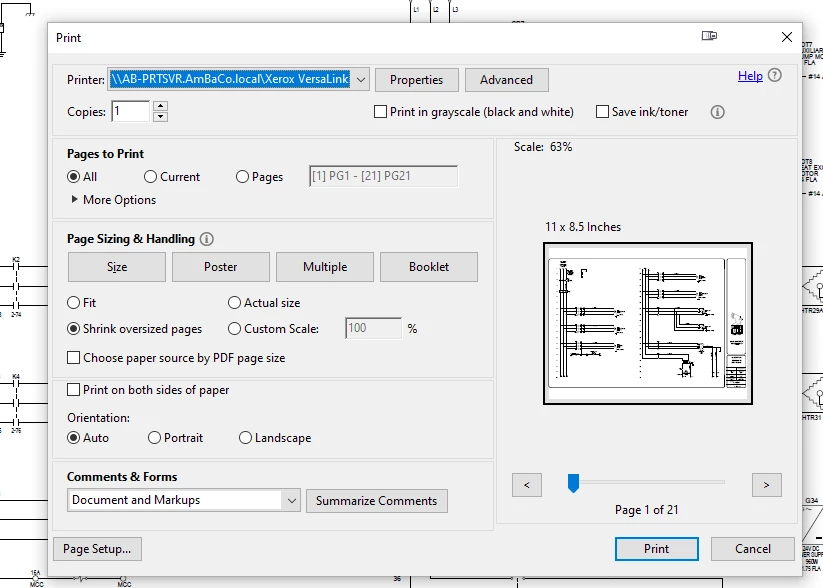
printing default [change standard to tabloid]
  • May 28, 2020
  • 2 replies
  • 3766 views

When I click on print, the default paper size is 11x8.5.  I want it to be 11x17.  How do i change the default setting?


[Edited by moderator for clarity.]

This topic has been closed for replies.

2 replies

Nancy OShea
Community Expert
Community Expert
May 28, 2020

Click on Printer properties.  Hopefully your printer can support tabloid (11x17) sized paper. 


Nancy O'Shea— Product User & Community Expert
david7070Author
Participant
June 1, 2020

yes it does. but when i change it, it does not stay at 11x17 it reverts back to 11x8.5. i belive the problem is with adobe there has to be a setting to keep it at 11x17. at one time it was set at 11x17 by defualt.

Participant
September 22, 2022

@david7070 did you ever get this fixed? I have a similar issue when printing from Adobe Acrobat DC Pro from a MacBook (Monterey) to a large MFP printer. The printer has 11x17 tabloid paper, and I can change the print settings, but then Acrobat has the pdf defaulted to 8x11 letter size and refuses to print to any other size.

John T Smith
Community Expert
Community Expert
May 28, 2020

Please post the exact name of the Adobe program you use so a Moderator may move this message to that forum