Participant
November 8, 2019
Question

Printing Issues

  • November 8, 2019
  • 3 replies
  • 798 views

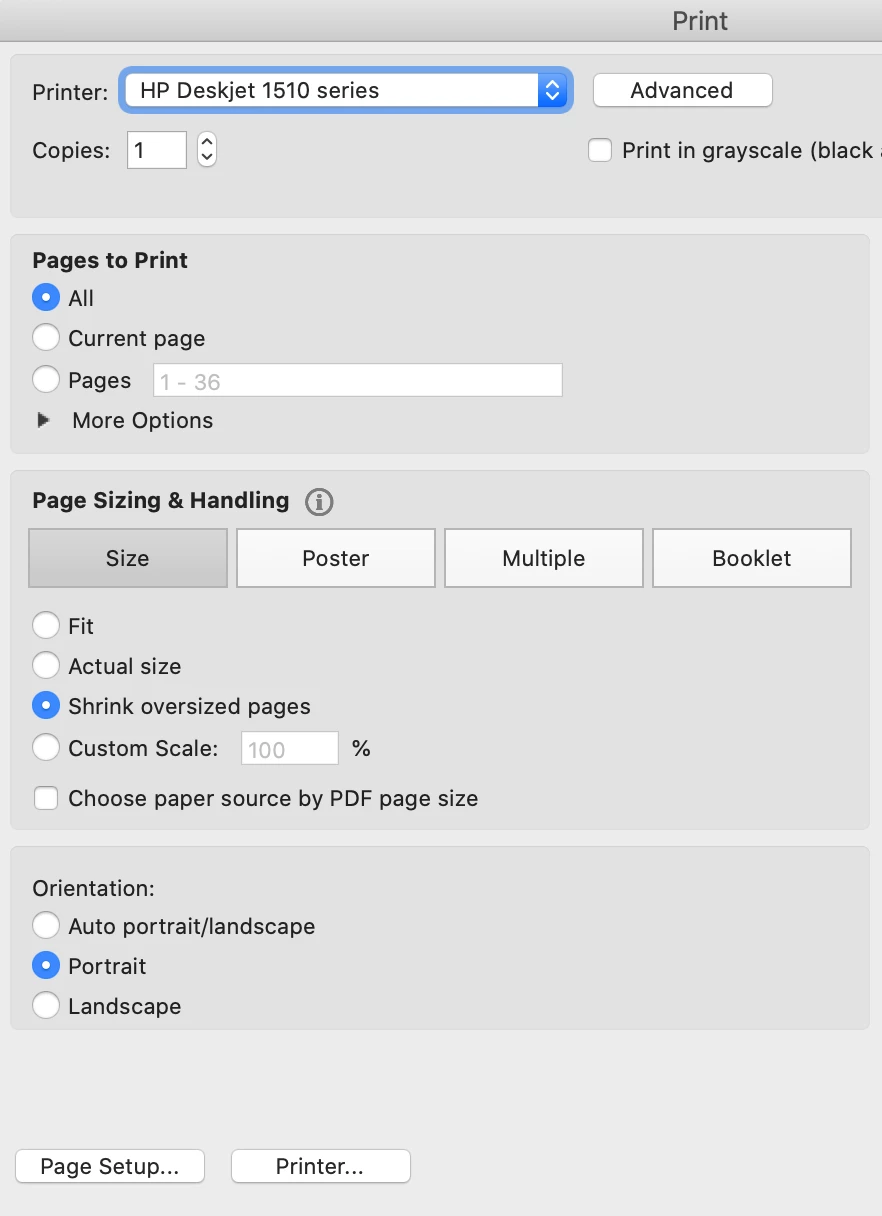
Hello guys, just want to know that currently i am using macbook air compatible with HP printer (Deskjet 1510 series). The problem is i can't print for both sides for this moment.

This topic has been closed for replies.

3 replies

Participant
June 16, 2020

Before you install new software, first remove the existing software to make sure that you have only the latest software and driver installed on your computer. Follow these steps to uninstall the existing software, and then install the latest HP software and driver

on window option
Search and click on the control panel option.
Click on uninstall the program.
Choose the software and uninstall it.
Disconnect the printer, and then restart your computer.
Some of the problems also arise because of installation errors. While installing or setup up the printer. Read the instructions carefully and follow them strictly. Connect the wire properly at their place.


HP PRINTER COMPATIBLE ISSUE

Participant
December 31, 2021

Paypal is one of the leading payment transfer apps in the recent era. Most of us are well aware of PayPal and how it works.

PayPal Login
primevideo.com/mytv
amazon.com/code
hbomax.com/tvsignin
www.amazon.com/mytv
aol mail login
outlook 365 login
amazon.com/code
Paypal login

Participant
November 12, 2019

Me too face the same problem with my canon printer, I also updated my OS after that the problem began. So I update my printer driver and its resolved the issue but after that, a new problem I faced is canon printer printing blank pages. I searched many websites and could not get a proper solution. Then I changed printer ink. If anyone has any idea about that problem then suggest to me about that printer problem.

ls_rbls
Community Expert
Community Expert
November 8, 2019

Hi,


If this problem began after your macOS was recently updated to Catalina, or any updates took place in your system follow these suggestions:


Participant
November 9, 2019

Before I updated to Catalina the problem already occurred and yet I tried all the solution given but it still can't resolve this problems.

ls_rbls
Community Expert
Community Expert
November 9, 2019

Ok, well in thay case , In the screenshot that you provided, there is an option to print both sides .


Did you checked what options do you get when you click o. Poster, Multiple ,Booklet?

Are you saying you cannot access these other printing options?