
Participant
March 27, 2019
Answered

Printing Pages with comments only

  • March 27, 2019
  • 2 replies
  • 4774 views

​I have a PDF doc that is about 1000 pages and I made comments on some of them. Is there a way to either export or print just these pages? I would like the pages to print as a whole page with comments on it not a smaller vision of page with the comments on the side with line to it.
This topic has been closed for replies.
Correct answer AkanchhaS8194121

In addition to the "try76" response.

Related help document: Print comments | Adobe Acrobat, Reader 

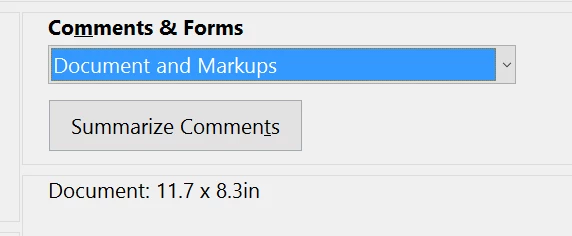
Under print dialog box, right below under "Comments & Forms"  there is an option "Summarize Comments".

Thanks,

Akanchha

2 replies

AkanchhaS8194121
AkanchhaS8194121Correct answer
Legend
March 28, 2019

In addition to the "try76" response.

Related help document: Print comments | Adobe Acrobat, Reader 

Under print dialog box, right below under "Comments & Forms"  there is an option "Summarize Comments".

Thanks,

Akanchha

try67
Community Expert
Community Expert
March 27, 2019

Have a look at the Summarize Comments option, under the Print dialog.