

Printing PDF from word
I was told earlier in the forum when printing a word document to PDF I should be using "Save as Adobe PDF." But when I do that, the grays (shadows) of images are not smooth and is really rough - The image quality is downgraded. When converting word to PDF using "Print - Adobe Best Print" everything works well. Is "Print - Adobe Best Print" the best option to use when sending for Commercial CMYK Print (I know the colors will need to be converted to CMYK before sending to print)? I am not sure why I received advice to save as PDF if the image quality is poorer. Any assistance and advice would be very much appreciated.
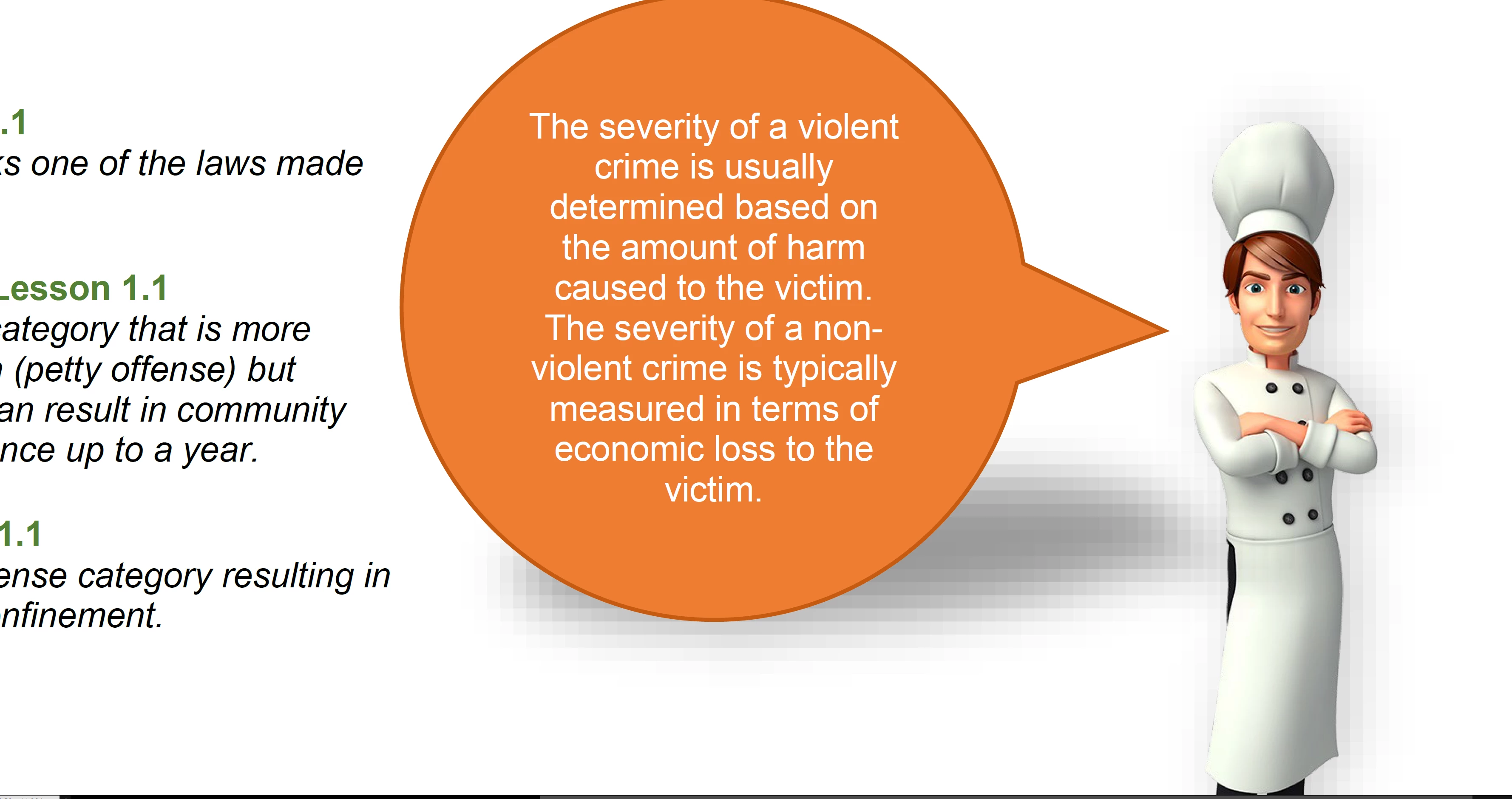
Save as Adobe PDF Example (Poor Quality) - Notice the stark gray variations:
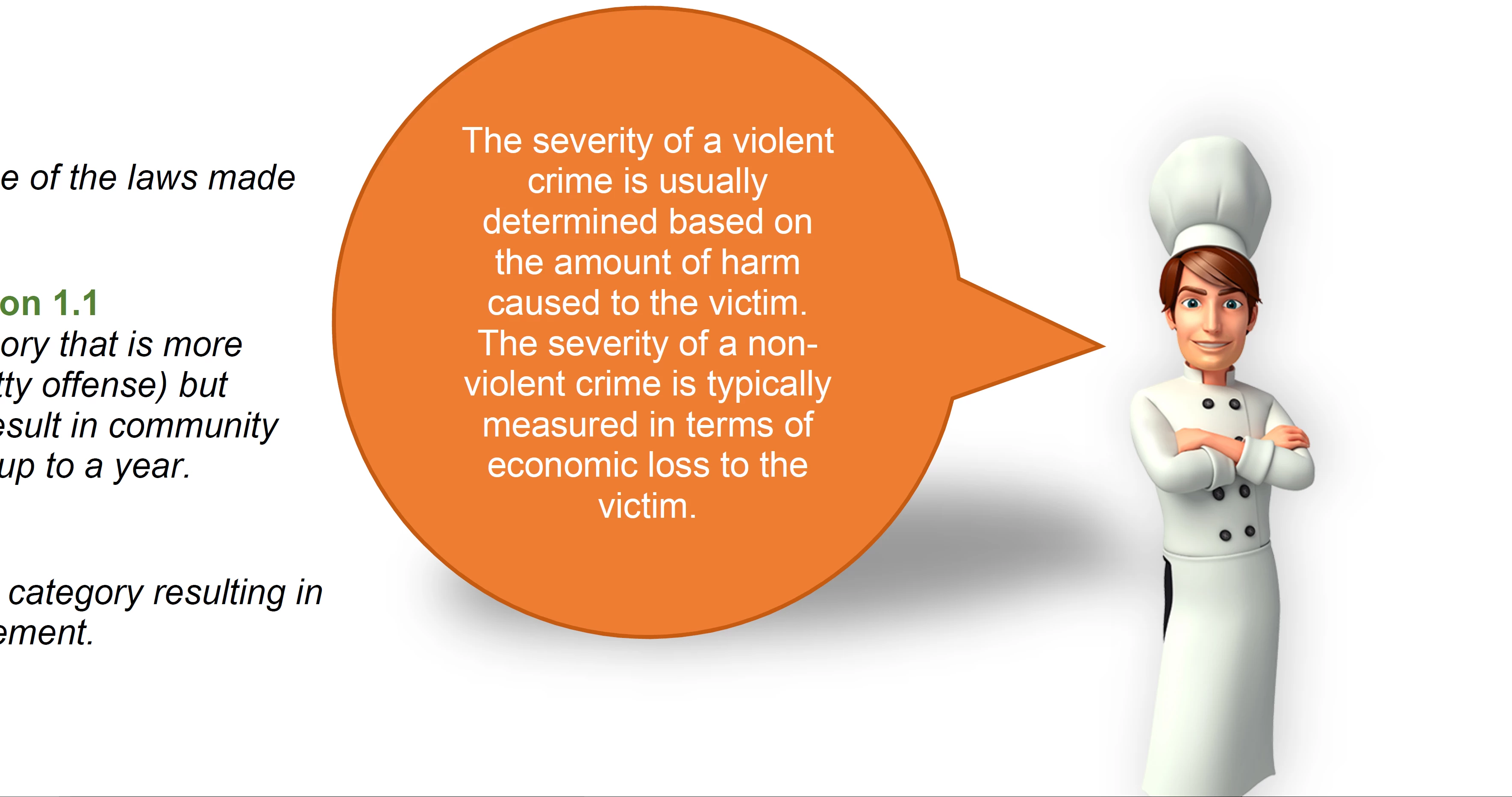
Print to Adobe PDF (Adobe Best Print) - Notice the smooth gray variations:
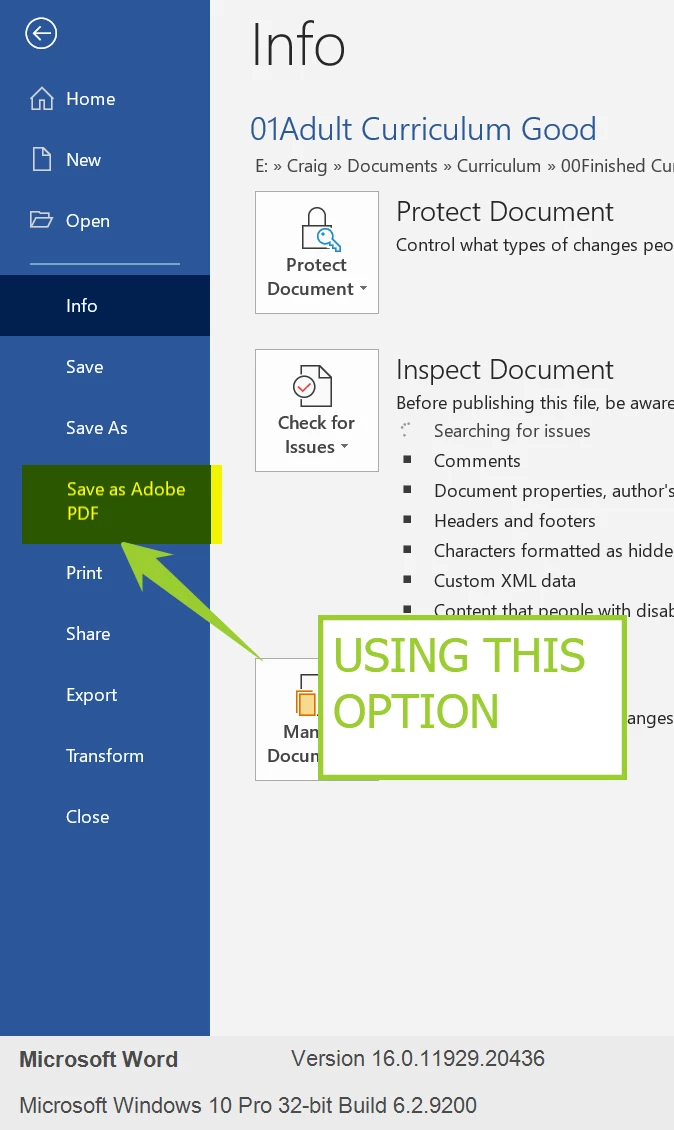
The following is the Save As option I am using:
 AdChoices