Participant
November 28, 2021
Question

Problem Accessing Document Cloud on Acrobat Pro DC on MacBook Air with Apple Silicon

  • November 28, 2021
  • 1 reply
  • 494 views

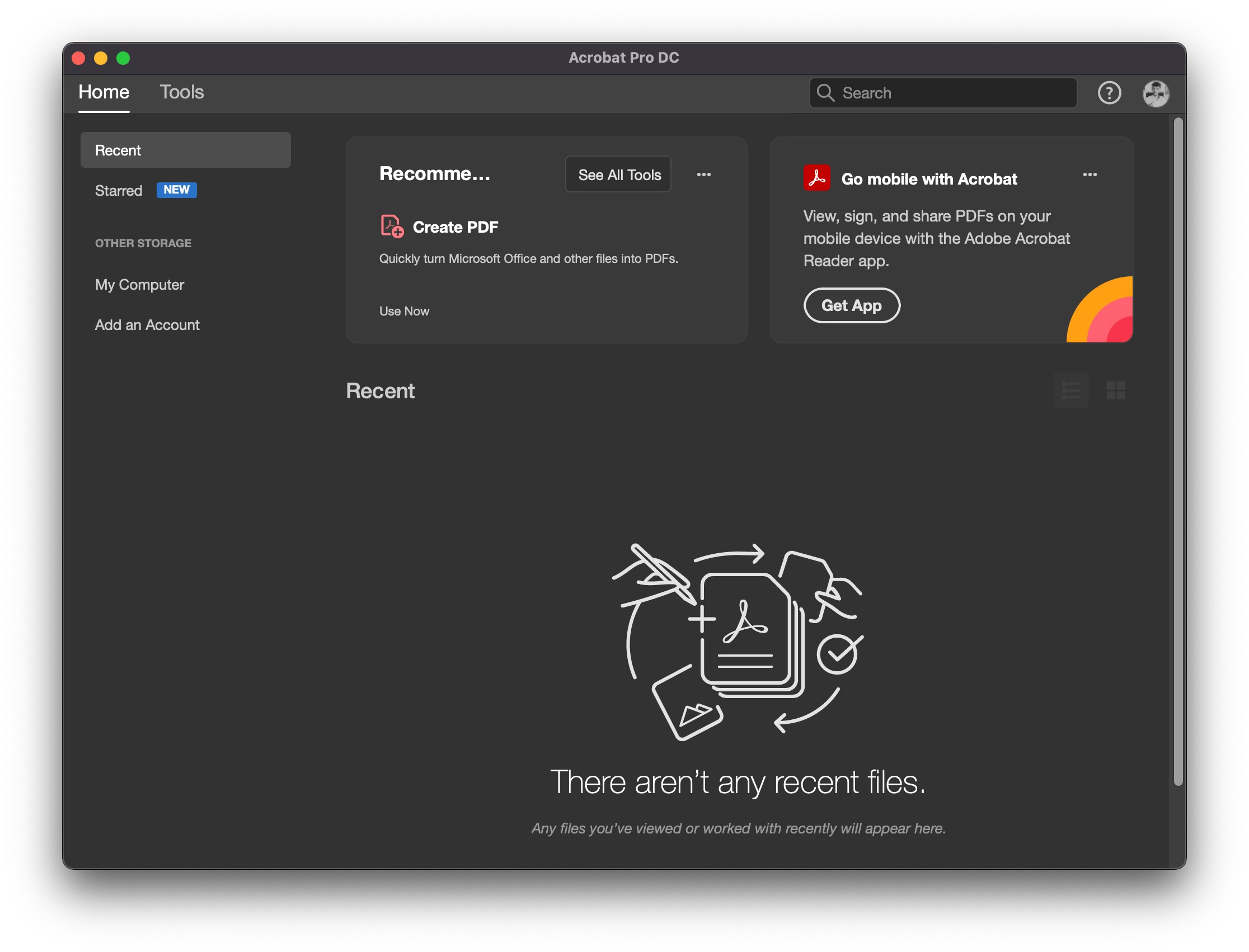
I have MacBook Air 2021 with Apple Silicon. I recently downloaded the CC app & Acrobat Pro DC. When I enter the Acrobat App, I cannot see the document cloud section anywhere. It is like it doesn't exist. I have tried running repair, reinstall, restart, finder extensions, whatever I could think of, nothing works. I see only the recent files and the local ones I opened by double-clicking, and as you can see on the left, no document cloud, nothing. I was with technical support for hours, no solution on their hand, too. Said they'd contact me again. Has anyone seen this before? I am so lost! I appreciate any help you can provide. 


This topic has been closed for replies.

1 reply

AkanchhaS8194121
Legend
December 1, 2021

Hi Yoray,


Thanks for sharing the screenshot. 

Adobe Document Cloud storage should automatically be synced with the Adobe Acrobat DC app. We can see that the option is missing here. Try the following steps and see if that helps:

1- Open Acrobat navigate to>Edit>Preferences>General> check "Show online storage when saving file" and "Show online storage when opening file" > OK> close and reopen Acrobat.

2- If its all upto its place and still doesn't change anything. Then, use this cleaner tool for the removal of the app: https://www.adobe.com/devnet-docs/acrobatetk/tools/Labs/cleaner.html and reinstall it.

https://helpx.adobe.com/acrobat/kb/acrobat-dc-downloads.html 


Thanks,

Akanchha

Participant
December 1, 2021

Hi Akanchha,

I have tried it, with still no success. Plus, I have been attempting to install and reinstall many times, and still no results. Anything else, maybe? Thanks!