Participant
December 12, 2017
Answered

Problem distributing and compiling results from a form.

  • December 12, 2017
  • 1 reply
  • 1063 views

This is the first time that I created a form  to distribute and compile the results. But when I try to distribute this form it says;

Creating response file

Extending features

Could not create your workspace on the server. Please try again.

Acrobat failed to set up a workflow folder in the specified shared folder or hosted server.

Form distribution is aborted.

Am I doing something wrong?
This topic has been closed for replies.
Correct answer Cari Jansen

Which version of Acrobat are you using?  I believe workspaces were discontinued at some point.

In Acrobat Pro DC (for Email / Internal Server):

  1. Click Prepare Form
  2. Then click Distribute... (lower right corner of your screen)
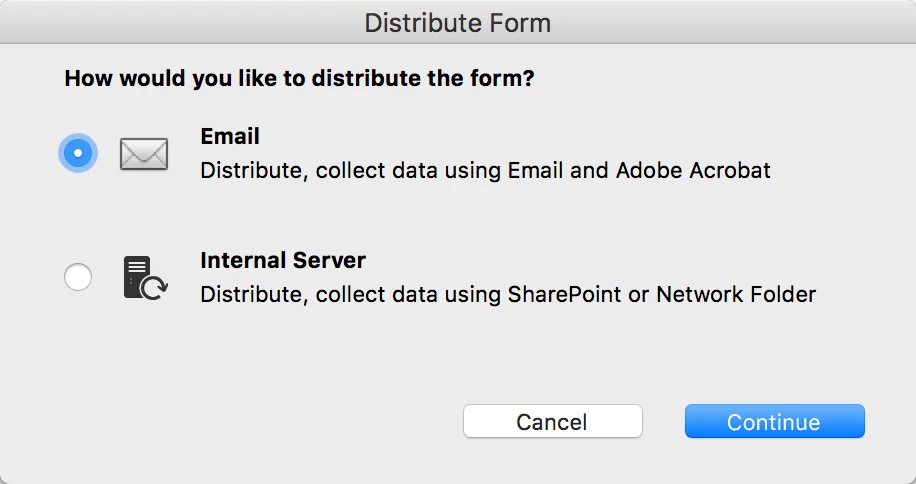
  3. and in the Distribute Form dialog box, select either Email or Internal Server (for network folder or SharePoint), and follow the remainder of the prompts. Keep in mind that for a server or web server location, there needs to be sufficient access for the people submitting form responses, you might need to consult with your IT department for this.

1 reply

Cari JansenCorrect answer
Legend
December 17, 2017

Which version of Acrobat are you using?  I believe workspaces were discontinued at some point.

In Acrobat Pro DC (for Email / Internal Server):

  1. Click Prepare Form
  2. Then click Distribute... (lower right corner of your screen)
  3. and in the Distribute Form dialog box, select either Email or Internal Server (for network folder or SharePoint), and follow the remainder of the prompts. Keep in mind that for a server or web server location, there needs to be sufficient access for the people submitting form responses, you might need to consult with your IT department for this.
Participant
December 17, 2017

Thanks. I am using Acrobat 9 Pro version 9.5.5 on a Mac running 10.11.6.