
Participant
July 21, 2022
Question

Problem in Adobe acrobat dc

  • July 21, 2022
  • 1 reply
  • 240 views

Hi Everyone,


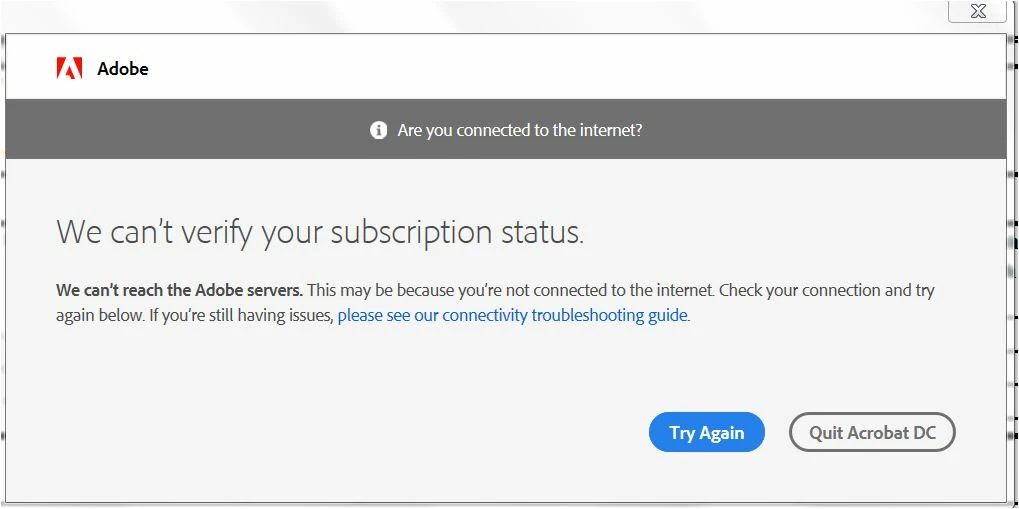
I am using Adobe acrobat dc licensed version. For past few days, i couldn't able to open any PDF. I am getting popup window as follows: 

"We can’t verify your subscription status."

 My license is valid till end of 2022. 
This topic has been closed for replies.

1 reply

Eric Dumas
Community Expert
Community Expert
July 21, 2022

Hi there are a few things you can try:

  1. from the adobe.com web site, you can check your account. Sign-in using your Adobe ID and password, click on your icon/photo on the top right of the screen. Click on Adobe Account link to make sure your details are correct. Check in the Plans section at the top of the screen to make sure your subscription is active.
  2. in the Creative Cloud app, make sure Acrobat is marked as installed and apply any updates if needed
  3. A couple of restart of your computer and browser clean up of coockies might help
  4. If that still does not work, you can uninstall Acrobat from Creative Cloud, using the 3 little dots next to Acrobat, there in a 'uninstall' option. Reboot your computer a clouple of times, then reinstall.
  5. If all that fails, you will need to check with your IT Dept (if you use this in your work place) that the web security is not blocking internet access for Adobe Licence check, or if you are at home, check with another internet source or your internet setup
  6. Last, you can contact Tech Support in your region

Let us know how it is progressing for you