
Problem Printing to PDF
Hi,
I've suddenly started having an issue when trying to print anything from the web to a pdf.
I have to print outlines for work from a web page to pdf and I need to be able to
edit, copy and past from the pdf to After Effects.
What I usually do is just highlight/select all the text & hit CTRL-P
This ha never been a problem until today.
here's a video of the issue
I tried uninstalling and reinstalling Acrobat.
I tried clearing all my web browser (chrome) preferences
I tried to do it using Edge Browser but Edge always wants to print the page and not the text.
However the massive cursor problem was not present when I printed the page.
When I print the entire page from chrome I do get the massive cursor problem.
So this leads me to suspect the problem is in my Chrome Browser.
But like I said I have cleared all browser history to the beggining of time and reset the preferences to default.
Still the problem persists.
It's not crippling because I can CTRL-V the text and then create a new PDF from the clipboard and everything is fine.
So I am able to continue working.
I just don't know what may have happened.
Also after i uninstalled and reinstalled acrobat I started getting this warning
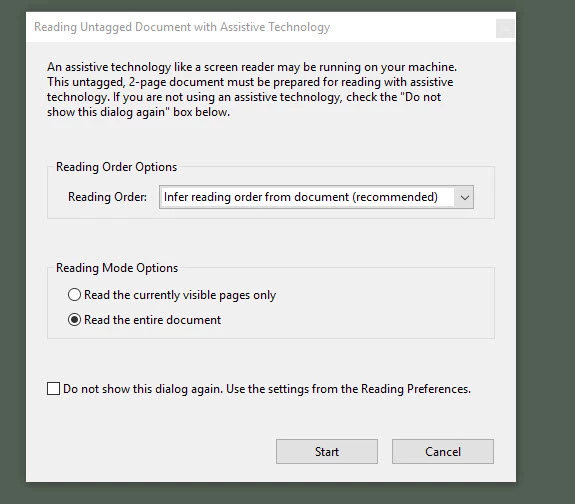
I'm not away of any "screen reader" running on my machine.
Is someone spying on me?
I disabled the dialogue in Acrobat's preferences.
Any thoughts would be greatly appreciated.
If you fix the problem for me I will...be very very happy 
-Paul
 AdChoices