


Souvik_98
Inspiring
October 19, 2026
Question

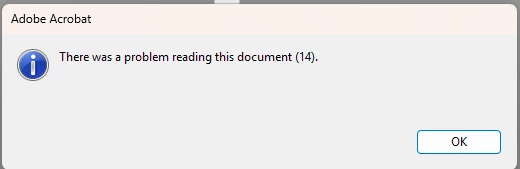
Problem reading this document (14)

Hello, 


I get the error (14) everytime when trying to zoom in to documents and scrolling

Version: 26.2.22031

Windows 11
 

4 replies

Karl Heinz  Kremer
Community Expert
Community Expert
October 19, 2026

Hold down the Ctrl Key (or Cmd on a Mac) and then click on the button. What does the second message say? This is usually an indication of a corrupt document. 

Translate
Souvik_98
Souvik_98Author
Inspiring
October 22, 2026

No second message at all. I click ok and that's it. But the same file opens fine on a web browser, or on Acrobat Mobile for that case.

Translate
https://www.souviks.co.in/
BaniVerma
Community Manager
Community Manager
October 22, 2026


 Hi ​@Souvik_98,


Thank you for providing the screenshot and additional details. We understand that you are encountering the error message “There was a problem reading this document (14)” when you zoom or scroll in Acrobat. However, the same file opens successfully in a web browser and Acrobat Mobile.


  • Could you please clarify whether this issue occurs with every PDF file or just specific ones?
  • If possible, share a sample PDF that does not contain any private or confidential information.
  • Additionally, please let us know if the affected files are stored locally, on a network drive, or in a cloud-synced folder.

We also ask that you run Adobe Acrobat Diagnostics. Once the error occurs again, select “Share logs” and provide us with the generated log ID.


Once we have the sample file and log ID, we can investigate further.


Thank you, 

^BV

Translate
