
Participant
July 21, 2023
Answered

Problem using select text

  • July 21, 2023
  • 1 reply
  • 423 views

Hi to all.

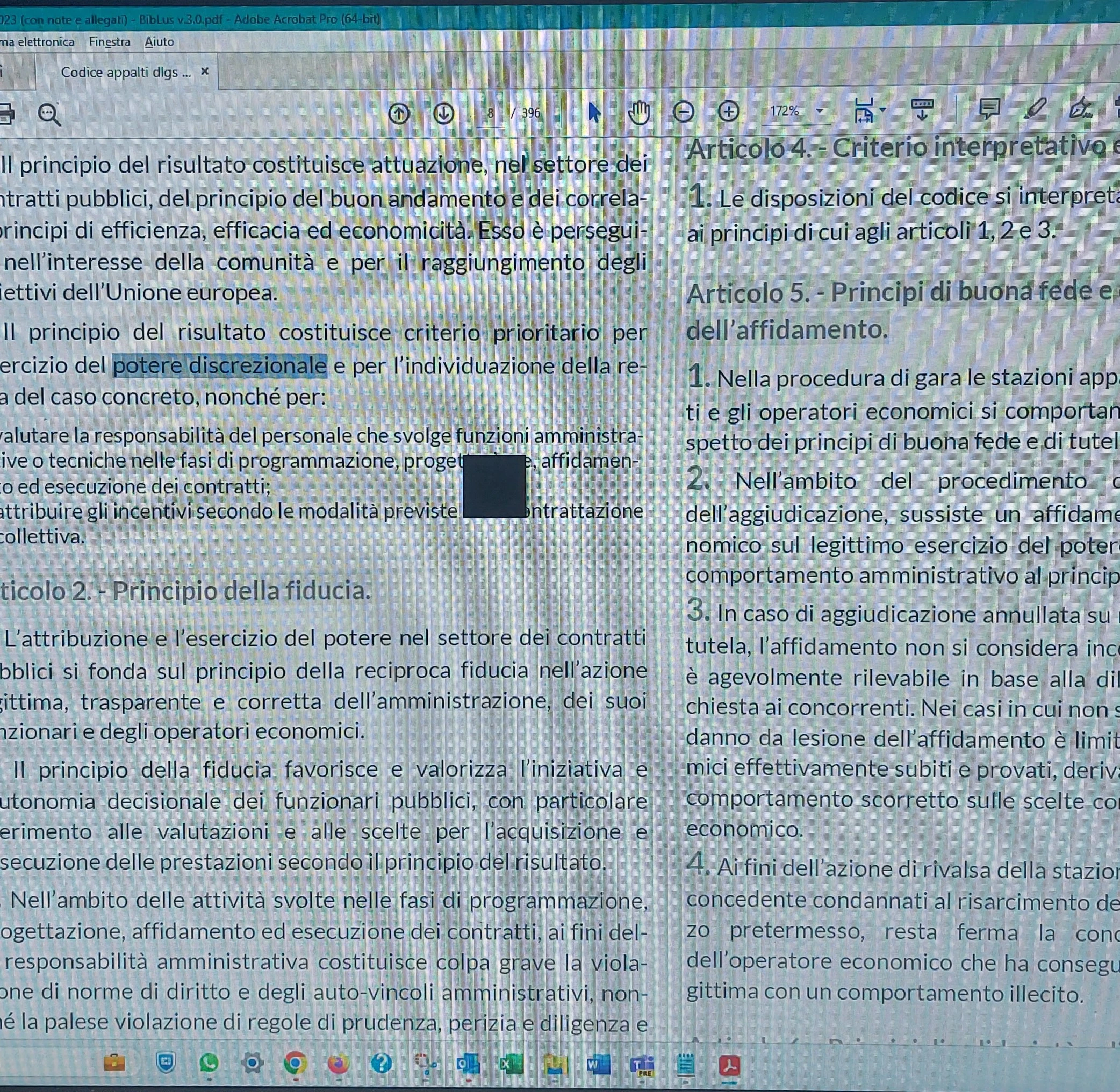
I have a problem using the Arrow button to select text.

It appears a Black square that cover the text to select and i don't see it.

I try it in another installation in other PC and the issue don't appear.

Please can you Help me?


See the image below

Thank a lot

Giorgio


This topic has been closed for replies.
Correct answer Giorgio31218268hpph

Hi Amal,

I tried what you suggested ma it doen't works

In the meantime I copied the file Icon* in the directory of Adobe installation where the select option works ed I installed in the same directory of Adobe where doesn't work and... Miracle! Issue resolved.

Thank you in advance.

Giorgio

1 reply

Amal.
Legend
July 21, 2023

Hi @Giorgio31218268hpph 


Hope you are doing well and thanks for reaching out.


Please try to remove the icon cache file as described below and check:

1. Open the local appdata folder:  C:\Users\<user name>\AppData\Local\Adobe\Acrobat\DC
2. Delete the following file in the local appdata folder:
- For Acrobat Reader: IconCacheRdr.dat
- For Acrobat: IconCacheAcro.dat
3. Relaunch Acrobat application and see if that works.


Let us know how it goes.


Regards

Amal

Giorgio31218268hpphAuthorCorrect answer
Participant
July 24, 2023

Hi Amal,

I tried what you suggested ma it doen't works

In the meantime I copied the file Icon* in the directory of Adobe installation where the select option works ed I installed in the same directory of Adobe where doesn't work and... Miracle! Issue resolved.

Thank you in advance.

Giorgio