
Question
Problem with javascript code in a form
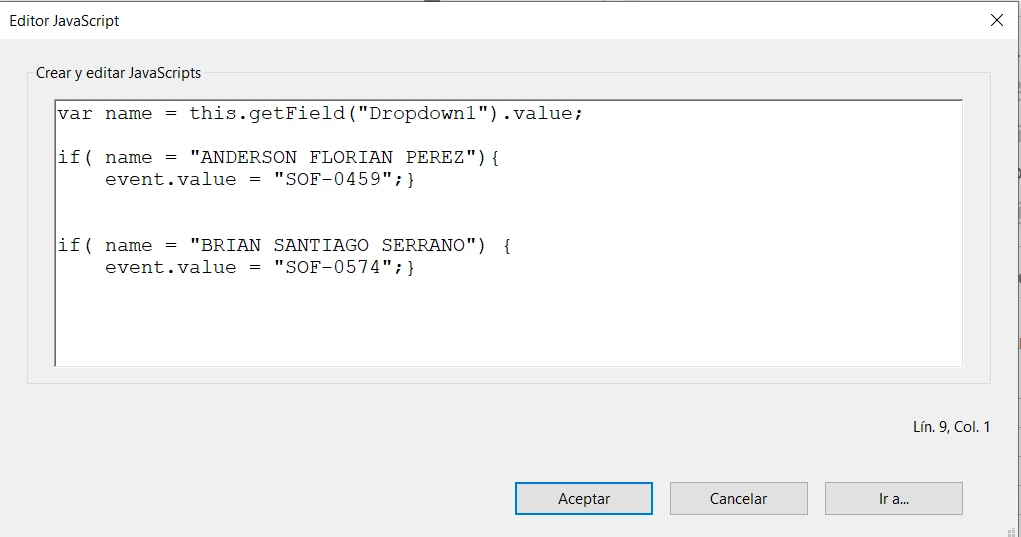
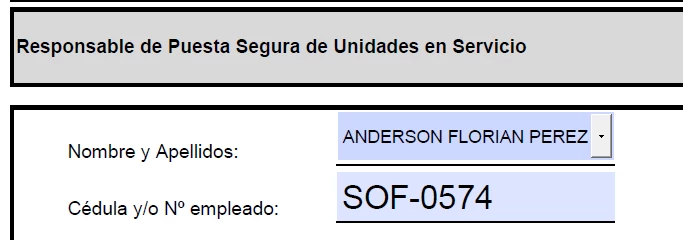
Hello, I have a form where I have a list of people and each one has a code, I want that when selecting a person in a text field, the code of this person is automatically placed in another text field. That is, make them conditional. I have this code and it doesn't send me an error but it doesn't work and it only gives me the last code I wrote. Is this possible to do? What should I change to make it work? I hope you can help me, thank you.
this is the code:
I have a list of names in a dropdown and when selecting them I want the code of the selected person to be placed in the text box below called "Cédula y/o Nº empleado"
 AdChoices