gutembe
Participant
February 19, 2018
Answered

Problem with my Adobe DC document

  • February 19, 2018
  • 2 replies
  • 699 views

Hello,
I have a problem with Adobe DC. I am trying to create a form from my pdf file. Everything is going well, all the places I'm interested in are well-read by the program. The problem starts in a place where the text field has more characters than 10. I can not edit it to increase the number of possible characters, inserting a newly created text field also does not give anything, because the number of characters option in the properties is not available. I would like to read a 14-character code after using the bar code reader. Unfortunately, only 10 characters are loaded. Do you have an idea where in the settings I could change it, so that the formula has the ability to read 14 characters, but also that I could edit other options in properties such as alignment.In the attached file, the problem is in formula named "Numer identyfikacyjny zwierzęcia" and etc.

http://uploadfile.pl/pokaz/1364126---qjw3.html

Thank you in advance for your answer,
Regards

This topic has been closed for replies.
Correct answer AnandSri

Hello Gutembe,

Sorry for the delayed response and inconvenience caused. As per the description above, you want to edit the PDF form properties and want to change the character limit from 10 to 14, Is that correct?

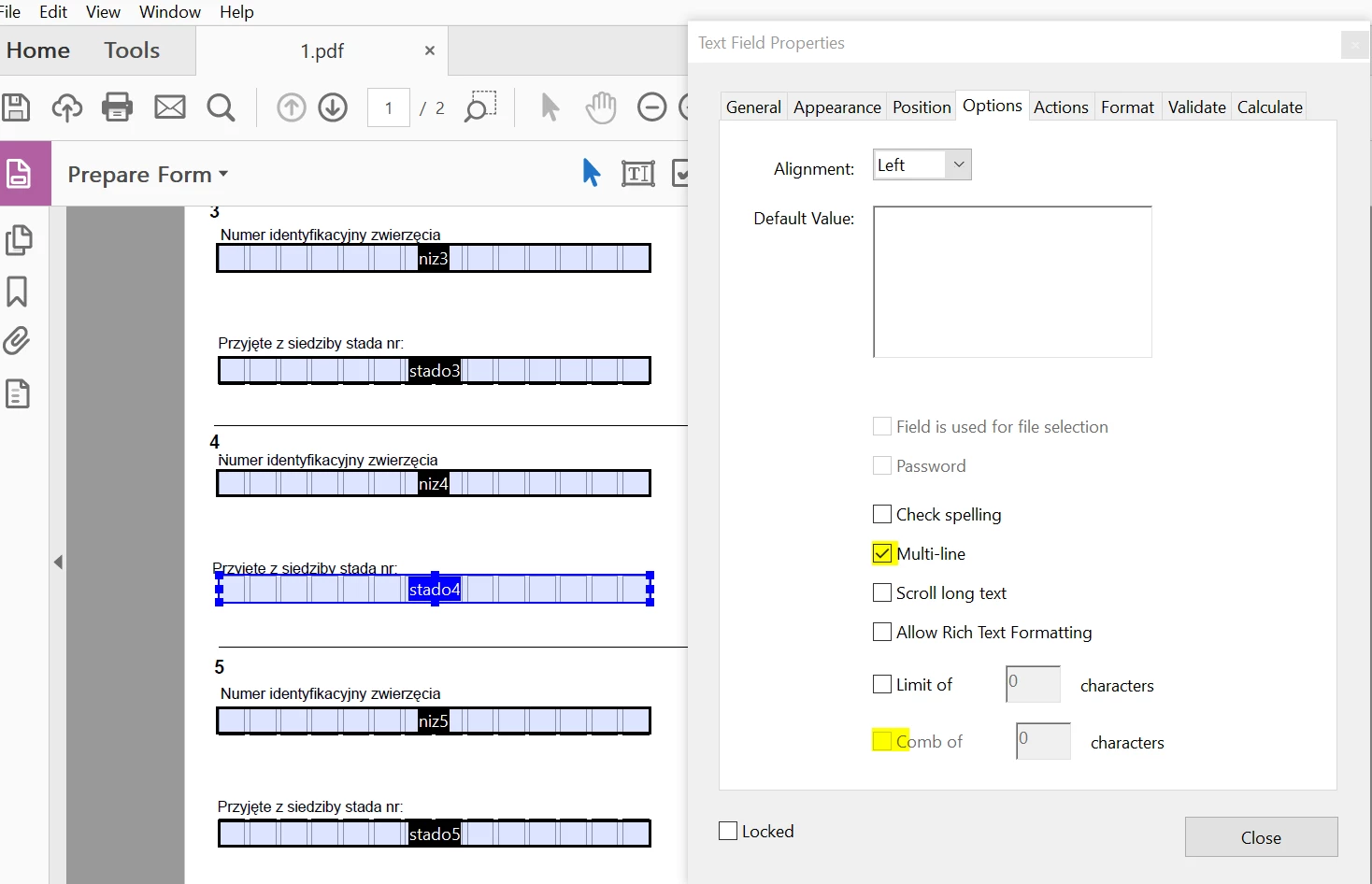
Please try changing the settings from form field properties in Acrobat, navigate to Text Filed Properties>Options>and make changes in Comb of, and select multi-line option, save the settings and PDF and see if this brings any difference.
What is the dot version of Acrobat installed, to identify refer to Identify the product and its version for Acrobat and Reader DC

Is it a Mac or Windows machine?

Let us know how it goes and share your findings.

Regards,

Anand Sri.

2 replies

Participant
August 31, 2023

I want to find my document in Adobe Acrobat. I put it there on 3-13-23. I don't know my password

AnandSri
Community Manager
AnandSriCommunity ManagerCorrect answer
Community Manager
April 16, 2018

Hello Gutembe,

Sorry for the delayed response and inconvenience caused. As per the description above, you want to edit the PDF form properties and want to change the character limit from 10 to 14, Is that correct?

Please try changing the settings from form field properties in Acrobat, navigate to Text Filed Properties>Options>and make changes in Comb of, and select multi-line option, save the settings and PDF and see if this brings any difference.

What is the dot version of Acrobat installed, to identify refer to Identify the product and its version for Acrobat and Reader DC

Is it a Mac or Windows machine?

Let us know how it goes and share your findings.

Regards,

Anand Sri.